A Dyno alternative
Moderation and automod on a bot of your own.
Dyno is one moderation bot shared by every server that adds it. With BotGhost, the no-code Discord bot maker, you make a bot of your own, with your name and avatar on it. It comes with 26 free moderation commands, a case log, and automatic punishments, and you can build any rule the settings don't cover from blocks.
Dyno plans and features checked on dyno.gg and Dyno's docs, 23 October 2026.

BotGhost vs Dyno for moderation
Dyno's free plan already covers a lot of moderation. A BotGhost bot runs on your own Discord application, with your name and picture.
- Moderation commands
- BotGhost26 in the Moderation module, free, each with its own switch
- Dyno32 in its Moderation docs, free
- Punishing repeat rule breakers
- BotGhostTime out, kick, or ban after a number of warnings or timeouts, with more than one rule
- DynoAutopunish after a number of warnings, 3 rules without Premium
- Message members get when punished
- BotGhostWrite your own DM, as text or an embed, free
- DynoA DM with the reason. Custom responses need Standard
- Automod filters
- BotGhostBlocked words through Discord AutoMod with Premium, or filters you build from blocks for free
- Dyno19 ready-made filter types free, from bad words and invite links to phishing links and spam
- Name and avatar in the member list
- BotGhostThe ones you pick, on every plan
- DynoDyno's. Your own is the Custom tier, $12.99 a month or $99.99 a year
- Leveling
- BotGhostFree module
- DynoStandard tier
- Twitch and YouTube alerts
- BotGhostFree, as one of your 3 free events each
- DynoPremium tier
- What one paid plan covers
- BotGhostOne bot, in every server it is in
- DynoOne server
A free BotGhost bot switches off after 2 days without anyone using one of its commands, buttons, or menus, and a Premium bot after 365 days. Dyno column from dyno.gg/premium and docs.dyno.gg, 23 October 2026.
Moderation commands, case logs, and automatic punishments
The Moderation module is free and doesn't use up your 3 custom commands. Switch it on and your mods get /ban add, /kick, /warn, /mute add, /purge, /slowmode, /channel lock, and the rest, 26 in all.
- Every punishment gets a case number and goes in your log channel. /user history shows everything a member has had.
- Switch on DMs and the bot tells members what happened, why, and which mod did it, in a message you write.
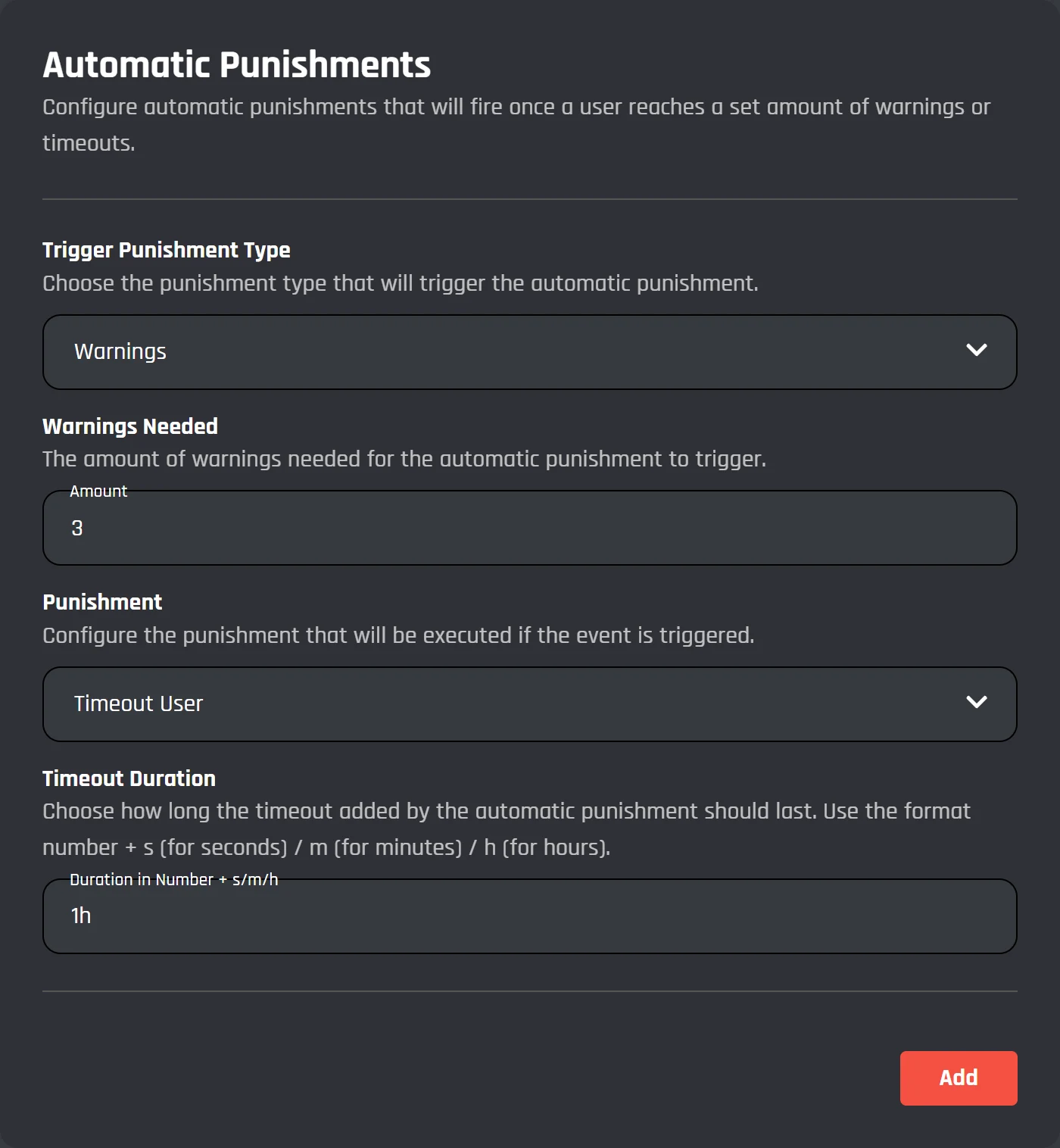
- Set rules like "3 warnings: time out for 1 hour" and "6 warnings: ban", and the bot hands out the punishment when a member hits the number.
Automod on BotGhost, and where Dyno does more
Dyno has 19 ready-made filters on its free plan, from caps and spam to phishing links, and BotGhost doesn't have a list like that. You get two other ways to stop bad messages.
Build a filter from blocks
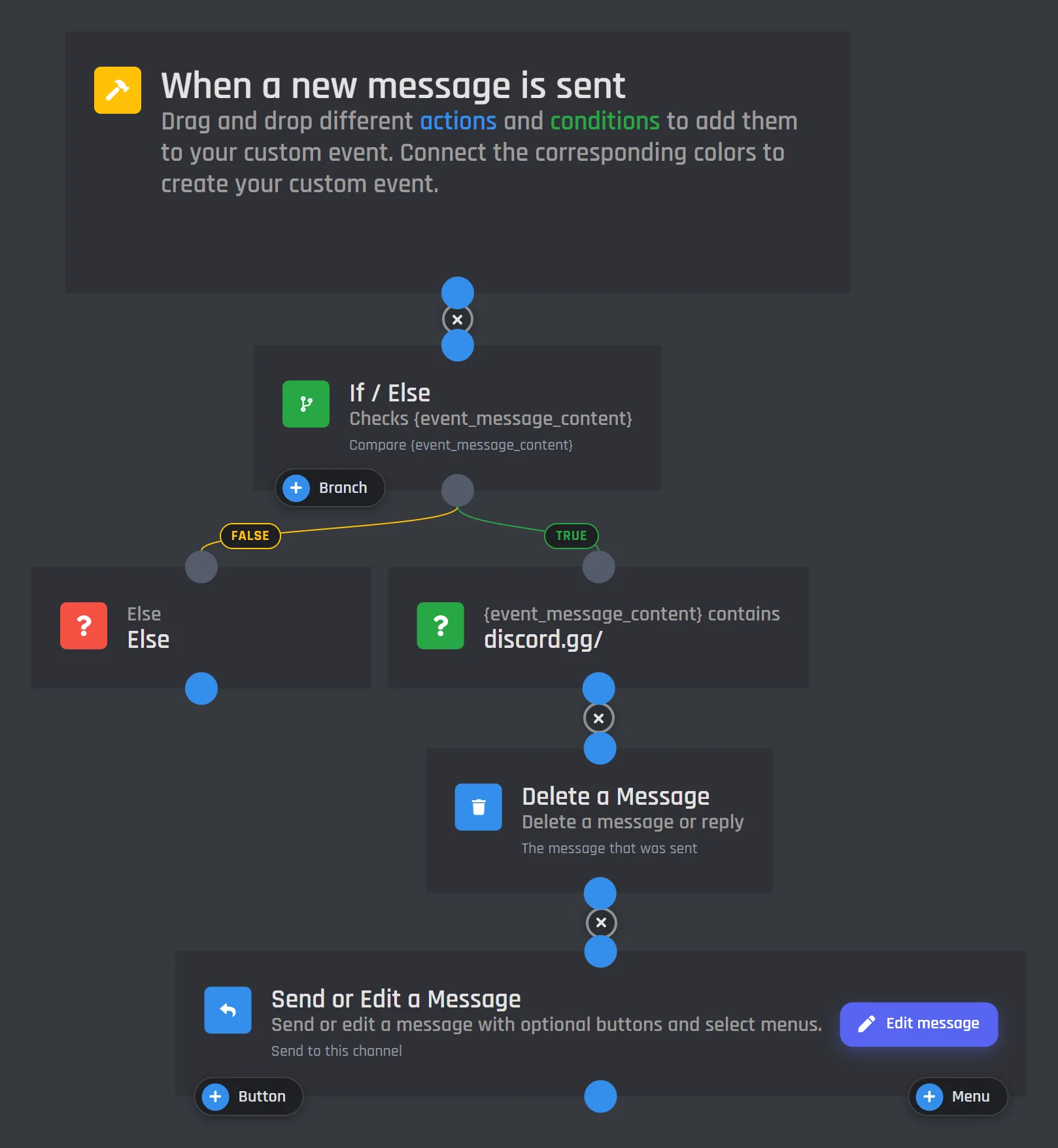
FreeA When a new message is sent event checks every new message. In this one, an If / Else block looks for discord.gg/ in the message. When it's there, Delete a Message removes it and Send or Edit a Message posts a warning in the channel.
Add Timeout a Member or a note in your mod log channel under the same branch.
It uses one of your 3 free events. Make it in the event builder.
Discord Automod module
PremiumRun /discord-automod to add blocked words to Discord's own AutoMod, so Discord stops the message before anyone sees it. You pick what happens to members who keep getting caught: a timeout, a kick, or a ban.
Discord AutoMod on your bot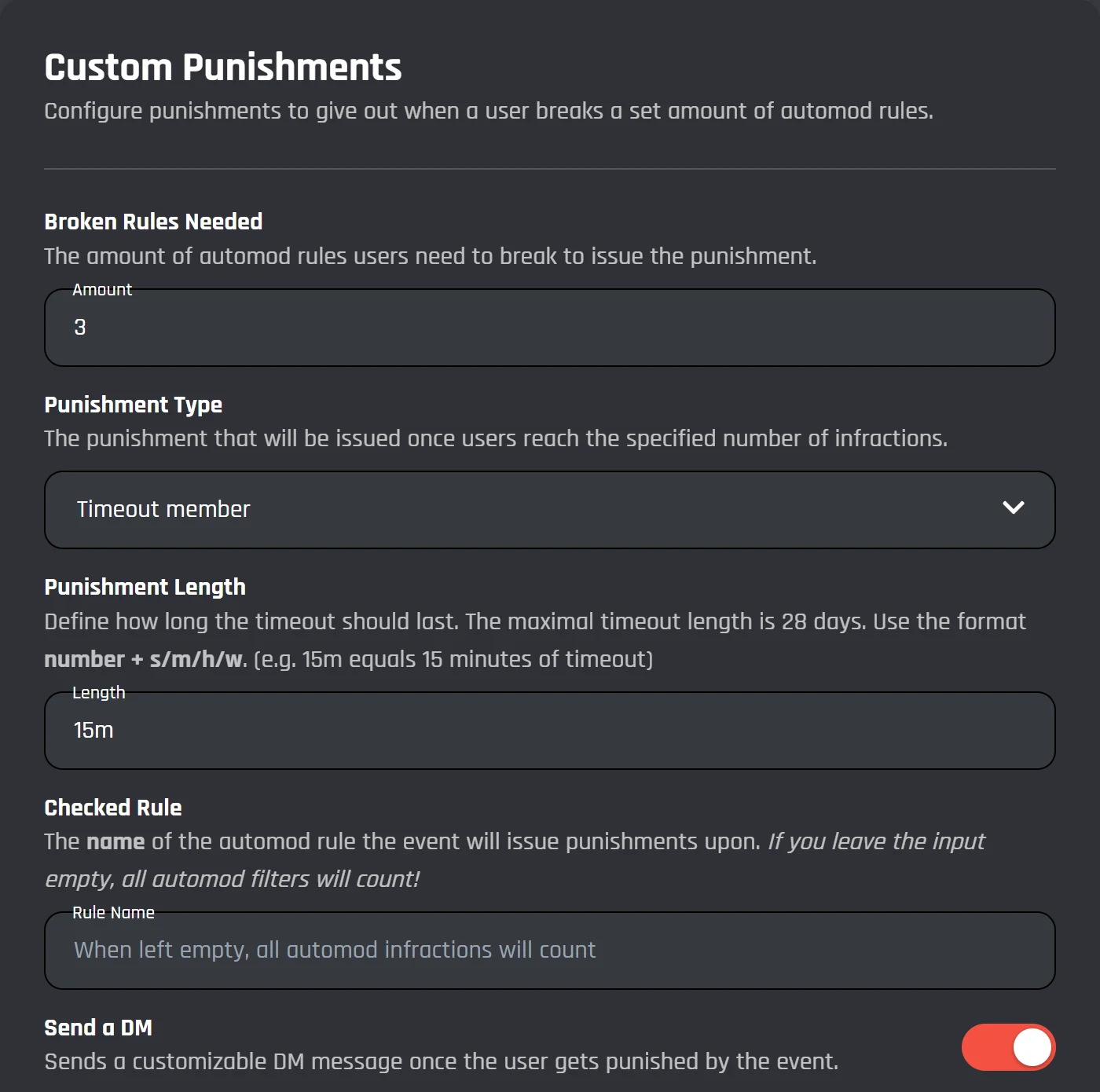
Dyno Premium tiers next to BotGhost
Dyno sells three paid tiers, each for one server. BotGhost is free, $12.50/mo for one bot, or $25/mo for unlimited bots, in every server they're in. Save long-term with yearly plans.
- Dyno Standard$5.99 a month or $49.99 a year, per serverAdds Levels, unlimited commands and modules, advanced automod, autopurge, and slowmode.On BotGhost: Free and PremiumLeveling and the /slowmode command are free. Unlimited commands need Premium.
- Dyno Premium$7.99 a month or $59.99 a year, per serverAdds Twitch, YouTube, TikTok, Reddit, and Kick alerts.On BotGhost: FreeTwitch and YouTube alerts are free events. BotGhost has no TikTok or Kick alerts.
- Dyno Custom$12.99 a month or $99.99 a year, per serverAdds your own avatar, username, and bot status.On BotGhost: Free and PremiumYour name and avatar are free on every bot. Your own status line needs Premium.
For one server, Dyno Standard ($49.99 a year) costs less than BotGhost Premium. See BotGhost Premium
Dyno alternative questions
BotGhost has a free plan where you make your own bot and switch on the Moderation module: 26 commands, case numbers, a log channel, and automatic punishments, all free. The free plan covers 5 servers, 3 custom commands, and 3 custom events, and you don't enter payment details.
See BotGhost and Dyno side by sideOn 23 October 2026, Dyno's premium page listed Standard at $5.99 a month or $49.99 a year, Premium at $7.99 a month or $59.99 a year, and Custom at $12.99 a month or $99.99 a year. Each one is for one server. BotGhost Premium is $12.50 a month or $75 a year for one bot, or $25 a month or $150 a year for every bot you own, in every server they're in.
Dyno's tiers next to BotGhostYes, though it works differently. Dyno has 19 ready-made filter types on its free plan. BotGhost's Discord Automod module adds blocked words to Discord's own AutoMod and needs Premium. On the free plan you build a filter from blocks instead: a message event, a Comparison Condition, and whatever should happen next.
Automod on BotGhostYes, on every BotGhost bot, because it's your own Discord application. Change them in Settings whenever you like. On Dyno, your own avatar and username are the Custom tier, $12.99 a month or $99.99 a year for one server.
Make a custom Discord botNo. BotGhost can't import anything from Dyno, so warnings and cases start fresh on your new bot. If you need an old member's history, look it up in Dyno before you remove it.
Moving your Dyno setupYes. They're separate bots, so you can add yours while Dyno is still there and move one thing at a time. Turn off the matching part of Dyno as you go, or both bots will act on the same message.
Moving your Dyno setupCheck the role order first. Discord won't let a bot punish anyone whose top role is above the bot's. Drag your bot's role near the top in Server Settings, then Roles.
Read the Moderation docsMoving your Dyno setup to BotGhost
Add your bot while Dyno is still in the server. Set up each part below, switch it off in Dyno, then remove Dyno at the end.
