Discord leveling bot
XP, levels and role rewards for your server.
Members earn XP for chatting and talking in voice. When they level up, your bot posts it and gives them the role for that level. Leaderboards show who's on top this week, this month and of all time. It's all set up on one page in BotGhost, the no-code Discord bot maker.
Every feature is free on every bot, from voice XP to rank cards.


How members earn XP for messages and voice
Chatting and voice are on from the start. Everything else is a switch on the XP tab, with its own amount.
- Chatting15 to 25 XP, once a minuteXP from messages, on to start with. Pick the amounts and how long between.
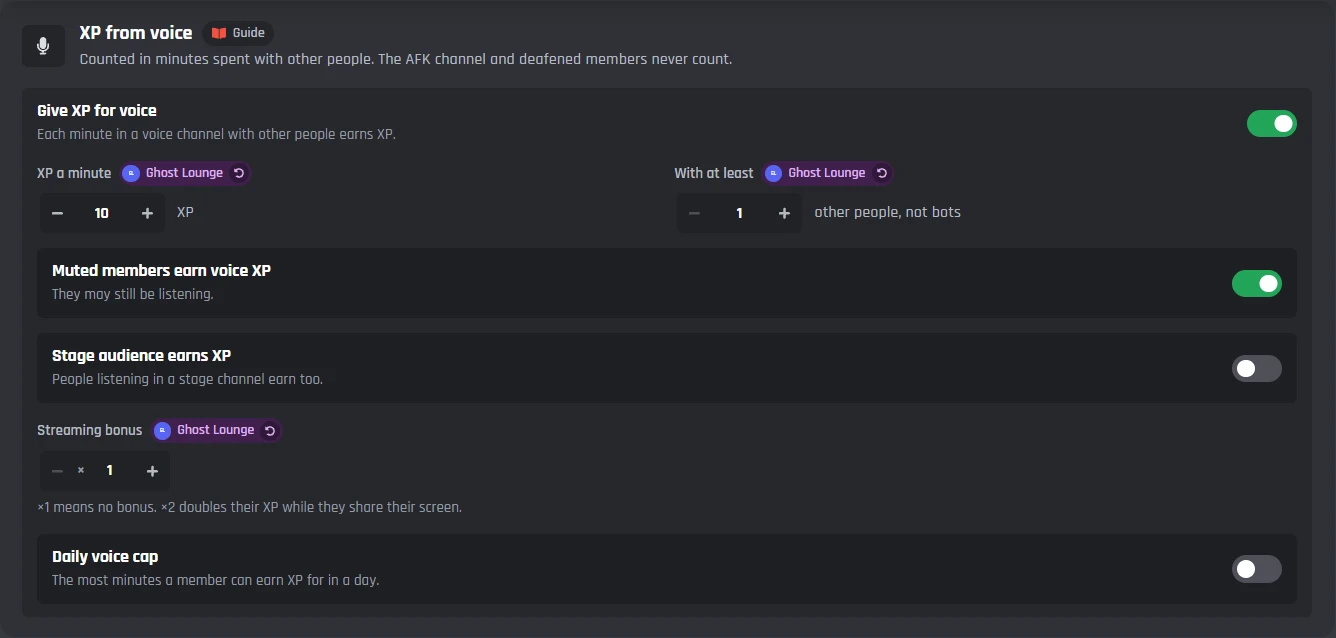
- Talking in voice10 XP a minuteXP from voice, on to start with. Only with other people, never alone, deafened or in the AFK channel.
- A longer message25% more over 200 charactersLonger messages earn more. Spaces, emoji, mentions and links don't count.
- A picture or file5 XP extraPictures and files earn extra, for a picture, video or file.
- A reply5 XP extraReplies earn extra, for replying to someone else's message.
- The first message of the day50 XP extraFirst message of the day bonus, in your server's time zone.
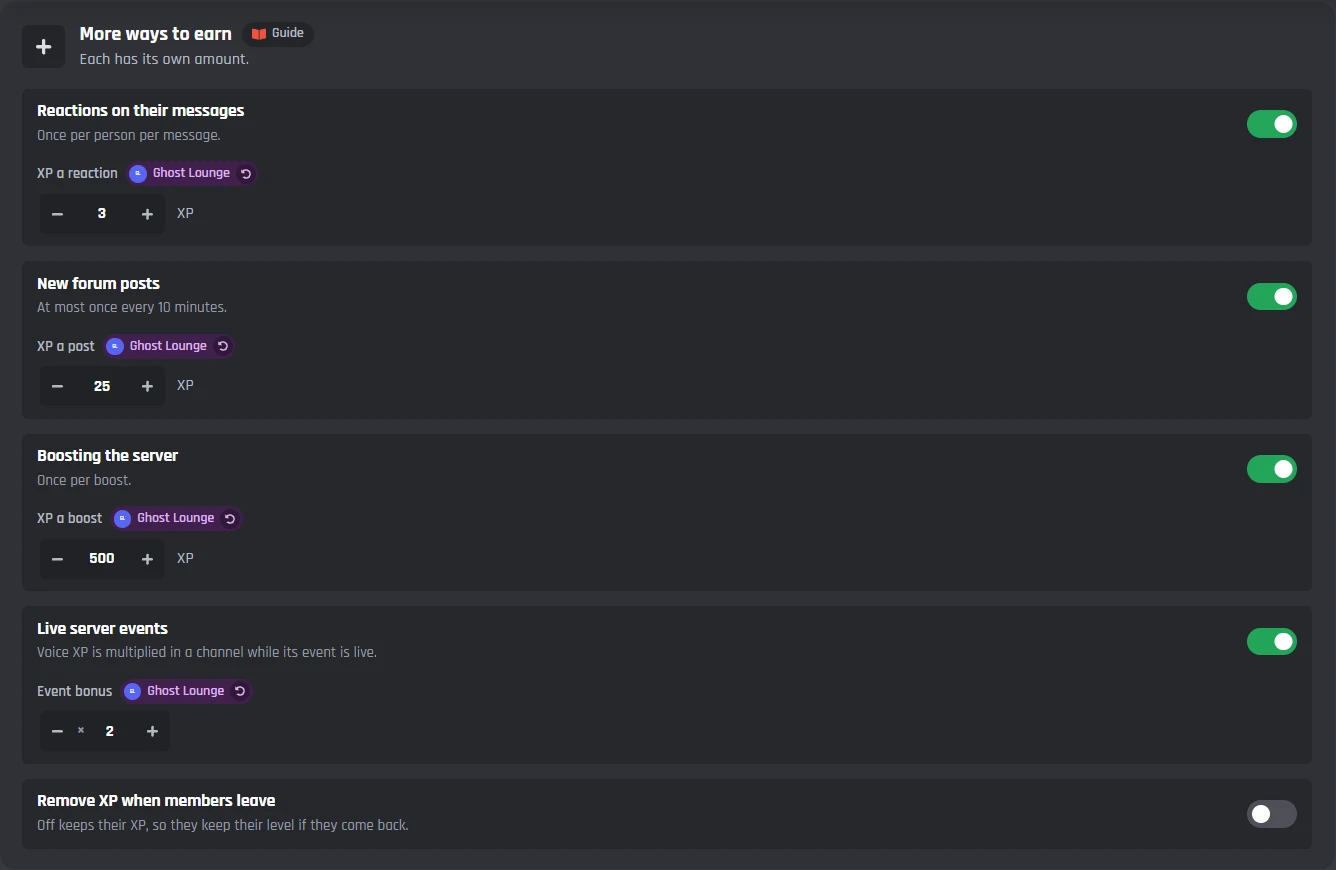
- Reactions on their message3 XP a reactionReactions on their messages, once per person per message.
- A new forum post25 XPNew forum posts, at most once every 10 minutes.
- Boosting the server500 XPBoosting the server, once per boost.
- A live server eventx2 voice XPLive server events: voice XP is multiplied in the event's channel while it's live.
- Sharing their screenNo bonus until you set oneStreaming bonus. x2 doubles their voice XP while they share their screen.
- Listening on a stageOff to start withStage audience earns XP. Muted members earn voice XP unless you switch that off.
What earns nothing
- Messages shorter than 3 characters. Emoji, mentions and links don't count.
- The same message twice in a row.
- Only a picture or a link, with no words of its own.
- Commands: messages starting with ! ? . or /
- Anything past the daily cap, if you set one (5,000 XP from messages, 600 minutes of voice).
- The channels and roles you switch off, and other bots unless you let them earn.
Pick the channels that earn XP (every channel except some, or only some) and the roles that never earn it. Threads and forum posts follow their channel.
XP multipliers, double XP events and streaks
Give some members, channels or hours more XP. Each multiplier is a row on the XP tab.
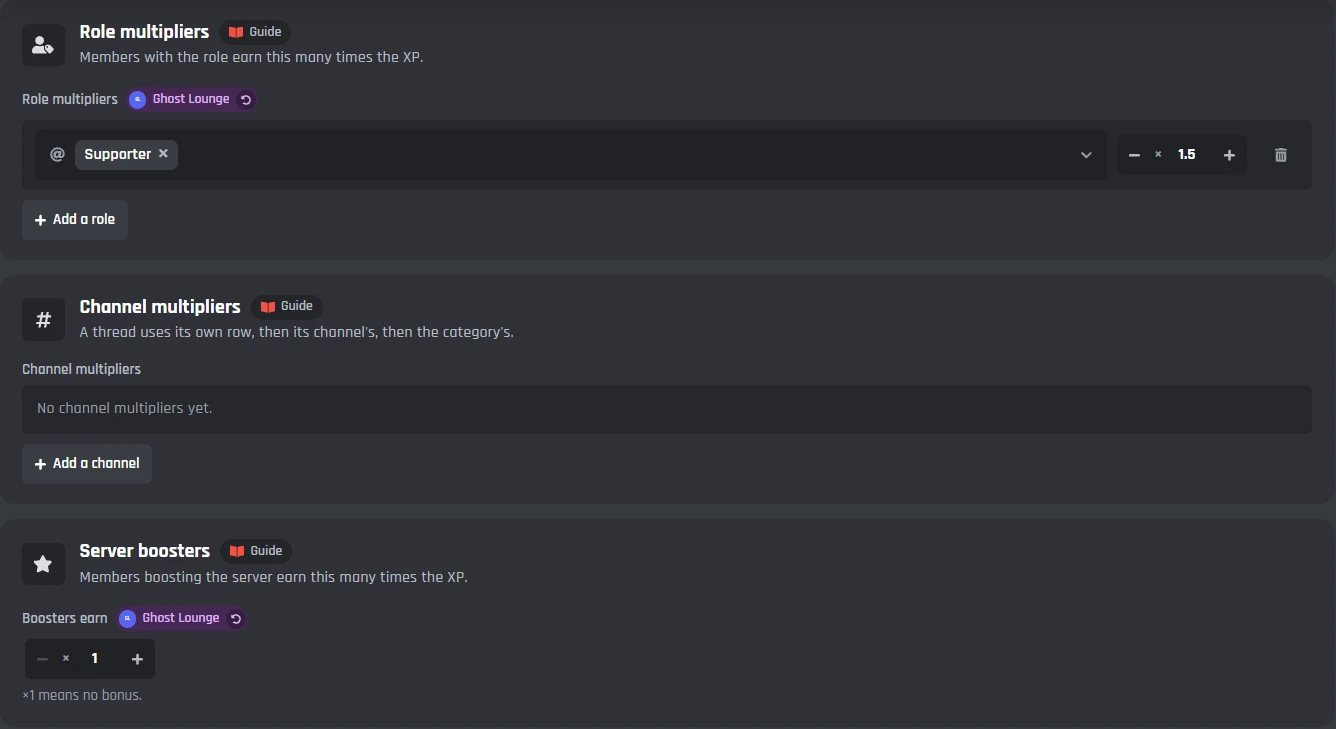
- Roles and channels. Supporters earn x1.5, your events channel x2. A thread uses its own row, then its channel's, then the category's.
- Server boosters earn more while they boost.
- Time windows in your server's time zone, like double XP every Saturday and Sunday. Up to 20.
- Double XP events from the XP tab, or staff run /xp boost 2 3h. Up to 30 days.
- How they add up: use the highest, multiply them, or add them up, never past your cap (x5 to start with). A Supporter on a x2 weekend gets x2, x3 or x2.5.
- Daily streaks add 2% more XP for each day in a row, up to 30%. Missing a day starts it again, and days 7, 30 and 100 get a post.
Level roles, rewards and perks
Give each level something to aim for, on the Levels and rewards tab. Members see it all with /level rewards.
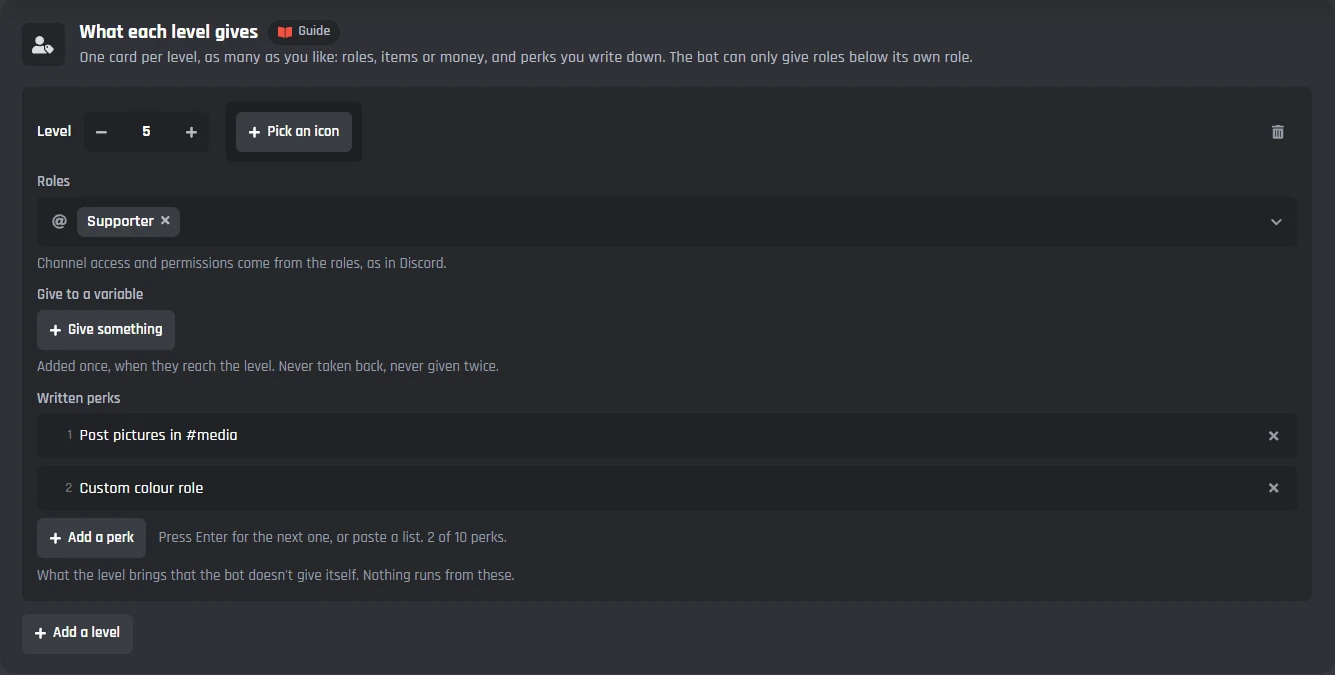
- Role rewards for any level, up to 100 levels. Members keep every role they earn, or only the newest.
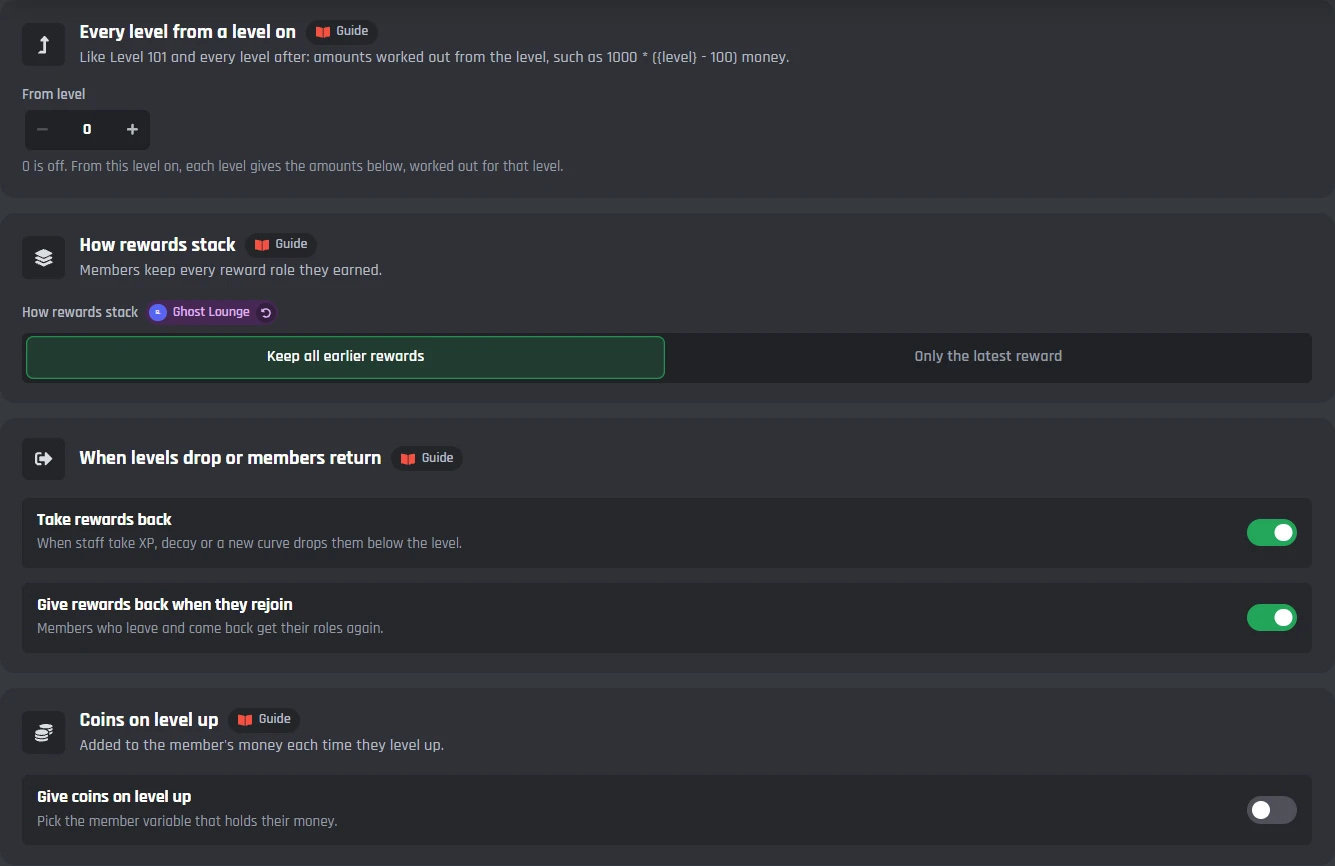
- Taken back and given back. Roles come off if their level drops, and come back when they rejoin.
- Coins and other numbers. Pay coins on every level up, or add to any number your bot keeps for members, like gems or tickets.
- Written perks, like picture permissions, listed beside the roles. Up to 10 a level.
- Every level from a level on. Level 51 and every level after can pay 100 * (level - 50) coins.
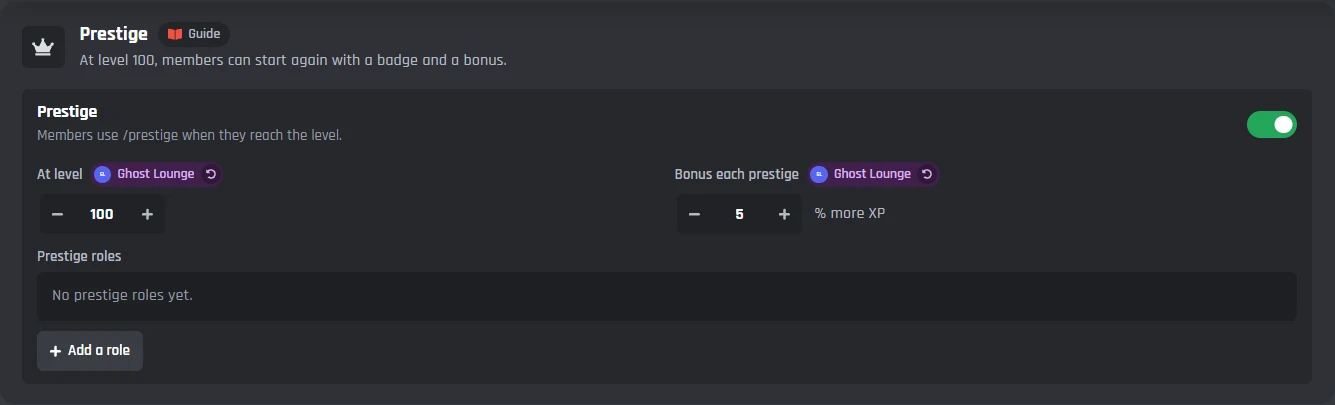
- Prestige. At level 100, members can run /prestige to start again from level 0 for a prestige, 5% more XP each time, and a prestige role if you set one.
How fast levels come
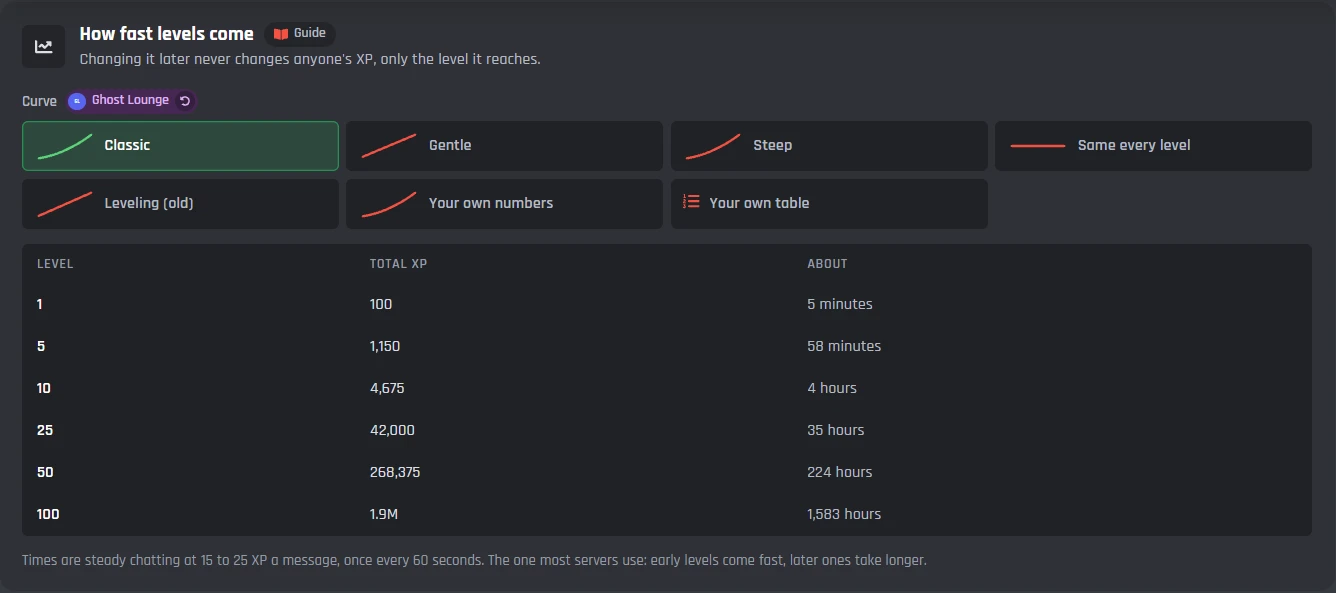
Pick a curve, or write your own. Changing it later never changes anyone's XP, only the level it reaches.
- Classic
- Gentle
- Steep
- Same every level
- Your own numbers
- Your own table
Set a highest level if you want one. Past it, XP keeps counting for the leaderboards.
The Classic curve
| Level | Total XP | Steady chatting |
|---|---|---|
| 1 | 100 | 5 minutes |
| 5 | 1,150 | 58 minutes |
| 10 | 4,675 | 4 hours |
| 25 | 42,000 | 35 hours |
| 50 | 268,375 | 224 hours |
| 100 | 1.9M | 1,583 hours |
At 15 to 25 XP a message, once a minute.
Level-up messages and level-up cards
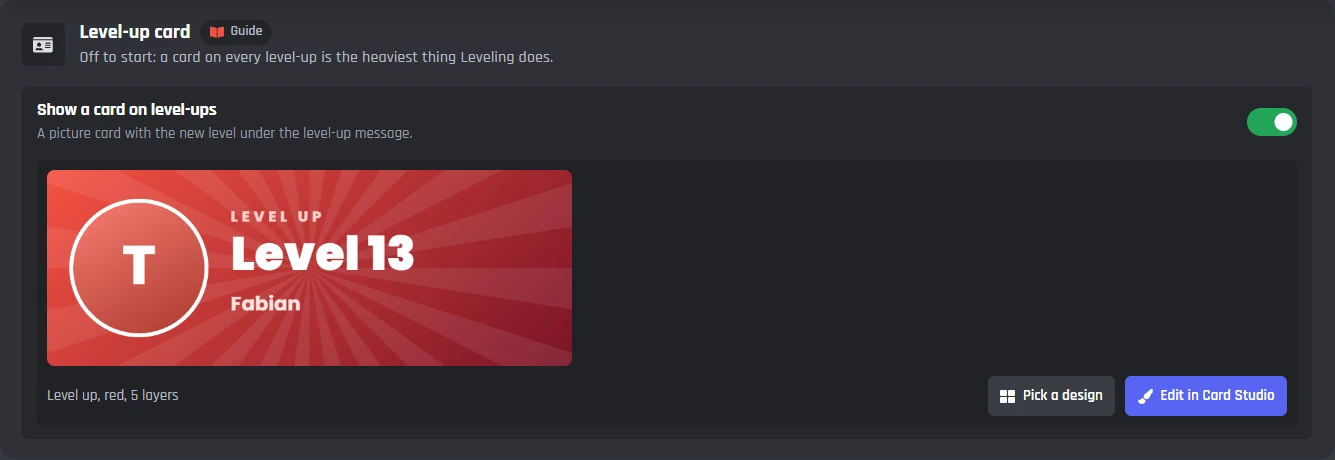
Your bot can put a card under each level-up message. Pick one of 16 level-up designs from the Card Studio, or edit one. The card starts off.

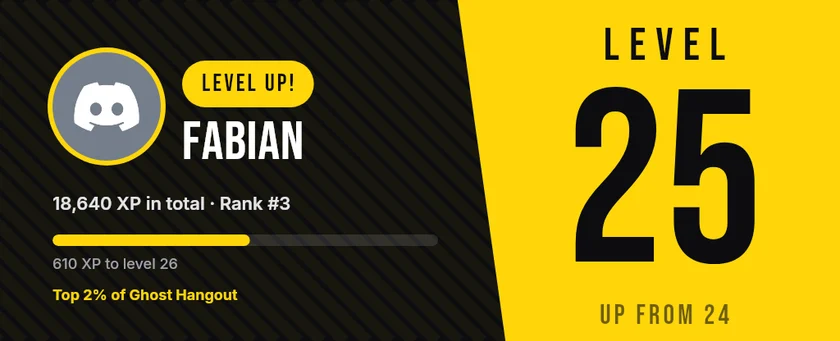
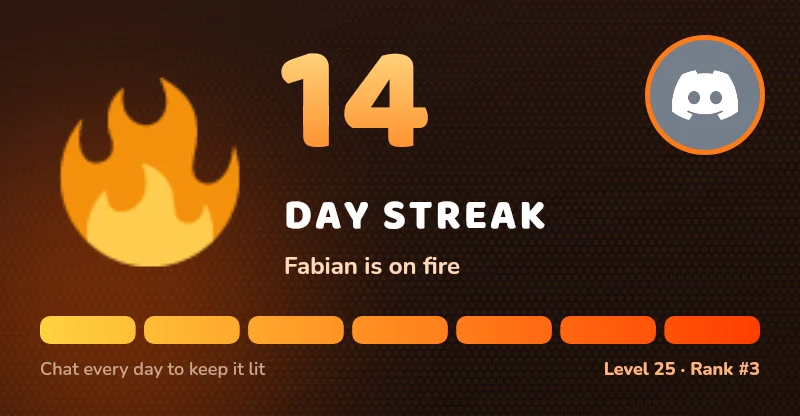
A level-up message pings only the member who levelled up, and members who'd rather not be pinged run /level quiet.
Discord rank cards for /rank
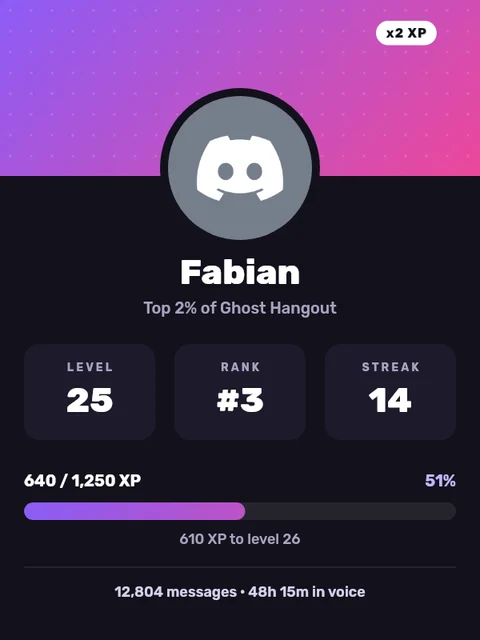
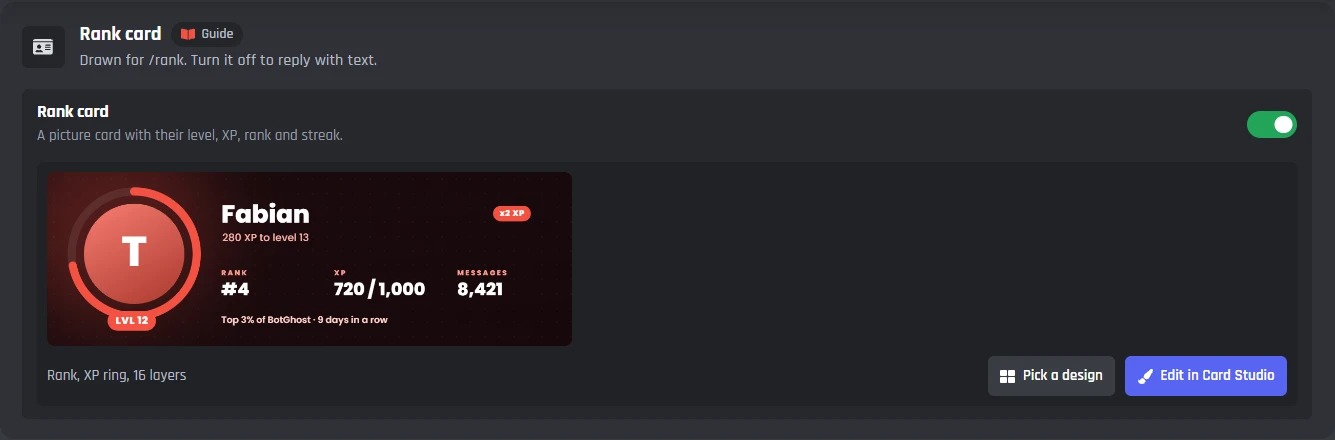
/rank shows a member's level, rank, XP and streak on a card, with the details under it. It starts on.
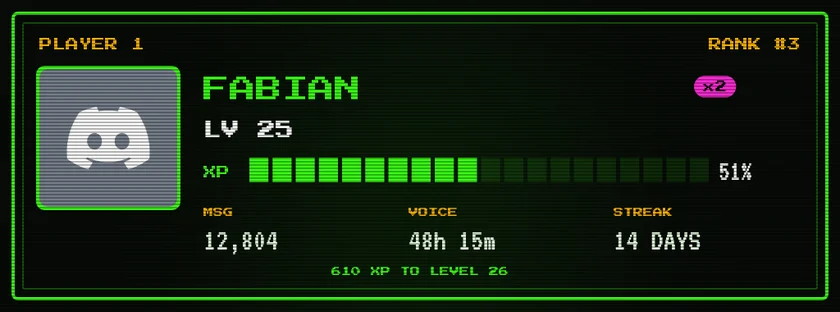
- 8 rank card designs in the Card Studio, from a glass card to an arcade screen and a tall one for phones. Edit any of them.
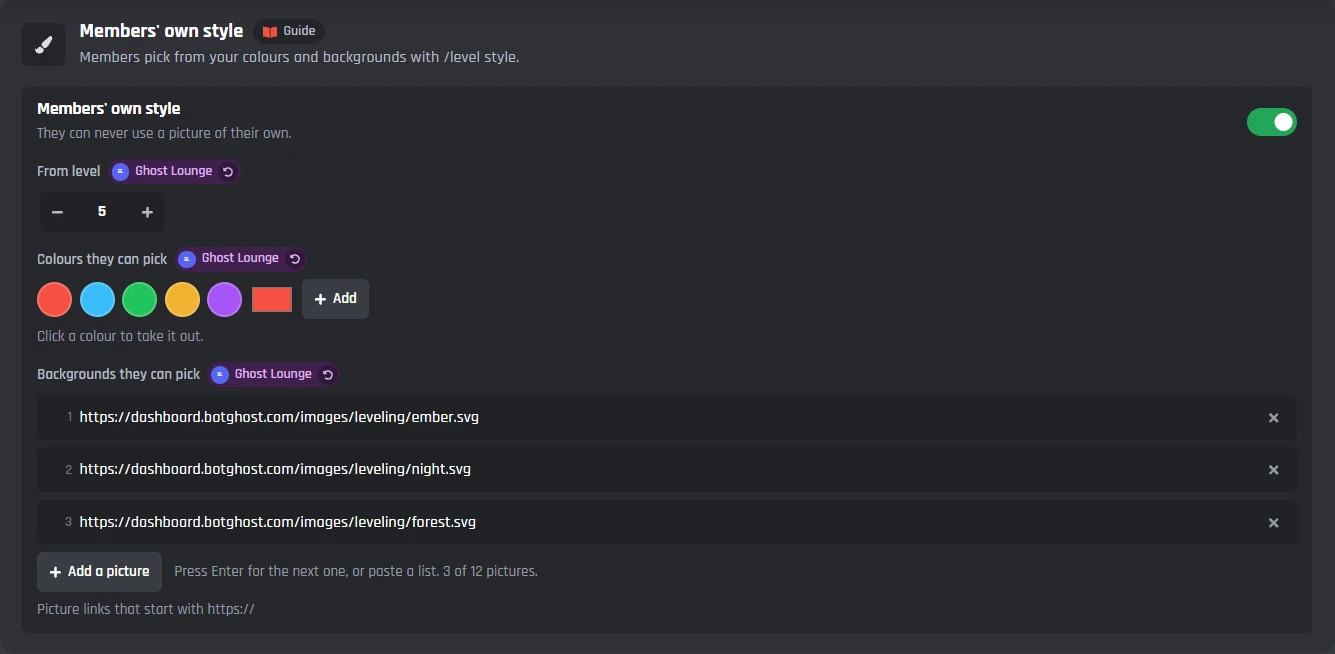
- Members' own style. From level 5, members pick their colour and background with /level style, from the ones you allow.
- Double XP events show on the card while they run.
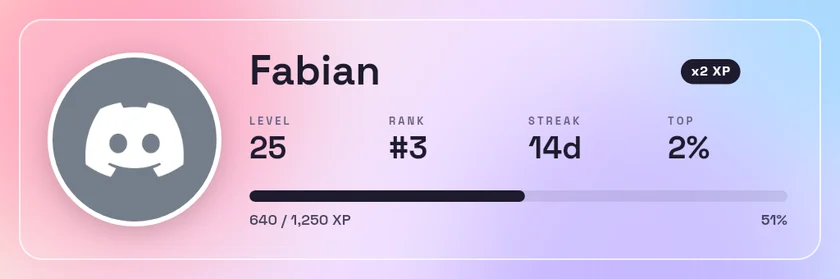 FabianLevel 25 · Rank #3 · 18,640 XP 51%
640 / 1,250 XP to level 26
XP boost x2, ends in 3 hours12,804 messages · 48h 15m in voice · 14 days in a row
Leaderboards for the week, the month and the season
/level top shows the top members on a card, with buttons for each board and page. /level climbers shows who gained the most this week.
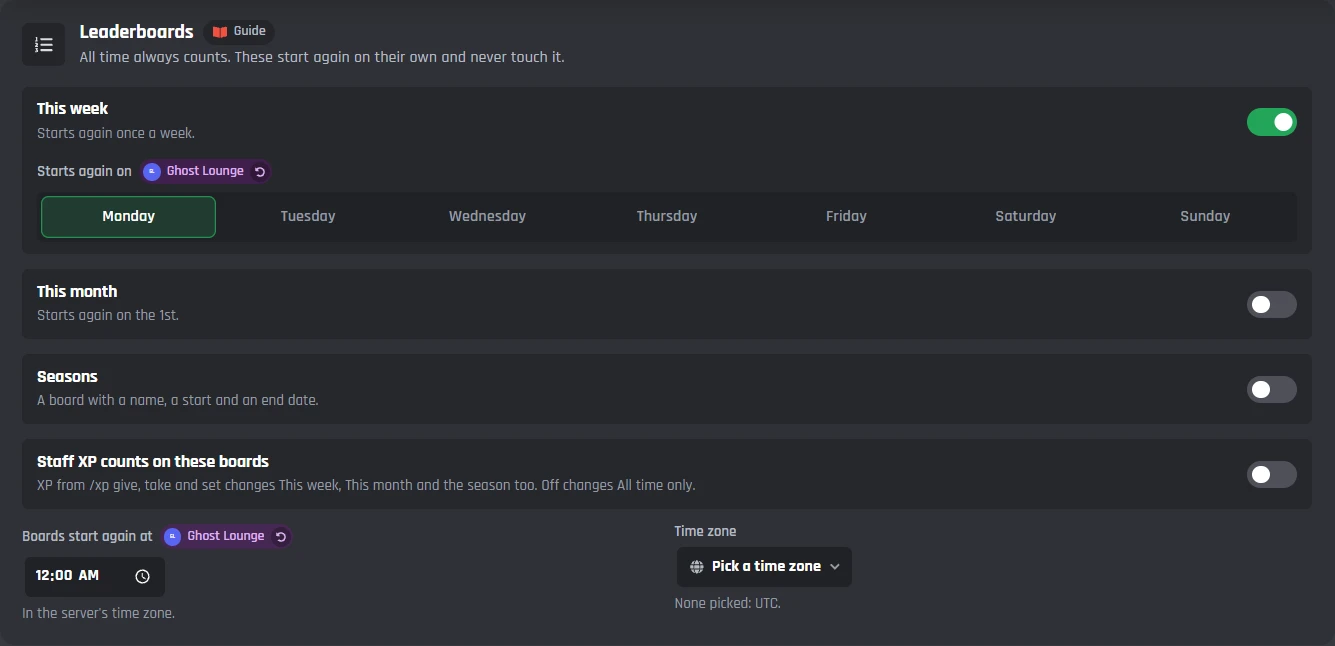
- All time, this week, this month and a season with its own name and dates. Each starts again on its own schedule, and All time never resets.
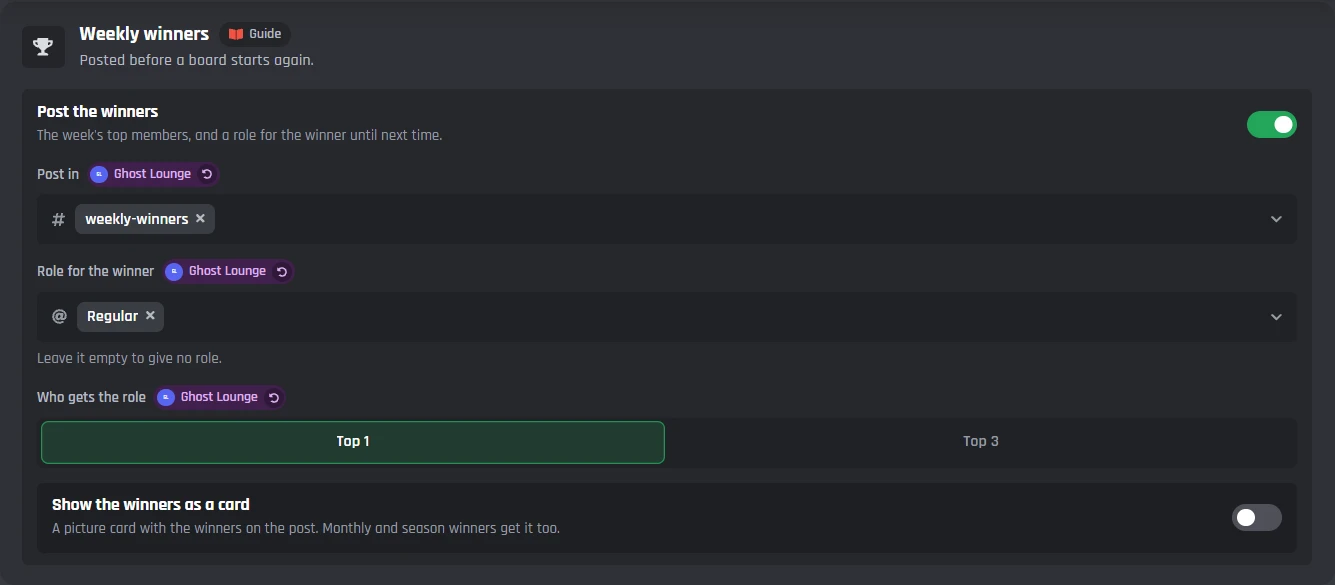
- A winners post before a board starts again, with a role for the top 1 or top 3 until next time.
- A hall of fame. Each week's winners and each season's top ten are kept, for the Hall of fame page on your bot's BotPanel website (it needs BotPanel Plus).
- XP decay, off to start with. Members quiet for 30 days lose 5% of their XP each week, so the board shows who is active now.
- 15 leaderboard designs in the Card Studio for /level top and the winners post.
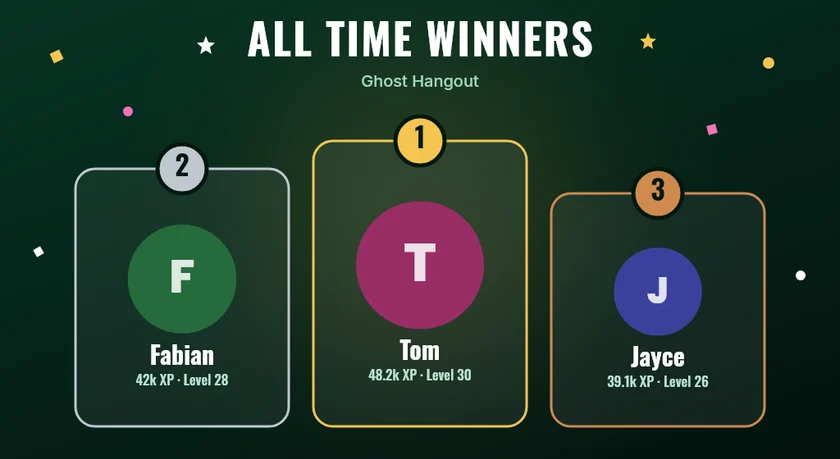 All time in Ghost Hangout1. Tom · 48,200 XP
2. Fabian · 42,000 XP
3. Jayce · 39,100 XP
4. Dax · 30,400 XP
5. allmy2 · 28,800 XPYou're #3, 2,900 XP behind Fabian. Page 1 of 12All timeThis weekThis monthPreviousNext
Leveling commands for members and staff
Switching Leveling on adds these commands. Each one can be switched off on its own.
- For members: /rank, /level top, /level climbers, /level rewards, /level quiet, /level style and /prestige.
- /xp give, take and set change the XP of a member, or of everyone with a role. Staff need Manage Server.
- /xp reset asks first, then clears a member's XP. /xp boost starts a double XP event, and /xp boost 1 ends it.
- /level sync puts everyone's reward roles right after you change the rewards.
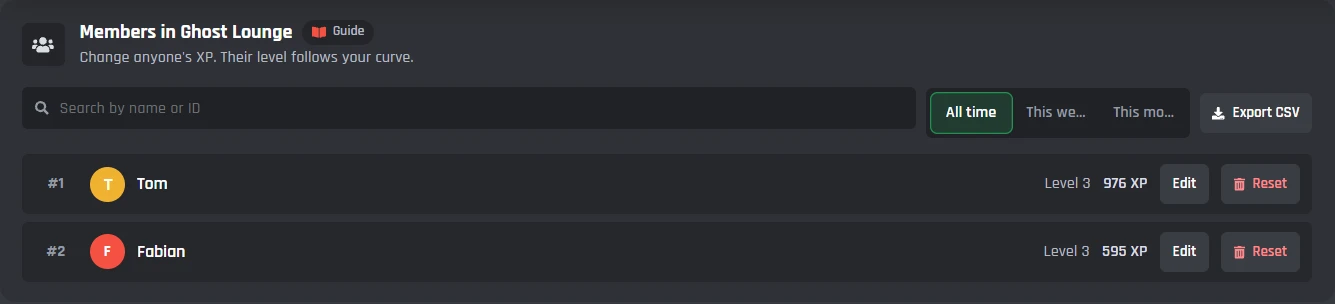
- The Members tab in your dashboard: find anyone and change their XP, export a CSV, undo from backups kept 30 days, or reset a server.
Every Leveling setting in the dashboard
Leveling has one page in your dashboard: six tabs, then its commands and events. A live preview beside the tabs shows the messages as you change them. You set it up server by server, from the server menu at the top.
How members earn XP
A random amount for chatting, minutes in voice with other people, reactions, forum posts and boosts. Spam is checked first, so it costs nothing, and multipliers, double XP events and streaks sit on top.
Messages
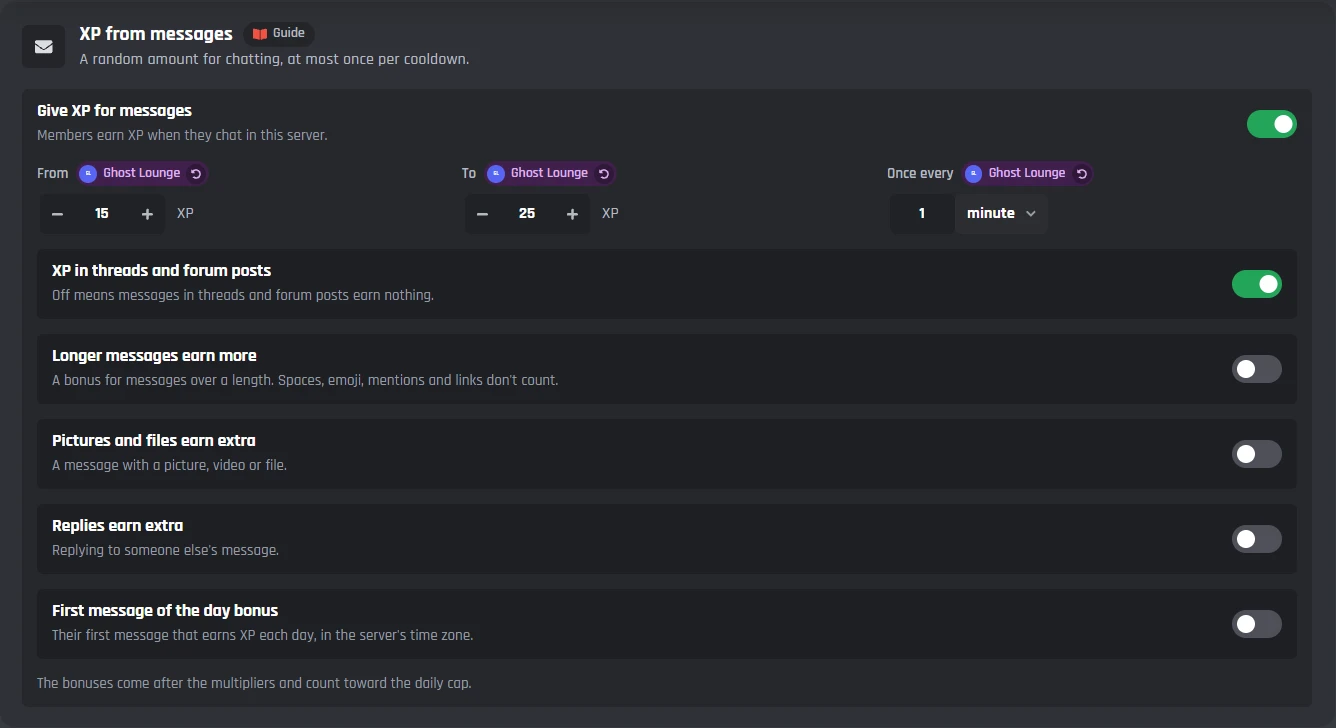
- From, To and Once every
- 15 to 25 XP at most once a minute to start with.
- XP in threads and forum posts
- Off means messages in threads and forum posts earn nothing.
- Longer messages, pictures and files, replies
- Each can earn a bonus on top.
- First message of the day bonus
- Their first message that earns XP each day, in the server's time zone.
What earns nothing
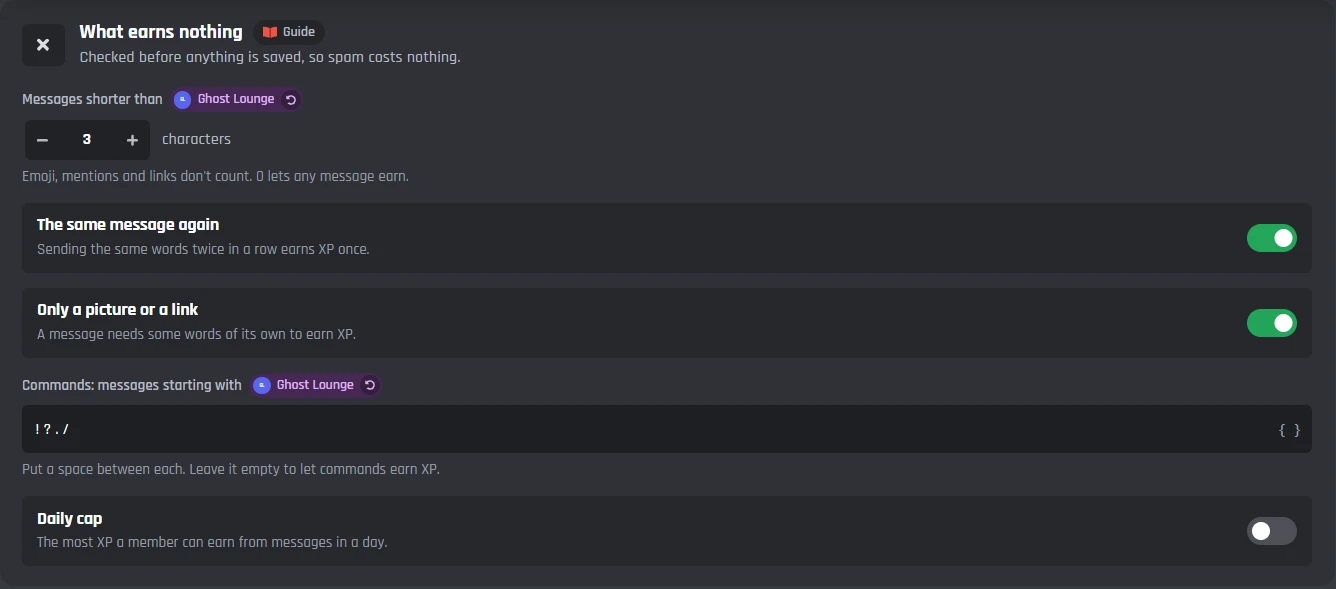
- Messages shorter than
- Emoji, mentions and links don't count. 0 lets any message earn.
- The same message again, only a picture or a link
- Sending the same words twice earns XP once, and a message needs words of its own.
- Commands
- Messages starting with the characters you list.
- Daily cap
- The most XP a member can earn from messages in a day.
Voice and more
- XP from voice
- Counted in minutes spent with other people. The AFK channel and deafened members never count.
- Reactions, forum posts and boosts
- Each has its own amount. A boost pays every time someone boosts.
- Bots earn XP
- Off to start: other bots never earn XP unless you switch it on.
- Channels and roles that earn nothing
- Every channel except some, or only some. Threads follow their channel.
Multipliers
- Roles, channels and server boosters
- Members with the role, in the channel or boosting earn this many times the XP.
- Time windows
- Double XP at weekends, or any hours you pick, in the server's time zone.
- Double XP event
- Start one from the page, or staff run /xp boost with a multiplier and a time.
- How multipliers add up
- Use the highest, multiply them or add them up, never more than x5 to start.
- Daily streaks
- A bonus for each day in a row a member chats, 2% a day up to 30% to start.
Levels, roles and perks
Pick how fast levels come, then what each level gives: roles, coins or any number your bot keeps for members, and perks you write down. Rewards can come off when a level drops and come back when a member rejoins.
The curve
- Classic, Gentle, Steep, Same every level
- Or your own three numbers, or your own table of XP for each level.
- The table
- Total XP for some levels and about how long steady chatting takes.
- Changing it later
- Never changes anyone's XP, only the level it reaches.
Levels
- Highest level
- 0 means no limit. XP keeps counting for the boards.
- Levels never go down
- Taking XP and decay lower XP, never the level or its rewards.
- Hide far rewards
- Rewards more than five levels past your highest member show as ???.
- Recalculate everyone
- Puts every member on the level their XP reaches after a curve change.
Rewards
- What each level gives
- Roles, gives to any member variable and written perks, one card per level.
- Every level from a level on
- Amounts worked out from the level, like 1000 * ({level} - 100) money from level 101.
- How rewards stack
- Keep all earlier reward roles, or only the latest.
- When levels drop or members return
- Take rewards back, and give them back when they rejoin.
- Coins on level up
- The same every level, or only on the levels you list.
Level-up messages and cards
Choose where level-ups go and which ones are announced. The message is yours to change with a live preview beside it, and a level-up card can go under it.
@Fabian reached level 25You got @Regular.40 / 1,250 XP to level 26Next reward at level 30 · Top 2% of Ghost Hangout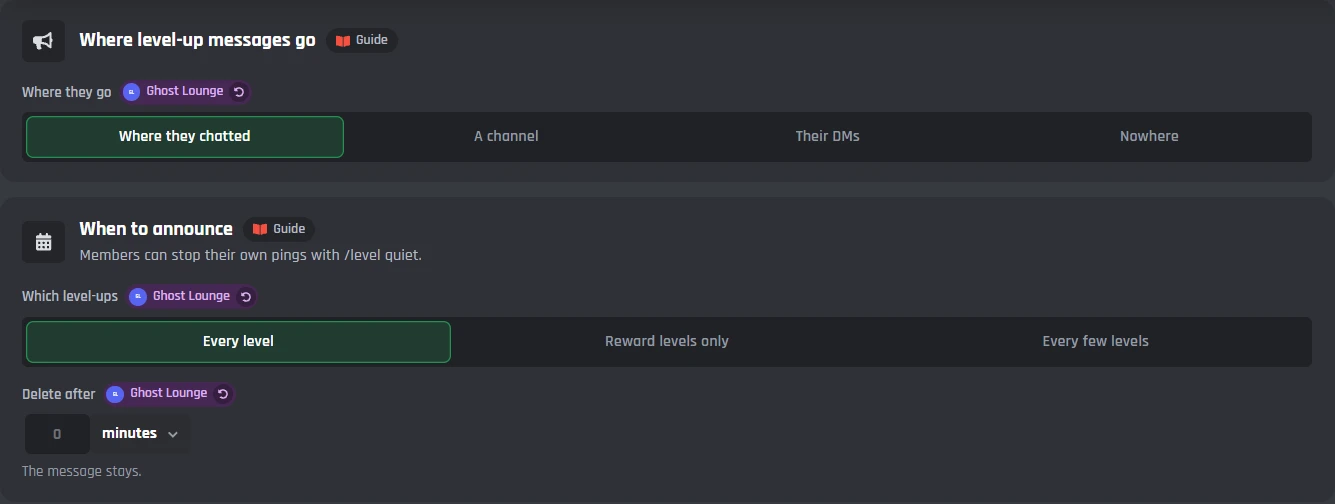
Where and when
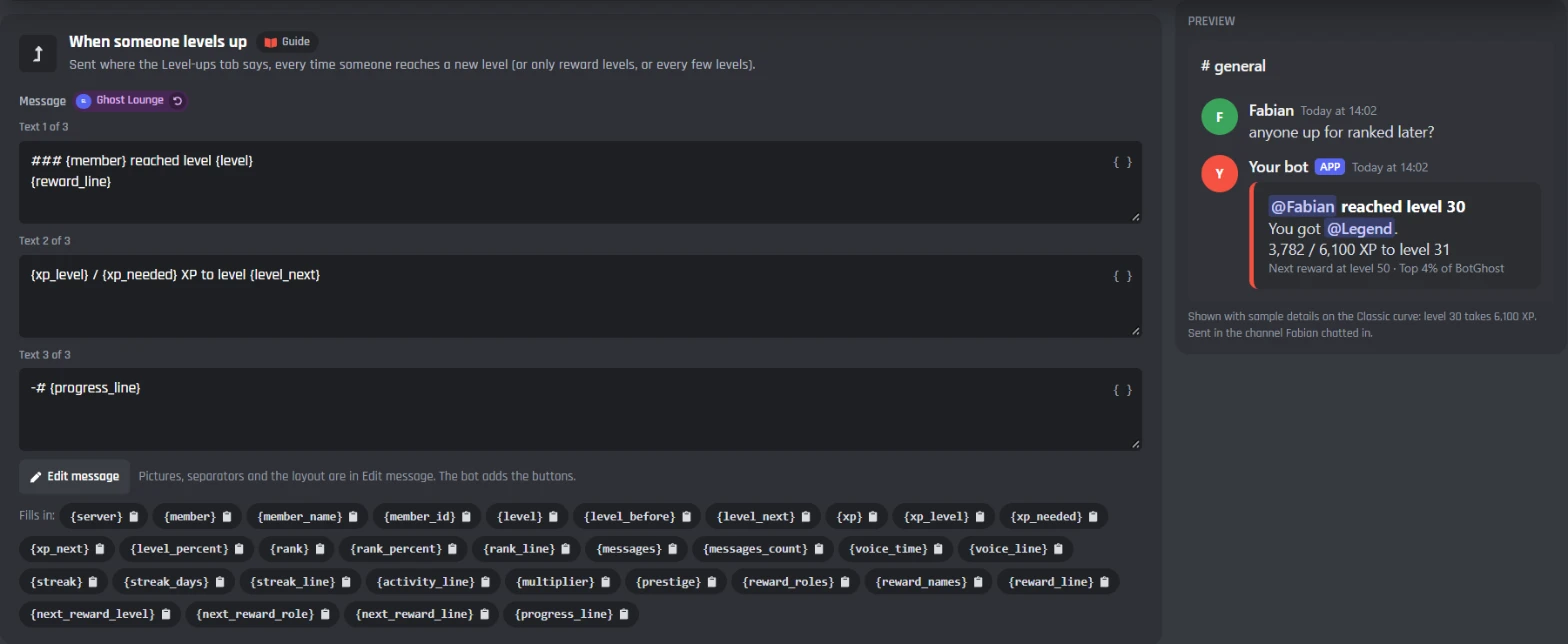
- Where they go
- Where they chatted, a channel, their DMs, or nowhere.
- Which level-ups
- Every level, reward levels only, or every few levels.
- Delete after
- Removes the message after a while.
The messages
- When someone levels up
- The message, with Edit message for pictures, separators and the layout.
- Milestone messages
- Up to five levels with their own message.
- Random level-up messages
- One of up to five is picked each time.
- /level quiet
- Members turn their own pings off or on.
The card
- Show a card on level-ups
- A picture card with the new level under the message. Off to start.
- Pick a design and Edit in Card Studio
- Templates you can change in the Card Studio.
Boards, winners and rank cards
All time always counts. The week, the month and a season start again on their own with a winners post and a role. Rank cards, members' own style, prestige and decay are here too.
FabianLevel 25 · Rank #3 · 18,640 XP 51%640 / 1,250 XP to level 26
XP boost x2, ends in 3 hours12,804 messages · 48h 15m in voice · 14 days in a row
Boards
- This week, This month and Seasons
- Each starts again on its own and never touches All time.
- Staff XP counts on these boards
- Off, /xp give, take and set change All time only.
- Boards start again at, Time zone
- The hour, in the time zone you pick.
Winners
- Post the winners
- Before a board starts again, in the channel you pick.
- Role for the winner
- For the top 1 or top 3, until next time.
- Show the winners as a card
- A picture card on the post.
Cards and more
- Rank card and /level top card
- Picture cards from templates you can change in the Card Studio.
- Members' own style
- Colours and backgrounds members pick with /level style, from a level.
- Prestige
- Start again from level 0 for a badge, more XP and prestige roles.
- XP decay
- Quiet members slowly lose XP, never below their level unless you say so.
Members, backups and resets
See and change anyone's XP, export it, and undo anything big for 30 days. Staff can change XP from Discord too, and only they see the answer.
Members
- Search, Edit and Reset
- Change anyone's XP; their level follows your curve.
- All time, This week, This month
- Each board's numbers.
- Export CSV
- Every member and their XP.
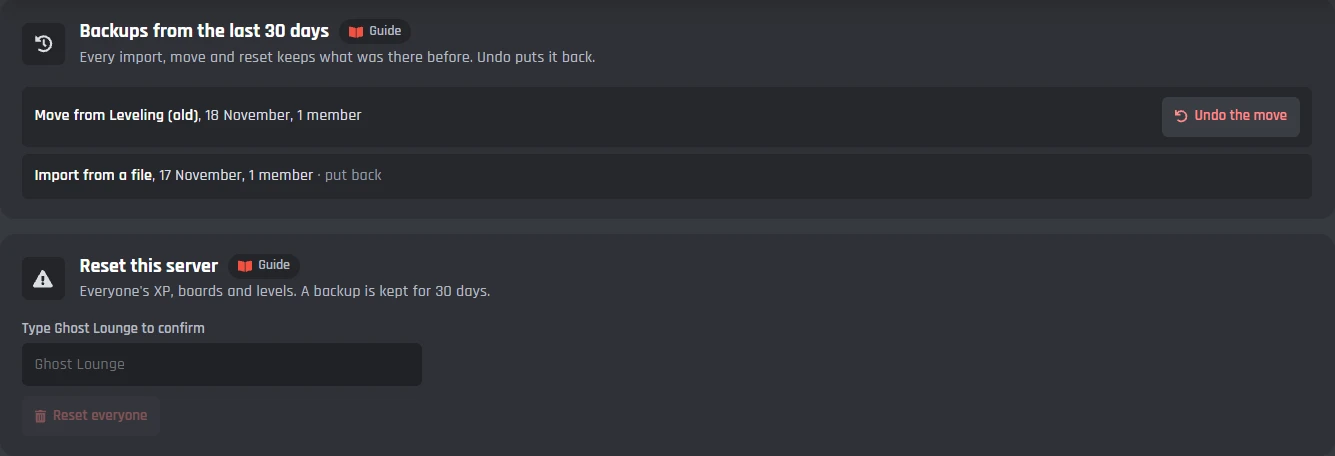
Safe changes
- Backups from the last 30 days
- Every move and reset keeps what was there before. Undo puts it back.
- Reset this server
- Type the server's name to confirm. A backup is kept.
From Discord
- /xp give, take, set and reset
- For a member, or everyone with a role. The answer is private.
- /xp boost
- A double XP event for as long as you say.
- /level sync
- Puts the role rewards right for a member or everyone.
Leveling on your bot's website
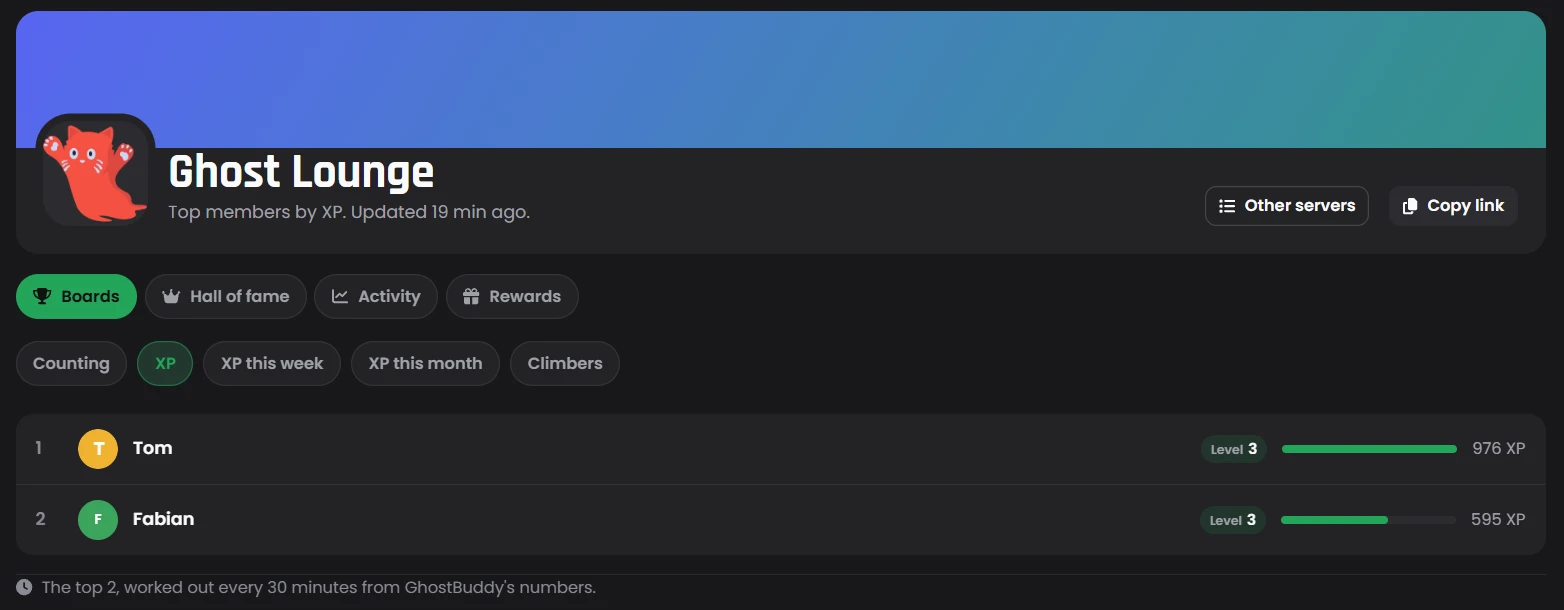
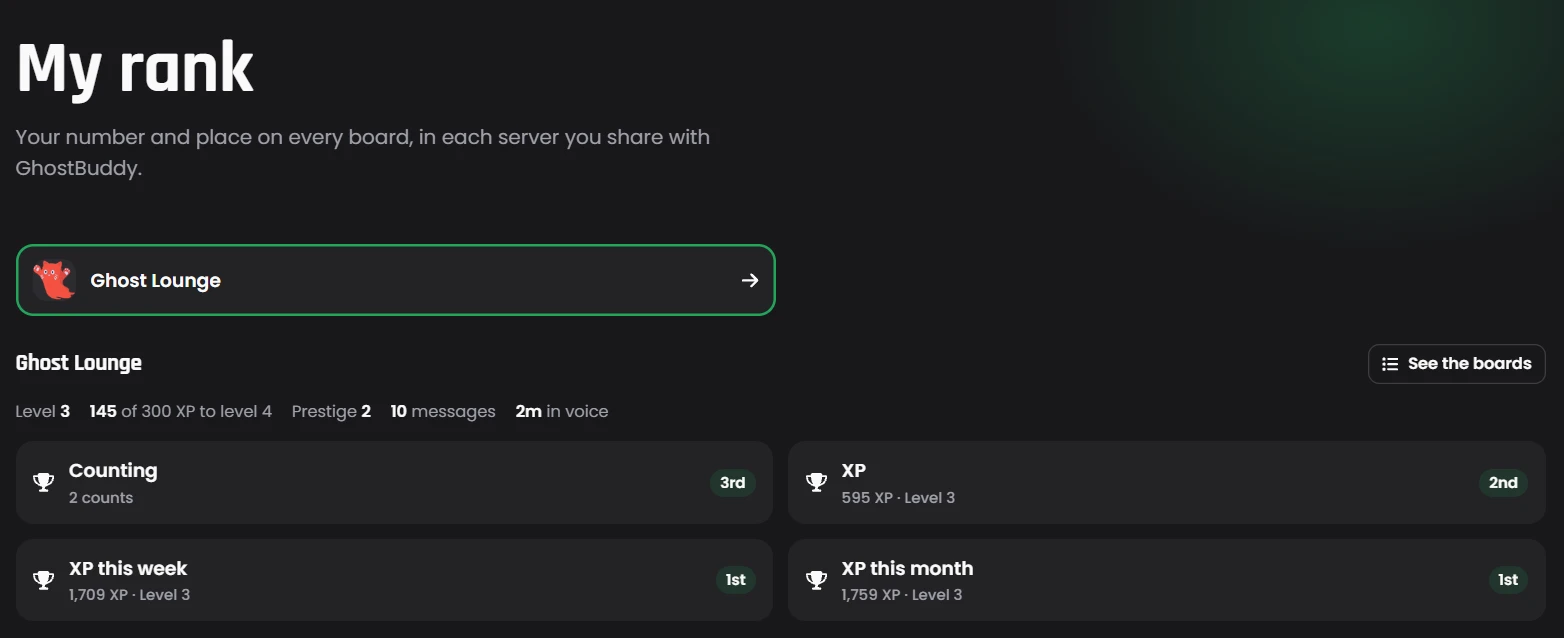
With a BotPanel website, members see the leaderboards, their rank and the rewards on the web, and server admins change Leveling for their own server. These pages come with BotPanel Plus.
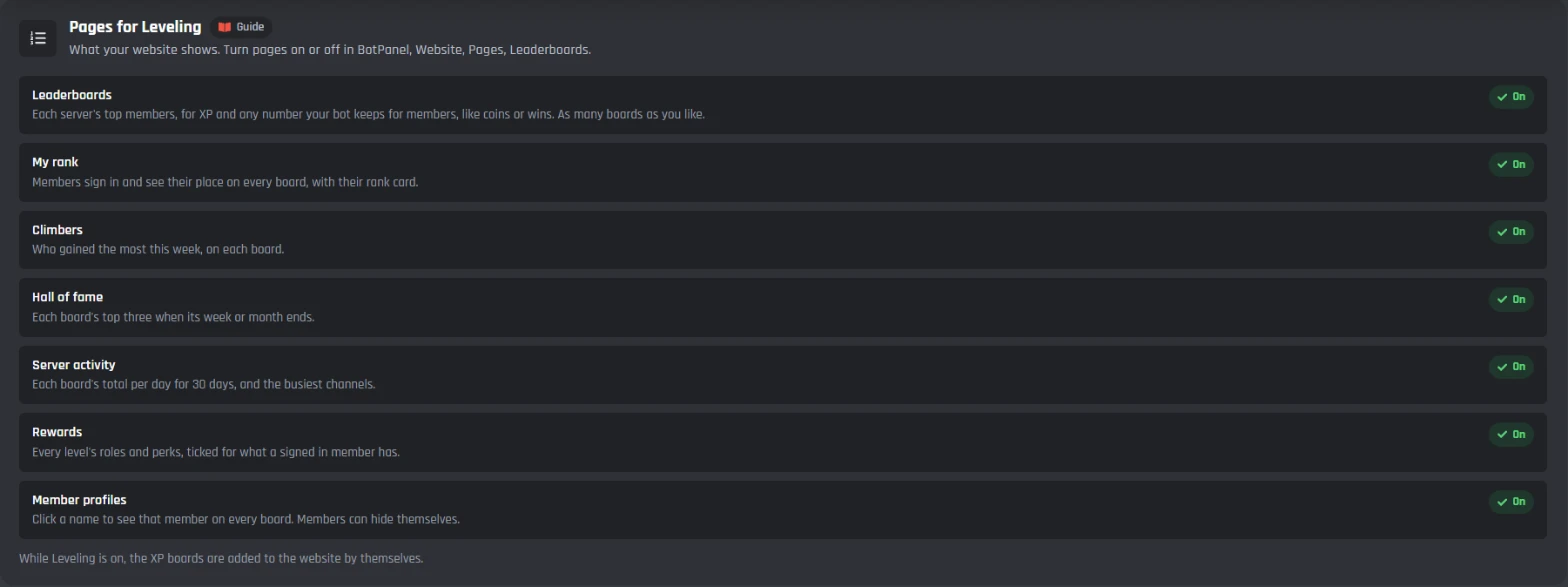
The pages
- Leaderboards
- For XP and any number your bot keeps for members, like coins or wins.
- My rank, Climbers and Hall of fame
- Each member's place, the week's biggest gains, and past winners.
- Server activity, Rewards and Member profiles
- Daily totals for 30 days, every level's perks, and a page for each member.
Each server
- Show this server on the website's Leaderboards
- Members can still hide themselves.
- Count XP per channel for Server activity
- The busiest channels this week.
Server admins
- The website's server dashboard
- Admins sign in with Discord and change Leveling for their own server.
- Only on your dashboard
- Card designs, members' XP, resetting a server and double XP events.
Under the tabs: the commands and events
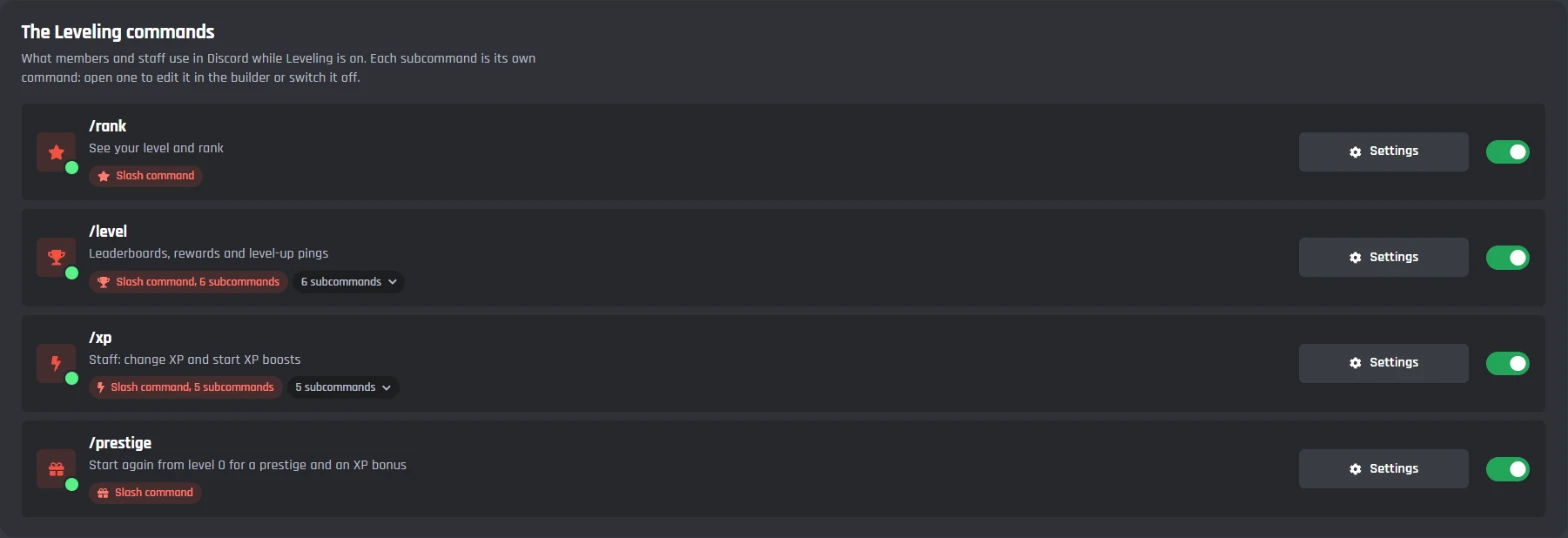
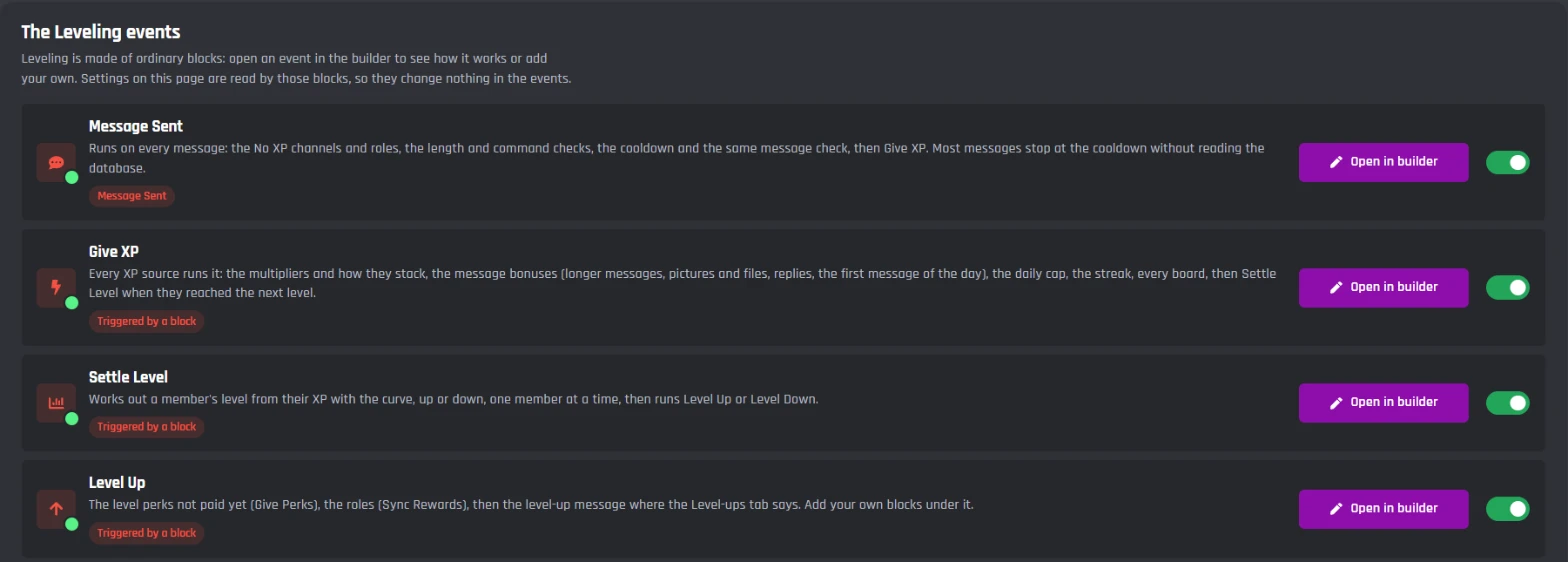
Leveling adds /rank, /level, /xp and /prestige, and the events it runs on. They are made of ordinary builder blocks, so you can open them in the builder and add your own.
Commands
- /rank and /prestige
- For everyone: your level and rank, or start again for a prestige.
- /level top, climbers, rewards, quiet and style
- For everyone: the boards, the week's climbers, the rewards, pings and your card's style.
- /xp give, take, set, reset and boost, /level sync
- For staff.
Events
- Message Sent, voice, reactions, forum posts and boosts
- Every way to earn runs Give XP: the multipliers, the caps, the streak and every board.
- Settle Level, Level Up and Level Down
- Works out the level, then the perks, the roles and the level-up message.
- Hourly and Voice Tick
- The resets with their winners, decay, the end of a boost, and long voice sessions.
Leveling leaderboards on your bot's website
With a BotPanel website for your bot, members can check the leaderboards, their rank and the rewards on the web.
The website pages need BotPanel PlusLeaderboards
Each server's top members, for XP and any number your bot keeps for members, like coins or wins. As many boards as you like.
My rank
Members sign in and see their place on every board, with their rank card.
Climbers
Who gained the most this week, on each board.
Hall of fame
Each board's top three when its week or month ends.
Server activity
Each board's total per day for 30 days, and the busiest channels.
Rewards
Every level's roles and perks, ticked for what a signed in member has.
Member profiles
Click a name to see that member on every board. Members can hide themselves.
Server admins change Leveling there
They sign in with Discord on the website's server dashboard and change Leveling for their own server. Card designs, members' XP, server resets and double XP events stay in your BotGhost dashboard.
- XP from messages
- XP from voice
- More ways to earn
- Where XP is off
- How fast levels come
- What each level gives
- Coins on level up
- Multipliers
- Daily streaks
- Level-ups
- Leaderboards
- Prestige
- XP decay
- Rank cards
- Messages
Leveling itself is free in Discord. The website pages follow the normal BotPanel plans.
Set up a leveling bot on Discord
Haven't got a bot in your server yet? Start with how to make a Discord bot, then come back here.
- 1Open Leveling from Modules in your dashboard and switch it on, then pick your server in the menu at the top right.
- 2On the Level-ups tab, pick where level-up messages go.
- 3On the Levels and rewards tab, add a role to a level. Press Save Changes.
- 4In Discord, move your bot's role above the reward roles, so it can give them.
- 5Try it: send a few messages, then run /rank to see your card.
Using the old Leveling? The new page offers Move my settings and XP, and everyone keeps their level.
A free Discord leveling bot
Every Leveling feature works on the free plan, voice XP and cards included. There's nothing to unlock, only the limits below, which are the same on every bot. What Premium changes for the rest of your bot is on the free and Premium plans page.
Free
$0- XP for messages, voice, reactions, forum posts, boosts and events
- Multipliers, time windows, double XP events and daily streaks
- Role rewards, coins, level perks and prestige
- Level-up cards, rank cards, every leaderboard and the winners post
- Leveling's commands, events and saved XP don't use up your free limits
On free bots, a small Made with BotGhost line shows under the messages about one time in three.
The limits
in each server- Levels with rewards
- Up to 100
- Role and channel multipliers
- Up to 50 each
- Time windows
- Up to 20
- A multiplier
- Up to x100
- A double XP event
- Up to 30 days
- One /xp change
- Up to 1,000,000 XP
- Backups
- Kept 30 days
Premium ($12.50 a month for one bot) takes the Made with BotGhost line off and adds unlimited commands, events, and servers. Free bots go offline after 2 days with no activity. Read about free hosting
Leveling is made of ordinary builder blocks. Open any of its events or commands in the builder and add your own blocks, the way you build Discord bot events. Your own blocks under Level Up are kept when Leveling updates.
Discord leveling bot questions
Didn't find your question? Ask us in the BotGhost Discord, or read the Leveling docs.
Yes. Every Leveling feature is free on BotGhost: XP for messages and voice, multipliers and double XP, role rewards and level perks, level-up cards, rank cards, every leaderboard, prestige and the staff commands. Leveling's commands, events and saved XP don't count toward your free limits.
Leveling on the free planInvite your BotGhost bot to your server. In the dashboard, open Leveling, switch it on and pick your server at the top right. Pick where level-up messages go on the Level-ups tab, add a role reward on the Levels and rewards tab, and press Save Changes. Then move your bot's role above the reward roles in Discord.
See the setup stepsBy chatting: 15 to 25 XP a message to start with, at most once a minute. Time in voice with other people earns 10 XP a minute. You can add XP for longer messages, pictures, replies, the first message of the day, reactions, forum posts, boosts and live events. Spam earns nothing: very short messages, the same message twice, only a link, and commands.
See every way to earnYes. Add a role to any level on the Levels and rewards tab. Members can keep every reward role they earn, or only the newest. Roles come off again if their level drops, and come back if they leave and rejoin. The bot can only give roles below its own role.
See role rewardsYes, and it starts on: 10 XP a minute while they're in a voice channel with at least one other person. Time alone, deafened or in the AFK channel never counts. You pick whether muted members and stage audiences earn, add a streaming bonus, and set a daily voice cap.
See XP from voiceStaff run /xp boost 2 3h, or start one on the XP tab, and everyone earns double for 3 hours. Events can last up to 30 days, and /xp boost 1 ends one early. For double XP every weekend, add a time window instead.
See multipliers and boostsYes. From level 5, members pick a colour and a background for their own card with /level style, from the ones you allow. You choose the card design itself from the Card Studio's Leveling templates, or edit one. Members can never use a picture of their own.
See rank cardsYes. /xp give, /xp take and /xp set work on a member or everyone with a role, and /xp reset asks before it clears someone. On the Members tab you can change anyone's XP, export a CSV, and undo changes from backups kept for 30 days.
See the commandsYes, on your bot's BotPanel website with BotPanel Plus. It adds Leaderboards for XP or any number your bot keeps for members, My rank, Climbers, Hall of fame, Server activity, Rewards and member profiles. Server admins can change Leveling for their own server there too.
See the website pagesThe new Leveling page shows Move my settings and XP. It brings your rewards, settings and everyone's XP across, and everyone keeps their level. The old module switches off once the counts match, so nobody earns XP twice.
Read the Leveling docsGive your members levels to reach
Switch on Leveling, add a role reward, and members start earning XP. The free plan doesn't need a card.
Set up Leveling for free