YouTube notifications Discord bot
Your bot posts each new upload from a YouTube channel in the Discord channel you pick, with the title, link, and thumbnail. You write the message and choose who gets pinged. Set it up in BotGhost, the no-code Discord bot maker, without a YouTube API key.
Free on every bot. A free bot can follow up to 3 YouTube channels.
How a new YouTube upload reaches your Discord server
You don't need a YouTube API key or a Google account. BotGhost does the YouTube side, from the moment a video goes up to the alert in your channel.
- 1
Tom's Builds uploads a video
- 2
YouTube tells BotGhost
BotGhost follows the channel through YouTube's push notifications, once for all the bots watching it. YouTube sends a notice when a new video goes up.
- 3
BotGhost checks the video
- Uploaded by the channel you added
- Public
- Finished processing on YouTube
- Not the video it last posted
SkippedPrivateUnlistedStill processingPosted already - 4
Your bot posts it
BotGhost gets the video's details and the channel's latest stats, and every bot following the channel runs its event. Yours posts in the channel you picked.
BotGhost renews the YouTube follow for you
YouTube's follow on a channel only lasts 5 days. Every 6 hours, BotGhost looks for follows with less than 2 days left and renews them, so you don't have to add the channel again.
Set up YouTube notifications in Discord
It's one event in the builder: a YouTube Video Upload block that watches the channel, then a Send or Edit a Message block that posts the alert.
1Open YouTube Notifications
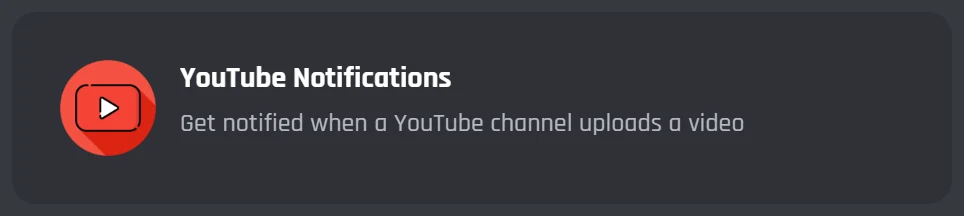
On the Modules page, scroll to Social Integrations and click YouTube Notifications. The builder opens with both blocks already joined up. Pick the server it should post in when it asks.
2Add the YouTube channel
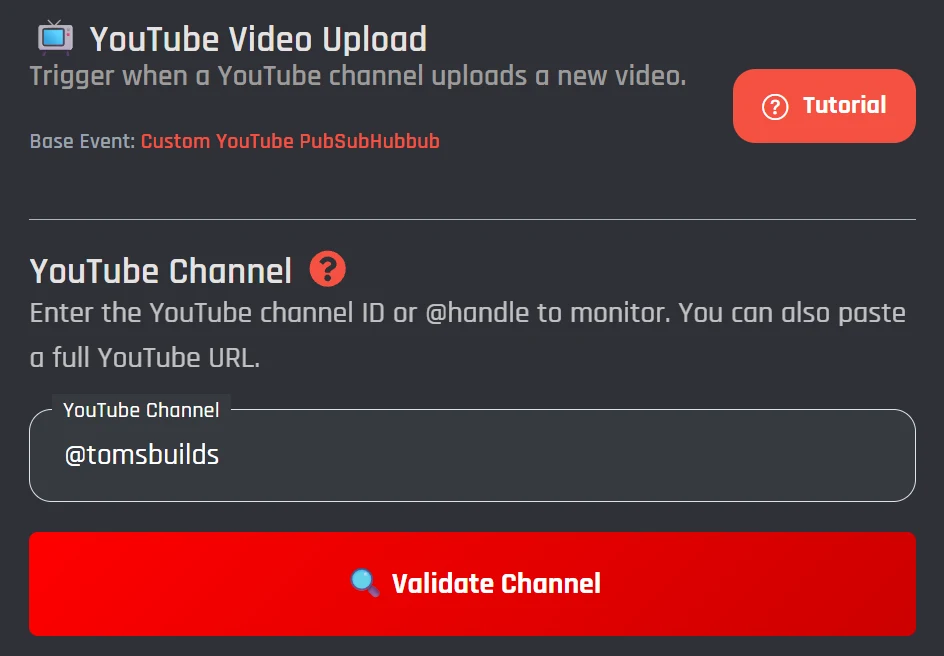
Click the YouTube Video Upload block. Paste the channel's @handle, its channel ID (it starts with UC), or a link to the channel, then press Validate Channel. You'll see the channel's name and avatar once it's found.
3Write the alert and save
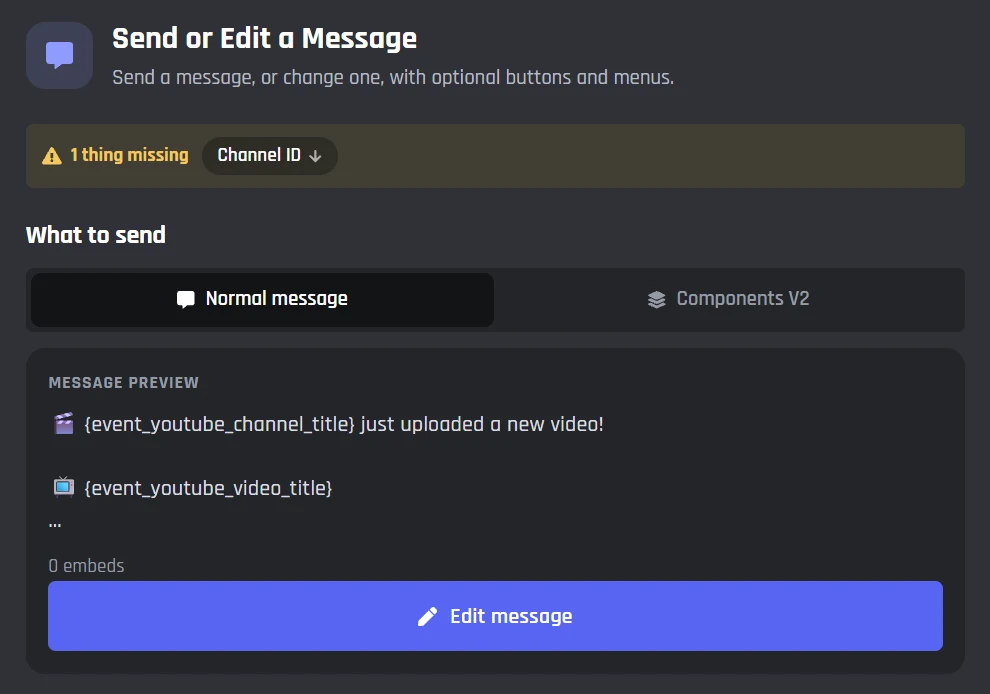
Click the Send or Edit a Message block. It already has a short alert in it. Press Edit message to change the words with the YouTube variables below, then under Where it goes pick the Discord channel. Press Save Event and your bot posts the next upload.
YouTube variables for your notification message
Type these into the message or an embed and the bot fills them in from the new video. There are 19 in all.
<@&your role ID> {event_youtube_channel_title} just uploaded a new video!
{event_youtube_video_title}
Length: {event_youtube_duration}
{event_youtube_video_url}
{event_youtube_channel_title} | The channel name people see |
|---|---|
{event_youtube_video_title} | The video title |
{event_youtube_video_url} | The link to watch it |
{event_youtube_thumbnail_url} | The thumbnail, in the biggest size YouTube has |
{event_youtube_duration} | How long it is, like 18:42 |
Role pings, buttons, and filters for YouTube alerts
The alert is an ordinary event, so anything the Discord bot command builder can do works here too.
Ping a role
Put the role's mention at the start of the message and members with it get pinged. Allowed Mentions in the block lets you limit who can be pinged.
Add a Watch button
Add a link button to the message and set its link to {event_youtube_video_url}. It opens the video when someone clicks it.
Show the thumbnail
Turn the message into an embed and use {event_youtube_thumbnail_url} as its image, so the thumbnail shows big under the title.
Only post some videos
Put a Comparison Condition before the message. Check whether the title contains "Minecraft", for example, and the bot only posts the videos that match.
Follow several YouTube channels, free or with Premium
Each YouTube channel gets its own event, so each one can post in its own Discord channel with its own message. Open YouTube Notifications again for each channel you add.
| Feature | Free | Premium |
|---|---|---|
| YouTube Notifications, variables, and buttons | Included | Included |
| YouTube channels | Up to 3 | No limit |
| Servers | 5 | Unlimited |
| Bot switches off without activity | After 2 days | Not after 2 days |
The 3 free events are shared with your bot's other events. See Premium prices
Preview the alert for your next upload
Type your channel name and the title of the video you're working on. On BotGhost, the bot fills these in from the variables when the video goes up.
YouTube notifications questions
Still stuck? Ask in the BotGhost Discord, or read the docs on action events.
Make a bot on BotGhost and invite it to your server. Open Modules, click YouTube Notifications, paste the YouTube channel's @handle or link into the YouTube Video Upload block, and press Validate Channel. Then pick the Discord channel in the Send or Edit a Message block, write your alert, and press Save Event.
See the setupYes. YouTube Notifications works on the free plan. Each YouTube channel you follow is one event, and a free bot runs 3 events, so you can follow up to 3 channels if you have no other events. Premium removes that limit.
Compare Free and PremiumNo. BotGhost checks the channel and follows it with YouTube's push notifications for you. Those subscriptions run out after 5 days on YouTube's side, so BotGhost renews them before they do.
How a new upload reaches DiscordYes. Any public YouTube channel works, so you can follow your own channel, a friend's, or a creator your server likes. You don't need to own the channel or sign in to YouTube.
Add a channelYes. Put the role's mention in the message, for example a YouTube Pings role that members pick themselves. Only members with that role get pinged.
Ping a role, add a buttonCheck that the bot is online (a free bot switches off after 2 days without activity), that the event is switched on, and that it's one of the 3 events a free bot runs. The video also has to be public and finished processing, so BotGhost skips private and unlisted videos. Make sure the bot can send messages in the channel you picked.
When a free bot goes offlineYes. Twitch Notifications sits next to YouTube Notifications on the Modules page and works the same way: one event per streamer, with its own message. It posts when they go live.
See the Twitch alerts Discord botRelated pages
Post your next YouTube video in Discord
Make a bot, add the channel, and write the alert. The free plan doesn't need a card.
Create your bot for free