Discord reaction roles bot
Role buttons, a dropdown, or emoji reactions.
Your bot posts a menu and members pick their own roles from it: colours, pings, pronouns, games, or a verify button. You choose who can pick, how many roles each member keeps, and how many spots each role has. It's all set up on one page in BotGhost, the no-code Discord bot maker.
Reaction Roles is free on every bot, and nothing on its page needs Premium.

Role buttons, a dropdown, or reactions
Each menu picks one of three ways for members to pick their roles. Press one to see it in Discord.
Buttons
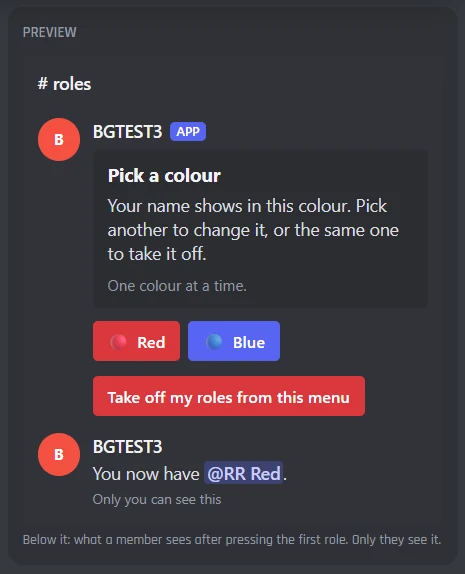
A button for each role, in Grey, Blurple, Green or Red, with its own words and emoji. Press one to get the role and press it again to take it off.
Only the member who pressed sees the reply, so the channel stays clean. You can add a Take off my roles button under the others.
Dropdown
One dropdown with every role in it, each with a line under it. Good for long lists like regions, time zones or games.
Switch on Pick several at once and members tick all the roles they want in one go. Its last option takes off every role from the menu.
Reactions
Members react with an emoji to get a role and take the reaction off to lose it. A message can have up to 20 reactions.
Reactions can't reply, so the bot can send a DM saying what changed. With /reactionroles attach a reactions menu goes on any message, like your rules.
What picking a role does
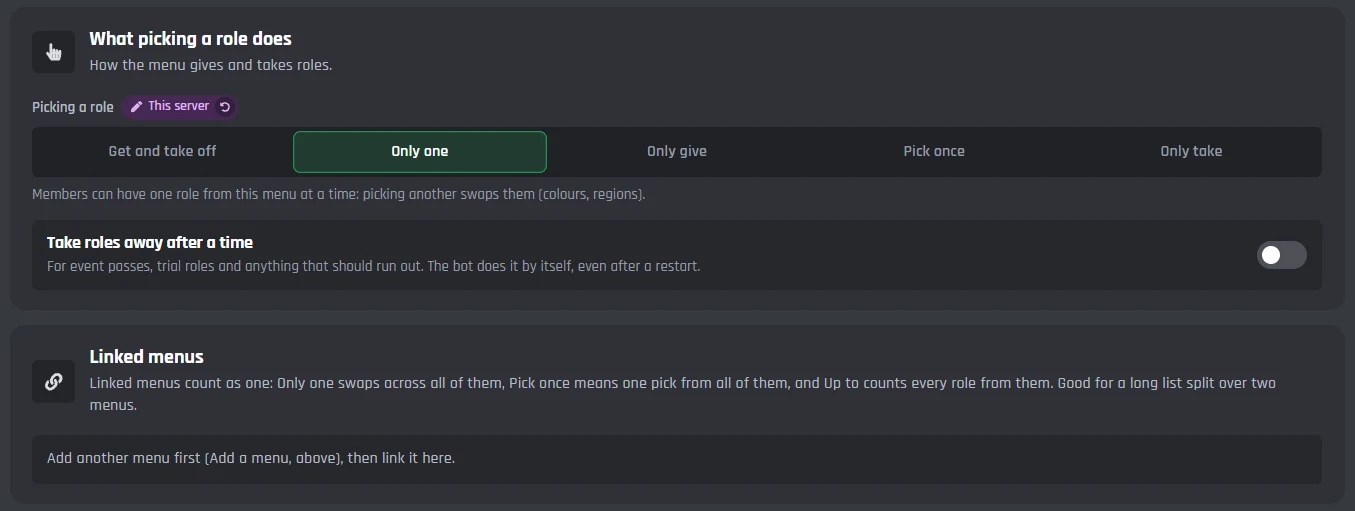
Each menu works one of five ways. Say Tom already has Red from a colour menu, and presses Blue:
- Get and take offTom has Red and BluePick a role to get it, pick it again to take it off. Pings, games and interests.
- Only oneRed comes off, Blue goes onOne role from the menu at a time. Colours and regions.
- Only giveTom has Red and Blue, for goodLike a verify button. Taking a reaction off leaves the role too.
- Pick onceNothing changes: Tom already pickedOne pick from the menu, ever. Teams, houses and factions.
- Only takeNothing changes: Tom doesn't have BlueA "stop pinging me" button.
Linked menus count as one, so Only one and Pick once work across a long list split over two menus.
Every Reaction Roles setting in the dashboard
Reaction Roles has one page in your dashboard: up to 10 menus, four tabs for the menu you're editing, then its command and events. Each server has its own menus.
The roles, and how members pick them
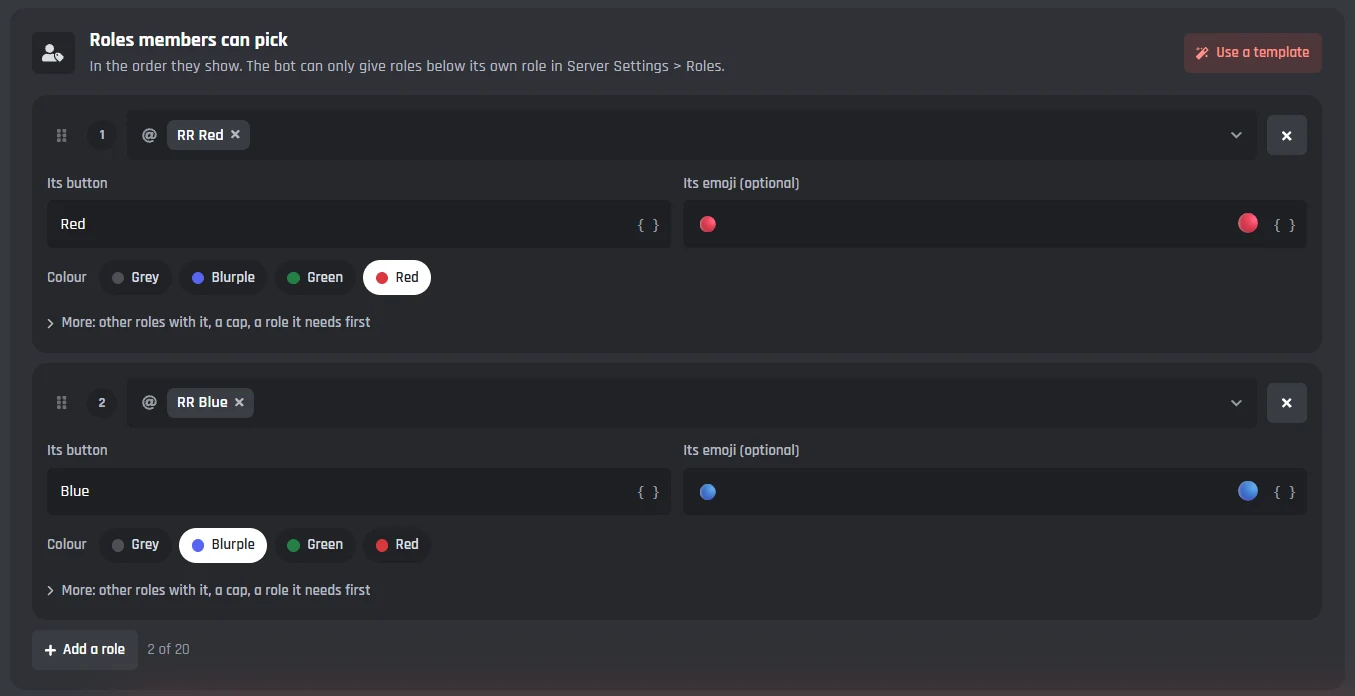
Pick buttons, a dropdown or reactions, add the roles members can pick, and choose what picking one does.

How members pick
- Buttons
- A button for each role. Members get a private reply saying what changed.
- Dropdown
- One dropdown with every role in it, good for long lists.
- Reactions
- Members react with an emoji. Up to 20 on a message, and it works on someone else's message too.
Each role
- The role, its words and its emoji
- Up to 20 roles a menu, in the order they show. Buttons also get a colour.
- Also gives and Takes away
- Roles that come with this one, and roles it takes off, like Unverified.
- At most
- How many members can have the role. 0 for no cap.
- Needs first
- A role members need before they can get this one.
What picking a role does
- Picking a role
- Get and take off, Only one, Only give, Pick once, or Only take.
- Take roles away after a time
- Up to 90 days. The bot does it by itself, even after a restart.
- Linked menus
- Menus that count as one, for a long list split over two.
The message, and posting it
Pick the channel, write the message members read, and post the menu from the dashboard. Post it again after a change and the copy in the channel is updated.
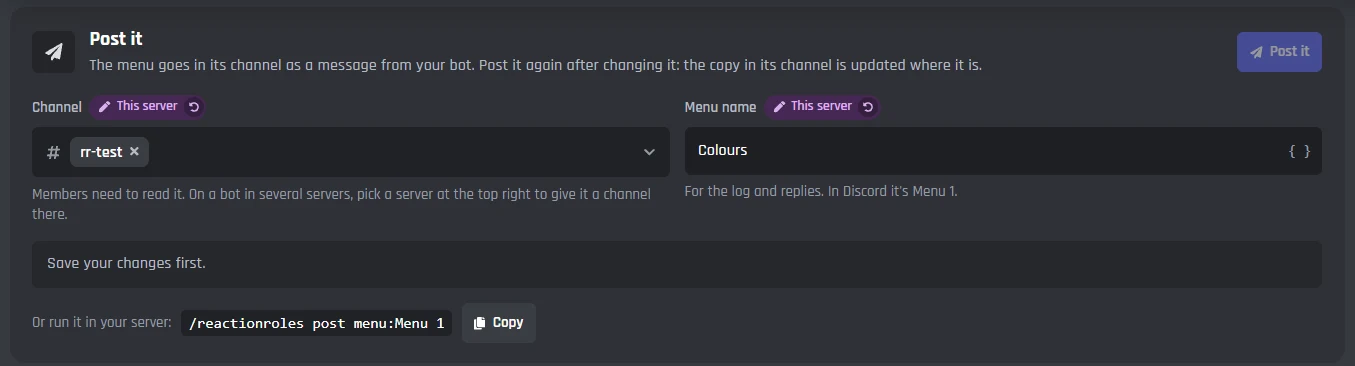
Post it
- Channel
- Where the menu goes. Members need to be able to read it.
- Menu name
- For the log and the bot's replies.
- Post it
- Your bot posts the menu in its channel, or updates the copy already there.
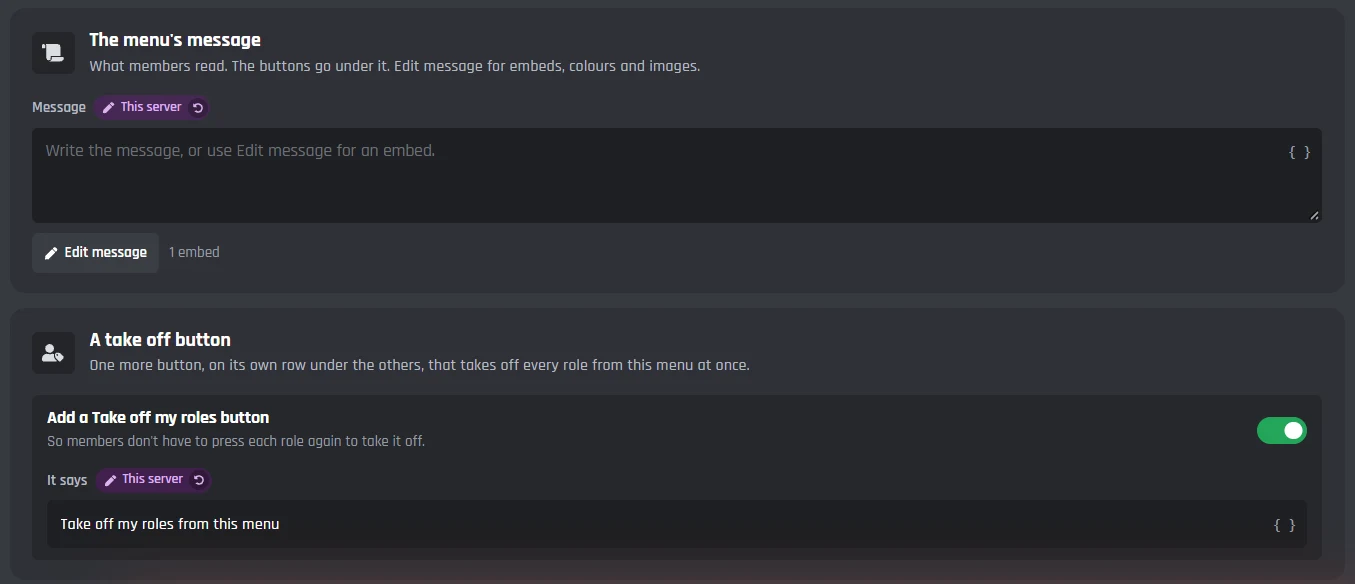
The menu's message
- Message
- Words, or an embed with colours and images through Edit message.
- A take off button
- One more button that takes off every role from the menu at once.
Who can use the menu
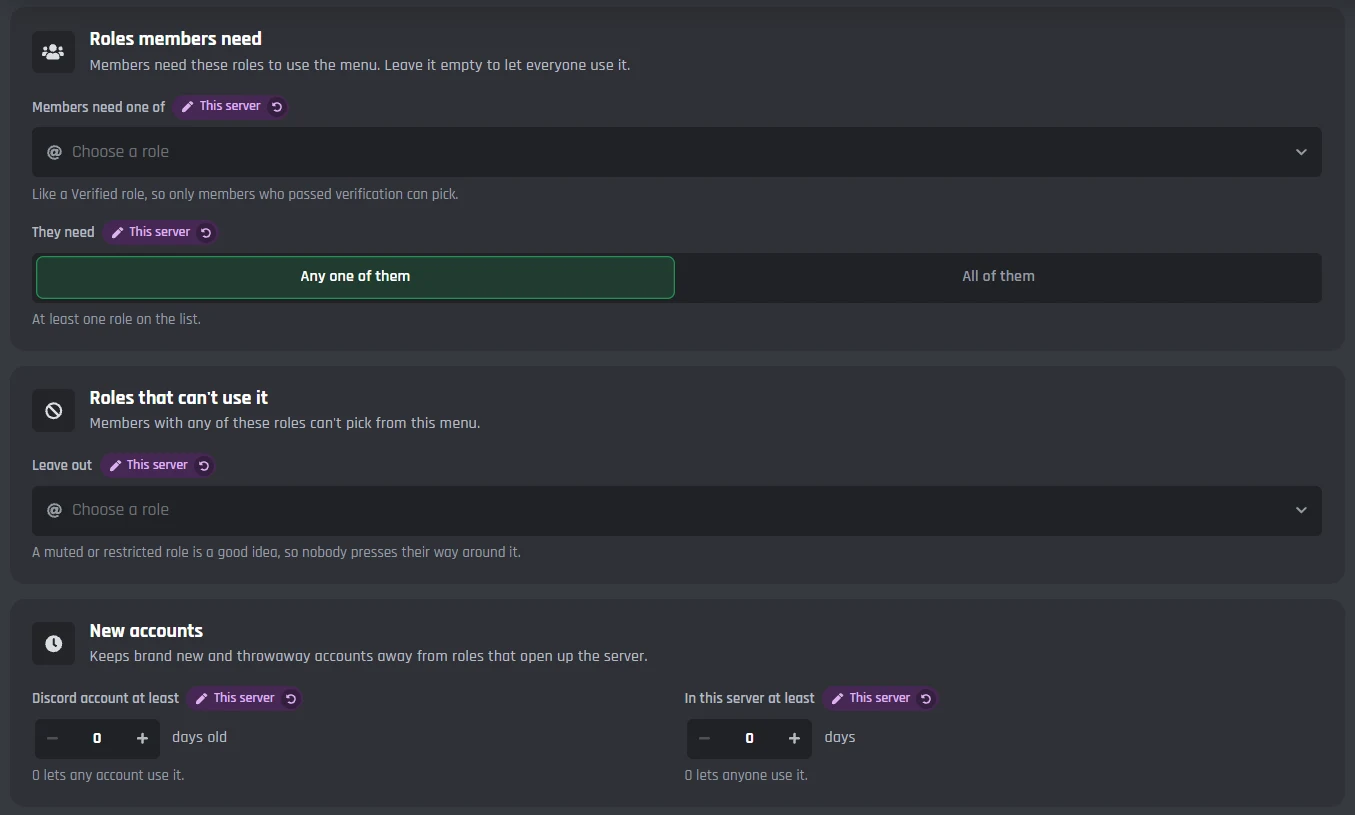
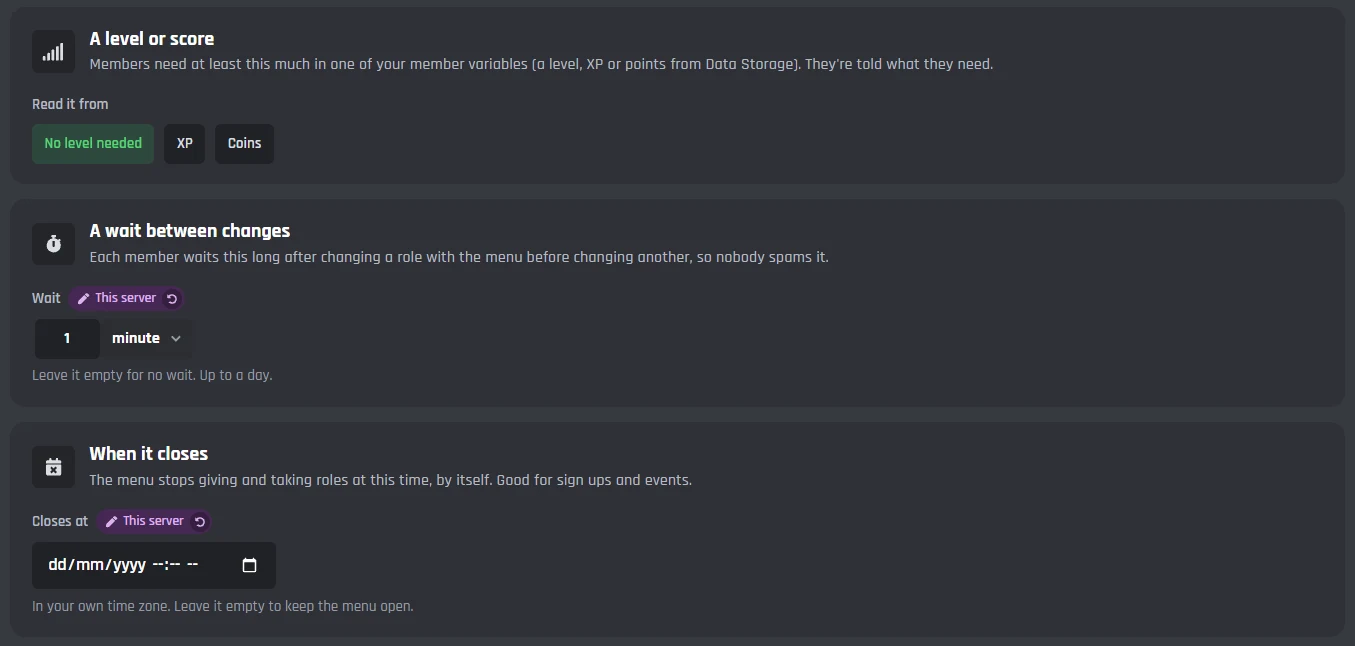
Keep a menu for verified members, keep new and throwaway accounts away, ask for a level, add a wait, or close it at a set time.
Roles
- Roles members need
- Any one of them, or all of them, like Verified.
- Roles that can't use it
- Like a muted role.
Limits
- New accounts
- How many days old a Discord account must be, and how long in the server.
- A level or score
- A member variable from Data Storage, like XP, and how much they need.
- A wait between changes
- Up to a day.
- When it closes
- The menu stops at this time, in your own time zone.
Every message the bot sends
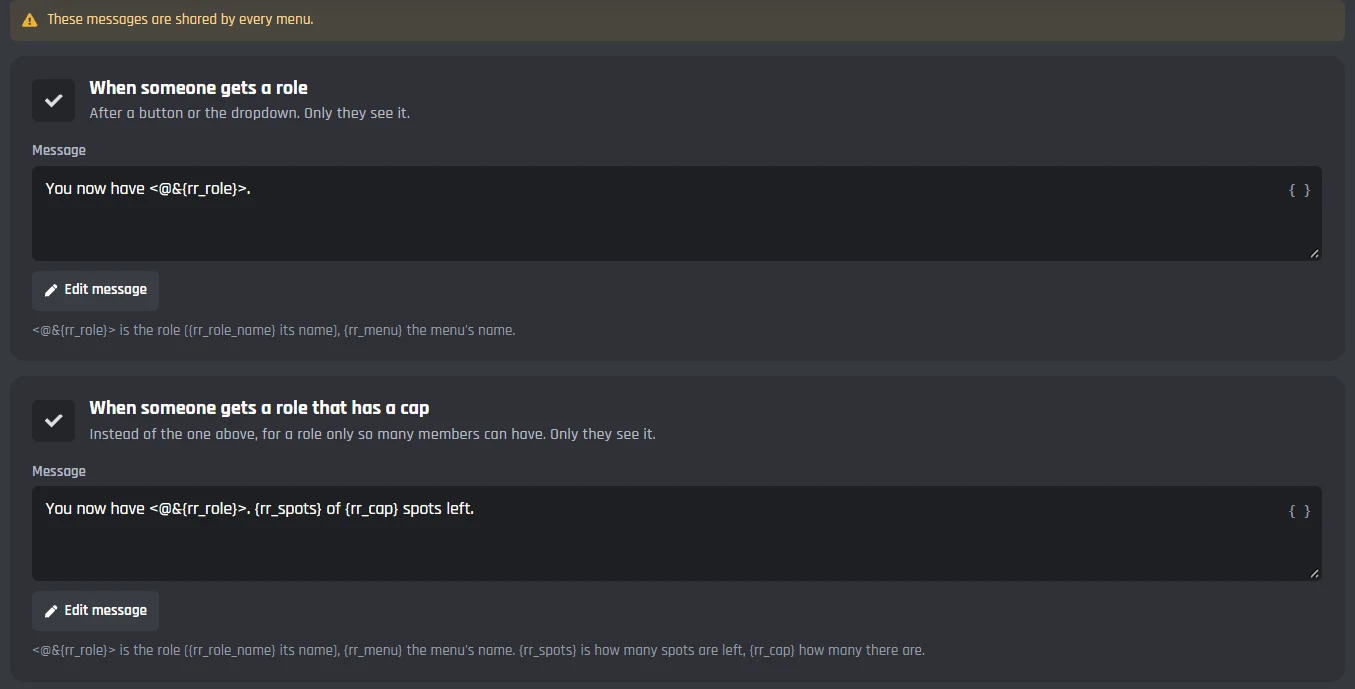
Each reply, DM and log line has its own card. Change the words or use Edit message for an embed. The messages are shared by every menu.
The messages
Each one has an Edit message button and lists the variables it can use.
- When someone gets a role
- When someone takes a role off
- When a role is full
- When someone has to wait
- When someone is too new
- When the bot can't give the role
- DMs for reactions menus
- Log lines
- Staff replies
/reactionroles and the two events
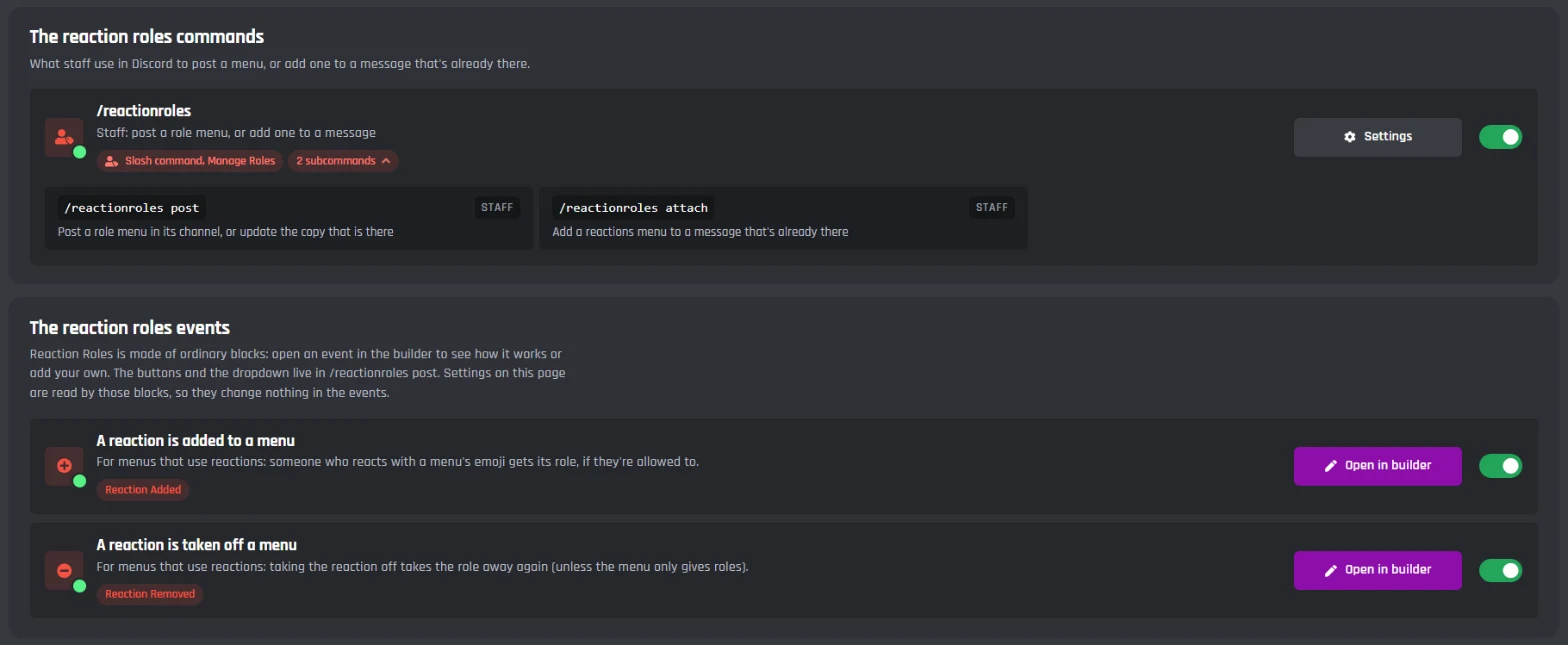
Staff post menus with /reactionroles post, or add a reactions menu to any message with /reactionroles attach. The events are made of ordinary builder blocks, so you can open them and add your own.
/reactionroles
For staff with Manage Roles.
- /reactionroles post
- Posts a menu in its channel, or updates the copy that is there.
- /reactionroles attach
- Adds a reactions menu to a message that's already there, from its message link.
Events
- A reaction is added to a menu
- Gives the role to whoever reacts with a menu's emoji, if they're allowed to.
- A reaction is taken off a menu
- Takes the role away again, unless the menu only gives roles.
Both events are ordinary Discord bot events made of builder blocks, so you can add your own blocks to them.
Set up reaction roles
Haven't got a bot in your server yet? Start with how to make a Discord bot, then come back here.
- 1Open Reaction Roles from Modules in your dashboard and turn it on. This adds the /reactionroles command and the two events.
- 2Press Start from a template, pick one like Colours, and pick your server's role for each of its roles.
- 3Press Save.
- 4On Look and post, press Post it. Members can pick their roles straight away.
Your bot's role has to be above every role it gives, in Server Settings > Roles.
Caps, waits, and who can pick
Limits are set for each menu, and when the bot says no, the member is told why. Every reply can be changed on the Messages tab.
- Cap a role at a number of members, like 10 players and 3 substitutes.
- Keep a menu for members with a role, like Verified, or a level from Data Storage.
- Keep new and throwaway accounts out, add a wait between changes, or close the menu at a set time.
A free Discord reaction roles bot
Every setting on the Reaction Roles page works on the free plan. Premium only changes things outside Reaction Roles, like how many commands and servers your bot can have.
Free
$0- All of Reaction Roles: up to 10 menus of 20 roles, buttons, dropdowns and reactions, caps, waits and roles that run out
- /reactionroles and both events, which don't use up your 3 free commands and 3 free events
- Up to 5 servers
Premium
$12.50 a month for one bot- Unlimited commands, events, and servers
- Your own status line, with no BotGhost branding
- Premium modules like Music and AI
Free bots go offline after 2 days with no activity. Read about free hosting
Discord reaction roles questions
Didn't find your question? Ask us in the BotGhost Discord, or read the Reaction Roles docs.
Yes. Reaction Roles on BotGhost is free on every bot, with every setting on its page: buttons, dropdowns, reactions, caps, needed roles, waits and roles that run out. Its command and events don't use up the free plan's 3 commands and 3 events.
Reaction Roles on the free planInvite your BotGhost bot to your server. In the dashboard, open Reaction Roles and switch it on, start from a template like Colours and pick your roles, then press Save. On Look and post, press Post it and the menu goes in its channel.
See the setup stepsButtons and a dropdown reply to each member privately, so they always know what changed, and a dropdown fits long lists. Reactions show how many members picked each role and can go on a message that's already there, like your rules.
See all three side by sideA bot can only give roles below its own. In Server Settings > Roles, drag your bot's role above the roles it gives and make sure it has Manage Roles. The dashboard warns you when a role is above the bot's, and the bot tells the member when it can't change one.
Read the Reaction Roles docsYes, for menus that use reactions. Copy the message's link in Discord, then run /reactionroles attach and pick the menu. Buttons and dropdowns can only go on your bot's own messages.
Read the Reaction Roles docsYes. Only one swaps their role when they pick another, which suits colours. Pick once lets them pick one role, for good, for teams. You can also cap how many roles from a menu each member keeps, or how many members can have each role.
See what picking a role doesYes. Switch on Take roles away after a time and pick the hours, up to 90 days. The bot takes the role off by itself, even after a restart. Good for event passes and trial roles.
See every settingYes. It keeps running and shows in your modules as Reaction Roles (old). On the new page, Move them here turns each of its messages into a reactions menu on the same message, and switches the old one off.
What changed in the new Reaction RolesLet your members pick their roles
Switch on Reaction Roles, start from a template, and post it. The free plan doesn't need a card.
Set up Reaction Roles for free