The free no-code Discord bot maker
Your bot gets its own name and avatar, and only joins the servers you add it to.
Build its commands by connecting blocks instead of writing code. BotGhost hosts it for you, so your computer doesn't have to stay on.
The free plan costs nothing, and Premium is an optional upgrade.
- Since 2018running Discord bots
- 2M+bots created
- 10M+commands built

Try the Discord bot builder
Each example is a full command or event made from the same blocks you get in the builder. Click a label under a condition to run that path instead, or press Build your own and add blocks. The Discord window shows what your bot sends.
The /warn command: member and reason options, then a Permissions Condition so only members with Moderate Members can use it. For a moderator, Run Equation on Variable adds one to the member’s warnings, a Send or Edit a Message block logs the warning, and an If / Else checks for 3 or more warnings. At 3, Timeout a Member times them out for a day, Set Variable resets their warnings, the bot DMs them why, and the moderator gets a private reply. In Discord: a Member warned log for @Spammer with the reason and 3 warnings, @Spammer timed out for 1 day, a DM to them, and a reply only you can see.

The builder is free on the dashboard.
What the command builder can do
100+ blocks
Send messages with buttons and menus, give roles, make channels, send forms, draw image cards, open tickets, and play music.
Conditions and waits
If / Else, role and permission checks, loops, random chance, and waits that carry on hours or days later.
Saved data
Keep coins, levels, warnings, and streaks for each member or server in Data Storage.
Playbacks and errors
A Playback replays a run one block at a time. When something fails, the error names the block and says why.
Reviews from bot makers
"Easy to use, reliable, and looks great. I get so many compliments on my bots."
 clowdyBot owner
"BotGhost provides me with a convenient way to build custom bots for myself and various content creators I work for."
 SchnifLAdmin for several servers
"Simple and customizable. A dream for bot makers who know how to code but are short on time."
 FlusterBot maker
"As a public bot owner BotGhost has given me the ability to create anything my brain can think of!"
 OniPublic bot owner
"BotGhost makes your dream of owning a custom bot a reality with the easiest and most user-friendly experience!"
 NinjaChatoBot owner
"BotGhost lets me create quick, complex projects with no scripting."
 Astor RolaceBot creator
How to make a Discord bot in three steps, with no code
You do every step in the BotGhost dashboard, so you won't write code or rent a server.
1Create your bot
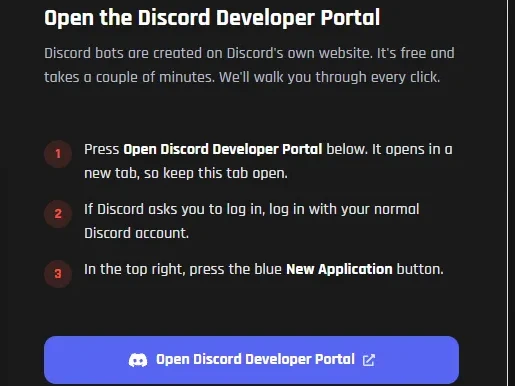
Pick a name and an avatar first. Then the setup takes you through Discord's Developer Portal (six short steps, each with a picture). If you get lost on one, press its I'm stuck button.
Read the setup guide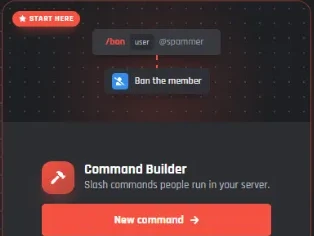
2Add what it does
The quickest way is a module: switch on Tickets and you've got a ticket system. You can also grab a pack from the Marketplace, or wire up your own blocks in the Command Builder and Event Builder.
See the modules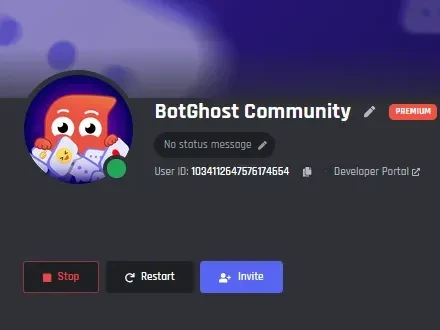
3Invite it to your server
Press Invite, pick your server, and it's in. We run it on our servers, so you can close your laptop. Changes go live the second you save them.
How hosting works
35+ ready-made modules
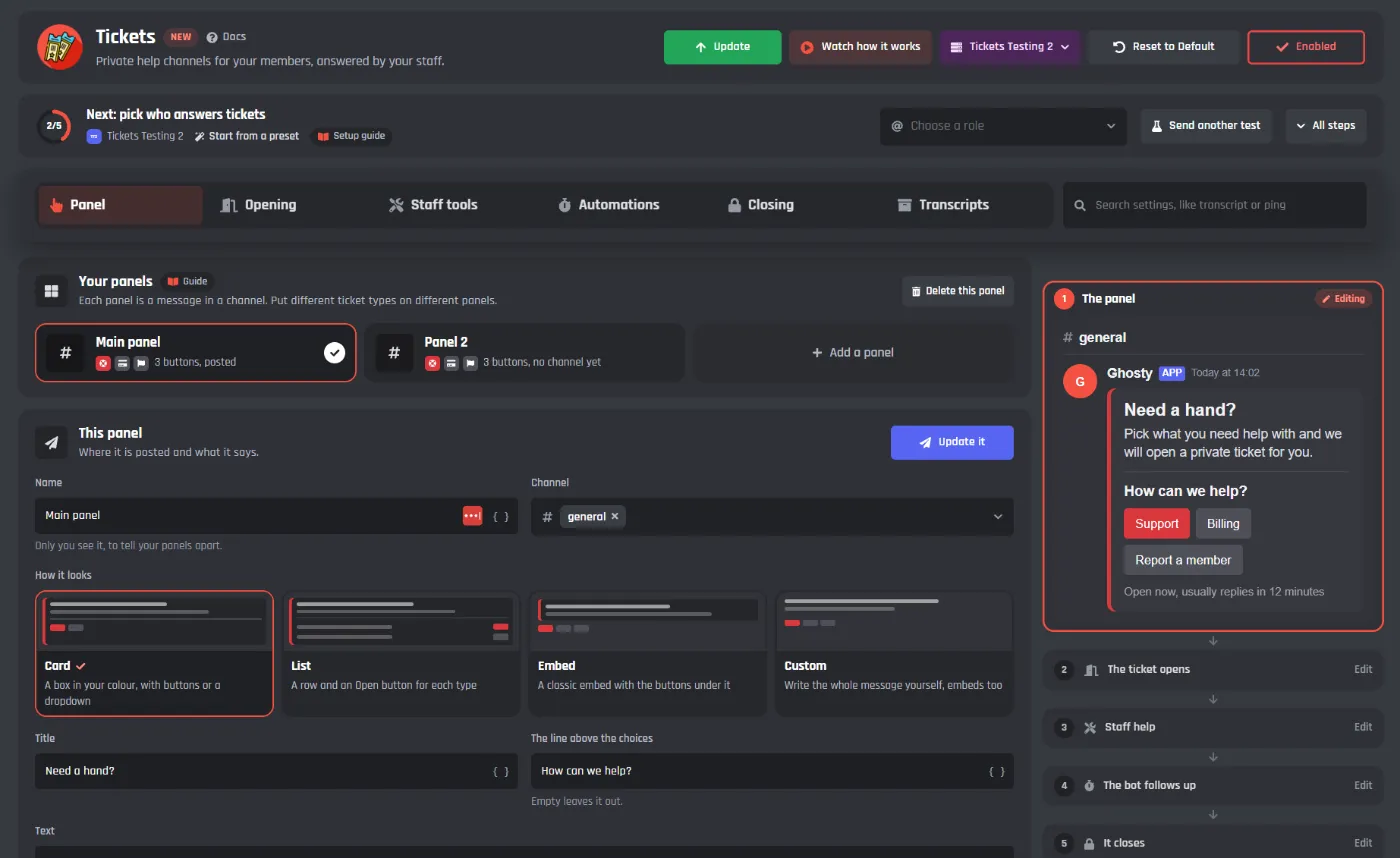
Modules are whole features you switch on, like tickets or welcome messages. Each one has a single settings page where you pick a channel and change the wording. Our newest ones (Tickets, Welcomer, and Counting) are made of normal blocks, so you can open them up and change how they work.
Welcome cards with each member's name
FreeIn Card Studio you start from a template, then move any layer you like: the avatar, name, member count, bars, and badges.
Music in your voice channels
Premium18 ready-made /music commands with a queue everyone can see. They're normal commands, so you can open them and change the replies.
Top packs on the BotGhost Marketplace
Packs are commands and events that other BotGhost users built and shared. Install one on your bot, then change any block in it.
 Ultimate Ticket System-100% customizableCommand1–5 ticket options | 1–3 support roles | Claim function | Ticket log | And more1.2k installsStaff pannelPackManage your server with ease using bans, temp bans, kicks, timeouts and more.1k installs
 Music PanelPackFull music player in one panel: add songs, skip, loop, filters, volume, DJ role and more!814 installs
Your own bot compared to a shared bot
A shared bot like MEE6 is one bot that thousands of servers add. A BotGhost bot runs on your own Discord application with your name and picture, and it only has the commands you made.
Pricing: free for one bot in 5 servers
Free
One bot, to build and run in up to 5 servers.
Create your bot for free- 3 custom commands and 3 custom events
- Modules: Tickets, Welcomer, Moderation, Leveling, Economy, and Counting
- The full command and event builder
- Collaborators
- Hosting on our servers
A free bot with no activity for 2 days is switched off until you start it again.
Premium, one bot
$75 billed once a year
Upgrade one bot- Premium on one bot you choose
- Unlimited commands, events, and servers
- Premium modules: Music, AI, and more
- Higher module limits
- Custom status, no BotGhost branding
Premium, every bot
$150 billed once a year
Upgrade every bot- Everything in the one bot plan
- Premium on every bot you own
- Bots you make later are Premium too
Prices in USD. Manage or cancel your plan from Settings in the dashboard.
Marketplace packs, collaborators, and Playbacks
Packs from the Marketplace
Ready-made commands and events that other BotGhost users shared. Install one, then change any part of it.
Open the MarketplaceBuild your bot with friends
Friends can work on your bot as collaborators. You give each of them a role from Viewer up to Admin, and that role decides whether they can edit or only look.
About collaboratorsFind out what broke
A Playback lists each block a run went through, and an error names the block that failed and the reason.
About PlaybacksComing soon: BotPanel
BotPanel will give your bot its own website, and every server it's in gets its own dashboard. Other servers can find your bot, add it, and set it up themselves. Their admins sign in with Discord and change your bot's settings for their own server, without asking you.
- A website for your bot: commands, leaderboards, docs
- A dashboard for every server your bot is in
- Planned: start on a BotGhost address, then use your own domain
BotPanel is not out yet. What it does may change before it launches.
See the BotPanel previewQuestions about making a Discord bot
If your question isn't here, ask us in the BotGhost Discord or look it up in the docs, which cover every block and module.
It’s a tool for making your own bot when you can’t (or don’t want to) write code. On BotGhost, you join blocks together to make commands and events, or switch on a ready-made module. We host the bot, so there’s nothing to install.
How to make a Discord bot, step by stepNope. You drag a block in, connect it to the last one, and fill in its settings from menus. A preview shows what the bot will post before you save.
See the command builderYes. The free plan gives you one bot in up to 5 servers, up to 3 custom commands and 3 custom events, and these modules: Tickets, Welcomer, Moderation, Leveling, Economy, and Counting. You don't need to enter payment details.
Compare the plansWe only use your token to run your bot. Once you save it, the dashboard never shows it again, not even to you, and collaborators can’t see or change it. You can reset it in the Discord Developer Portal at any time and paste the new one into Settings, and deleting your bot on BotGhost deletes its token too. BotGhost never asks for your Discord password.
How we keep BotGhost secureYes, at any time, from Manage Subscription in the dashboard. When it ends, your bot moves to the free plan instead of being deleted.
See PremiumDelete your bot and we wipe its token, commands, and settings from BotGhost. We don’t touch the Discord application, though (that’s still in your Developer Portal).
How hosting worksSign up for free and give your bot a name and avatar. The guided setup connects it to Discord, and once that’s done you invite it to your server. Then switch on a module, or build a command from scratch. Whatever you save is live straight away.
Read the setup guideA command is something a member types, like /daily, and the bot answers. An event runs by itself when something happens in the server, say someone joins or reacts to a message.
About Discord bot eventsYour bot runs on BotGhost’s servers, so your computer can be off. A free bot with no activity for 2 days is switched off until you start it again from the dashboard. A Premium bot only switches off after a whole year with no activity.
How Discord bot hosting worksUnlimited custom commands, events, and servers, Premium modules like Music and AI chat, higher module limits, and a custom status without BotGhost branding. Pick one bot, or every bot you own.
See PremiumPremium adds features and raises limits. Priority Hosting is a separate add-on that moves all your bots to faster, separate servers. You can have either one, or both.
About Priority HostingYes. Your bot is your own Discord application, so it shows your name, avatar, and banner in the member list. A custom status line is a Premium extra.
Make a custom Discord botYes. Add them as collaborators and pick a role for each one, anything from Viewer up to Admin. A friend who only helps with the replies doesn’t need access to everything.
About collaborator rolesYes, two ways. Modules are built in, and you switch them on from their own page. Packs come from the BotGhost Marketplace, where other creators share them. Once you install one, it’s yours to change however you like.
About the MarketplaceBotPanel is coming soon. It gives your bot its own website and a dashboard for every server it’s in, where server admins change its settings for their server. It’s not out yet, so details may change.
See the BotPanel previewMake your own Discord bot
Sign up for free and set up your bot, then invite it to your server. The free plan doesn't ask for a card.
Create your bot for free