A VibeBot alternative
A free plan with no card, and blocks instead of AI prompts.
VibeBot's AI writes features for your bot on its Pro plan, and you start with a 3-day trial that needs a card. BotGhost is a no-code Discord bot maker where you join blocks into commands and switch on ready-made modules. The free plan has no end date and needs no card.
VibeBot facts checked on vibebot.gg on 23 October 2026. Also looking at Kite? Read our Kite alternative page.
VibeBot's free trial vs BotGhost's free plan
Your own bot starts as a 3-day trial on VibeBot and on the free plan on BotGhost. The VibeBot steps come from its pricing page.
VibeBot
- Day 1Sign in with Discord and add a card. VibeBot runs a $1 card check and adds it to your account as AI credits. You get Pro and 1 bot.
- Day 3The trial ends, and your card is charged $10 a month for Pro unless you cancelled.
- If you cancelYour bots stop. You have 30 days to pick Lite or Pro and get them back, and then the account is deleted.
BotGhost
- Day 1Sign up with Google, Apple, GitHub, X, or email, with no card to add. Your bot gets 13 free modules, 3 commands, 3 events, and 5 servers.
- Day 3Your bot stays on the free plan, which has no end date. Want everything? Try Premium for 7 days, with no card and nothing to cancel.
- If nobody uses itAfter 2 days without anyone using one of its commands, buttons, or menus, a free bot switches off. Start it again from the dashboard and everything is still there.
AI prompts vs a block builder
On VibeBot Pro, you ask the AI Bot Builder for a feature, and it writes the code and adds it to your bot. Each build uses credits. Pro comes with $10 of them a month, which VibeBot says is about 20 feature builds, and top-ups start at $10. If you run out, the features you have keep working, but you can't add new ones until you top up. Lite doesn't include the AI Bot Builder; you get templates instead.
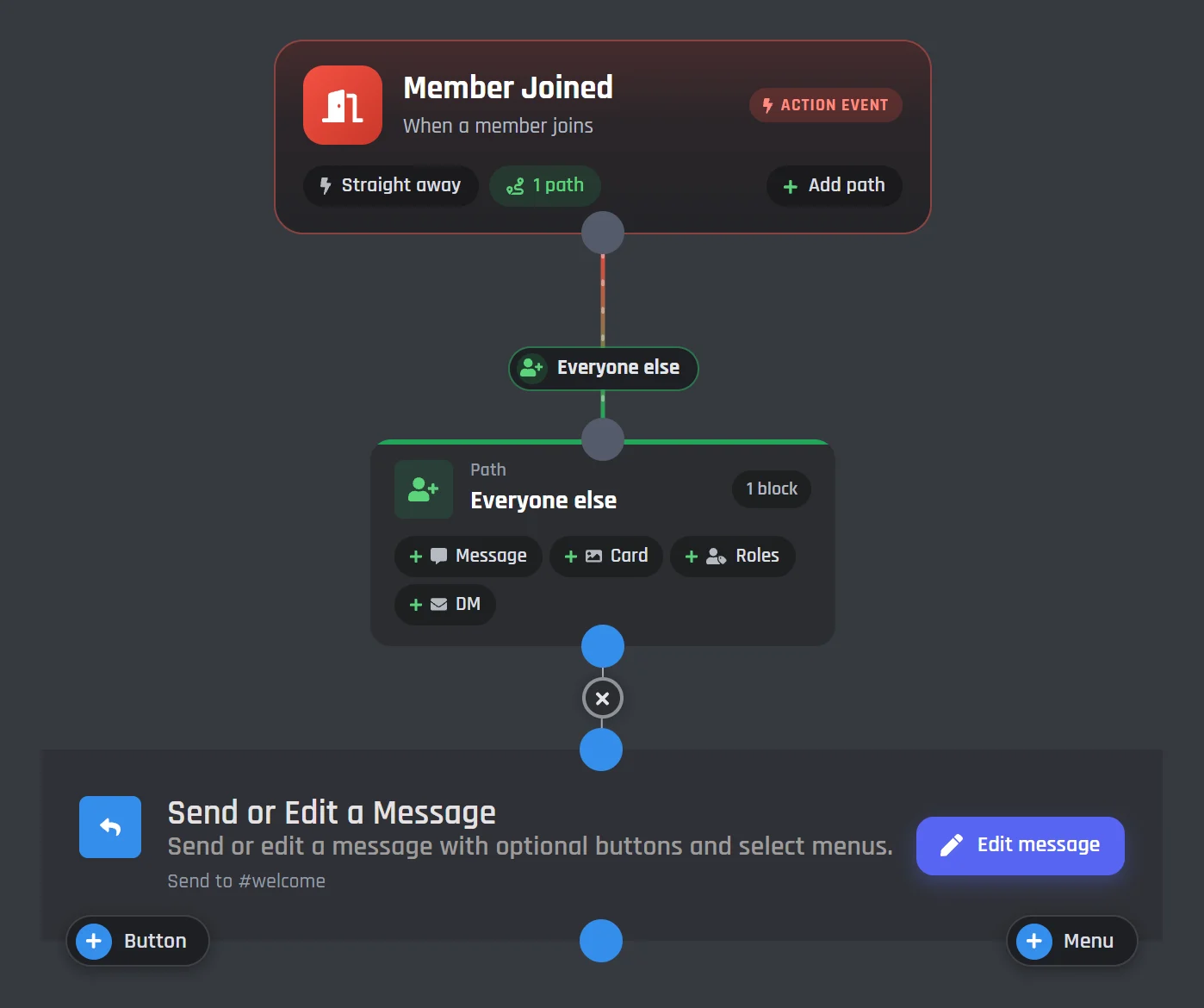
On BotGhost you build it yourself, on every plan. A command starts with its trigger, and you join blocks under it from the list on the left: Send or Edit a Message, Add Roles, Role Condition, Send a Form, and plenty more. Each one has a settings panel, so you can change one reply later without touching anything else.
It's slower than typing one request. In return you can see each step your bot takes, and building costs nothing. Kite builds with visual blocks too; how BotGhost compares with Kite covers the differences.
How the Discord bot command builder works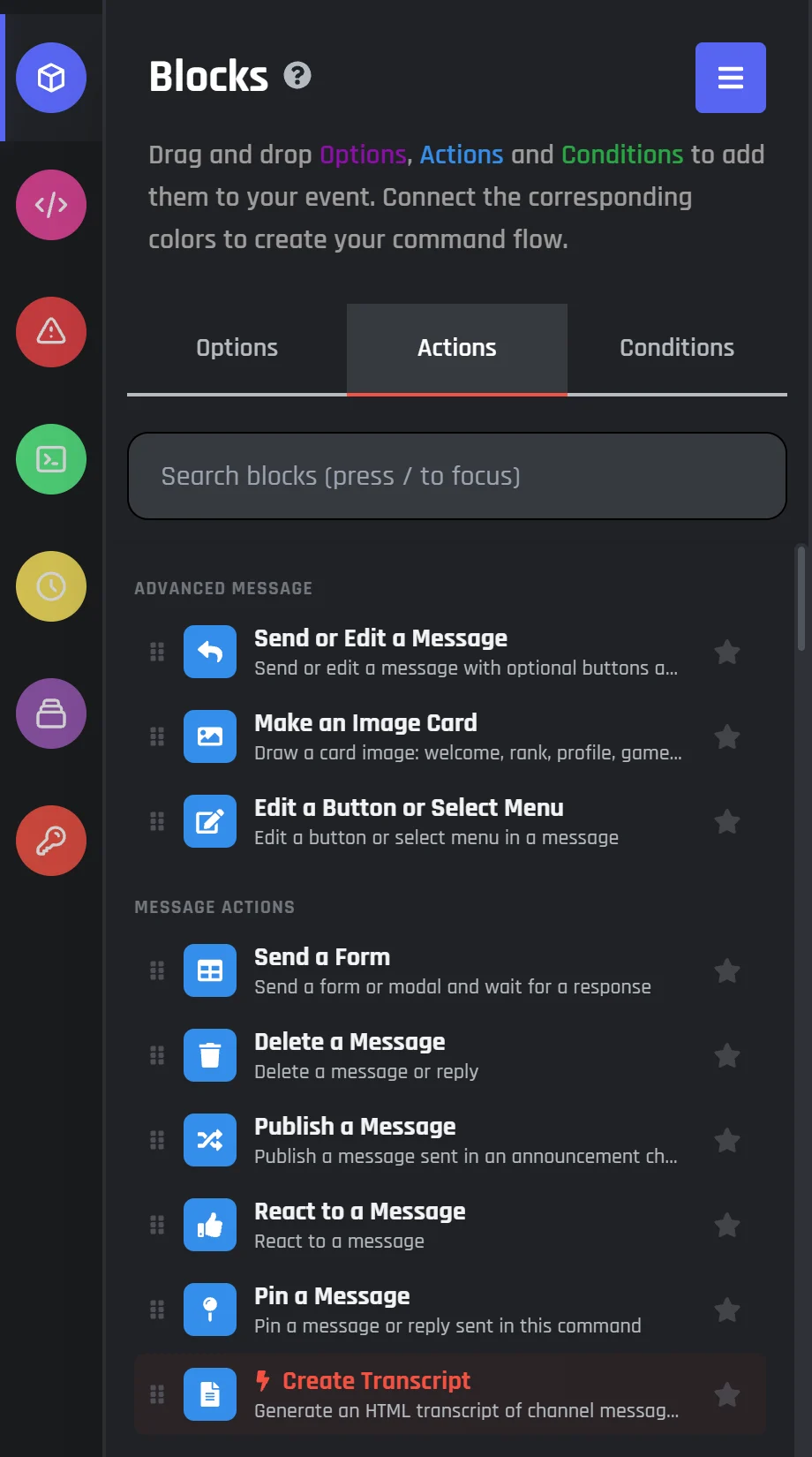
VibeBot pricing vs BotGhost pricing
VibeBot charges credits for AI builds and $100 for a code export. On BotGhost, building and sharing commands are free. VibeBot's side is from vibebot.gg/pricing.
- To start
- BotGhostThe free plan. No card.
- VibeBotFor your own bot, a 3-day Pro trial that needs a card, with a $1 check added back as AI credits. VibeBot Basic, a free bot shared by every server, needs no card.
- Monthly
- BotGhostFree, $12.50/mo for one bot, or $25/mo for unlimited bots.
- VibeBotLite $5, Pro $10.
- Yearly
- BotGhostSave long-term with yearly plans: $75 for one bot, $150 for unlimited bots.
- VibeBotLite $50, Pro $100.
- Building new features
- BotGhostYou join blocks yourself on every plan. Adding a block never costs anything.
- VibeBotPro only, with the AI Bot Builder. Each build uses credits: $10 a month comes with Pro, and top-ups start at $10.
- Ready-made features
- BotGhost13 free modules: Tickets, Welcomer, Moderation, Leveling, Economy, Counting, Giveaways, Reaction Roles, Starboard, Birthdays, Verification, Honeypot, and Invite Tracker. Music needs Premium.
- VibeBot41 templates. The music and AI ones need Pro.
- More than one bot
- BotGhostMake as many as you like. One runs at a time on the free plan.
- VibeBot1 bot on each plan. Extra bots are $5 a month each.
- Taking your work elsewhere
- BotGhostShare any command as a share code and import it on another bot.
- VibeBotA packaged export of the source code costs $100 each time.
Why servers pick BotGhost over VibeBot
- A free plan for your own bot, with no card and no trial that ends.
- 13 modules are free, like Tickets, Giveaways, and Leveling, so most features are a switch instead of an AI build.
- Every command is blocks you can open and change, with nothing charged per build.
- One price covers every bot you own ($25 a month), and yearly Premium costs less than VibeBot Pro.
- Your bot gets its own website with BotPanel.
Adding AI to a BotGhost bot
On BotGhost, AI is something your bot does while a command runs. Add a Send an API Request block, pick the Ask ChatGPT, Ask Claude, or Ask Gemini template, and post the answer with Send or Edit a Message. It works on the free plan.
You use your own key from the AI company and pay them for what you use. The key goes in Secrets, where nobody can read it back, not even you. Free bots get 5 secrets.
For a chatbot you don't have to build, the ChatGPT module replies when members mention the bot, and Image Generation adds /imagine. Both need Premium and an OpenAI key.
More on making an AI Discord bot
VibeBot alternative questions
An AI Discord bot builder that hosts your bot for you. On its Pro plan you ask its AI Bot Builder for a feature and it writes the code and adds it to your bot. It also has 41 templates, AI chat personas, and music on Pro.
How the two build featuresNot for a bot of your own. VibeBot Basic is free, but it's one shared bot named VibeBot, without your name or avatar and without the AI Bot Builder. Your own bot starts with a 3-day trial of Pro that needs a card, then Lite at $5 or Pro at $10 a month. BotGhost has a free plan with no end date: 3 commands, 3 events, 5 servers, and free modules like Tickets and Welcomer. Checked on vibebot.gg on 23 October 2026.
Your first month on eachVibeBot charges your card $10 a month for Pro. If you cancelled, or the payment fails, your bots stop and you have 30 days to pick Lite or Pro. After that the account is deleted.
See the first month side by sideNot built in. Most features come ready-made as free modules you switch on, and for the rest you build from blocks or start from a share code or a Marketplace pack. AI can still run inside a command: the Send an API Request block can ask ChatGPT, Claude, or Gemini for a reply while the command runs.
Using AI in a BotGhost botYes. On both, the bot is your own Discord application, so you keep its name, avatar, and place in your servers. Reset the bot's token in the Discord Developer Portal and paste the new one into BotGhost; the old token stops working, so only BotGhost can run the bot. Then rebuild its features with modules and blocks. VibeBot's code doesn't import into BotGhost.
How to set up a bot on BotGhostTo start, BotGhost: its free plan costs nothing and needs no card, while your own VibeBot bot starts on a card-backed Pro trial. Paying yearly, BotGhost Premium ($75) costs less than VibeBot Pro ($100), and it never runs on AI credits. VibeBot Lite is cheaper at $5 a month or $50 a year, but it leaves out the AI Bot Builder, AI Agents, and music.
Compare the pricesWhile people use it, yes. A free bot switches off after 2 days without anyone using one of its commands, buttons, or menus, and a Premium bot after 365 days. You start it again from the dashboard.
How Discord bot hosting worksMake a Discord bot without a trial
No card to start, and none to stay on the free plan.
Start free, no card- 1Sign up on the BotGhost dashboard with Google, Apple, GitHub, X, or email.
- 2Make your bot in the Developer Portal and paste its token in.
- 3Invite it to your server and switch on a module.
