
What changed
The Invite Tracker is rebuilt from scratch, and every feature is free. Your bot logs every join with the person who invited them and the link they used. It checks each invite is real, so alt accounts and people who leave straight away add nothing to anyone's count, and the log says why.
Members get a personal invite link with /invites link, and staff make campaign links to see what an ad or a partner server brings in. /invites top shows the boards for all time, this week and this month.
Every feature is free
Everything here works on the free plan. The invite board on your bot's website shows on its Leaderboards page, which comes with BotPanel Plus. The Invite Tracker's commands, events and saved counts never count toward your free limits.
Set up the Invite Tracker
- Open Modules and click Invite Tracker, then switch it on and pick your server at the top right.
- In Discord, give your bot the Manage Server permission, so it can see who made each invite.
- On the Logs tab, pick a log channel. On the Links tab, pick where personal links open.
- Press Save Changes.
- Try it: run
/invites link, and join from another account with your link.
Real and fake invites
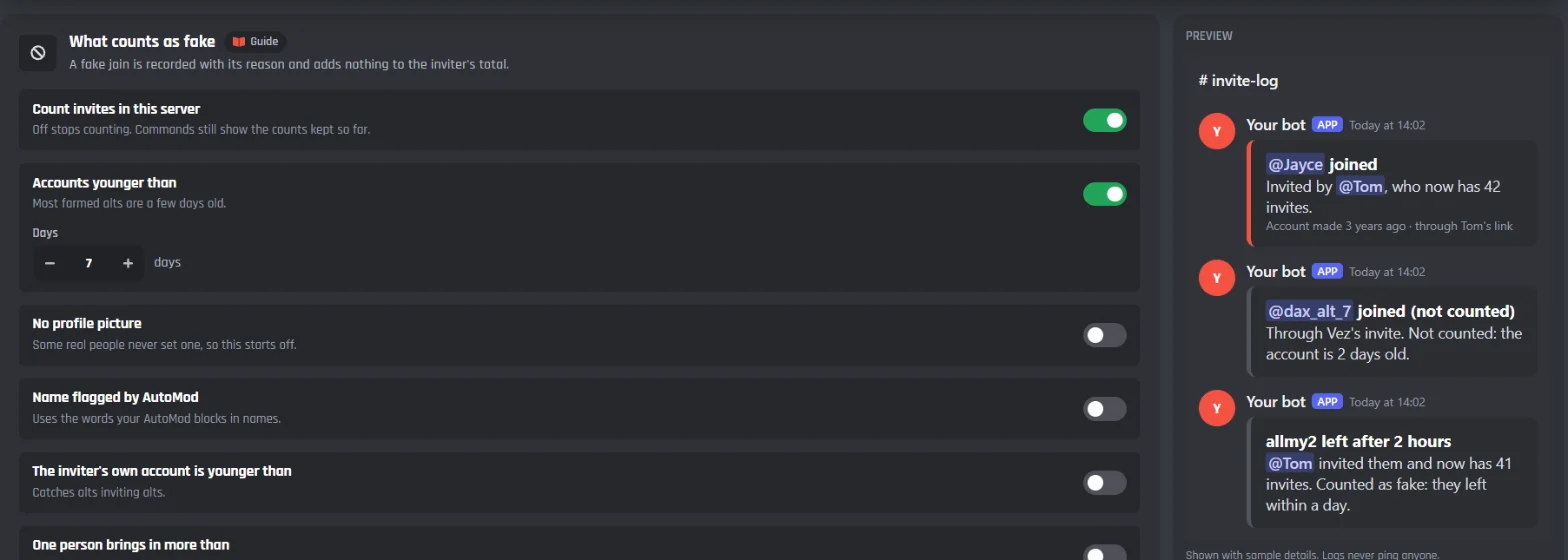
To start with, an account younger than 7 days, someone using their own invite, and someone who leaves within a day count as fake. Switch on more checks on the Counting tab: no profile picture, a name your AutoMod blocks, an inviter whose own account is new, or one person bringing in lots of people at once.
When someone comes back, the invite goes back to whoever first invited them, and the new link's owner gets nothing. Bringing the same alt in and out earns nobody anything.
Builder updates
The Invite Tracker is made of ordinary builder blocks, so you can open its events and change them. Everything it needed is in the builder for your own commands and events too:
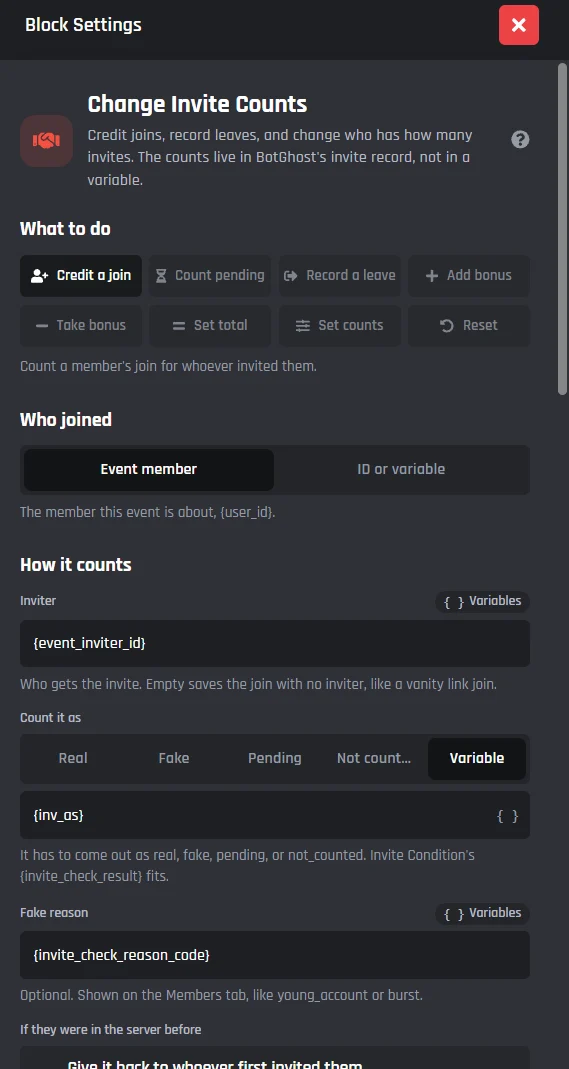
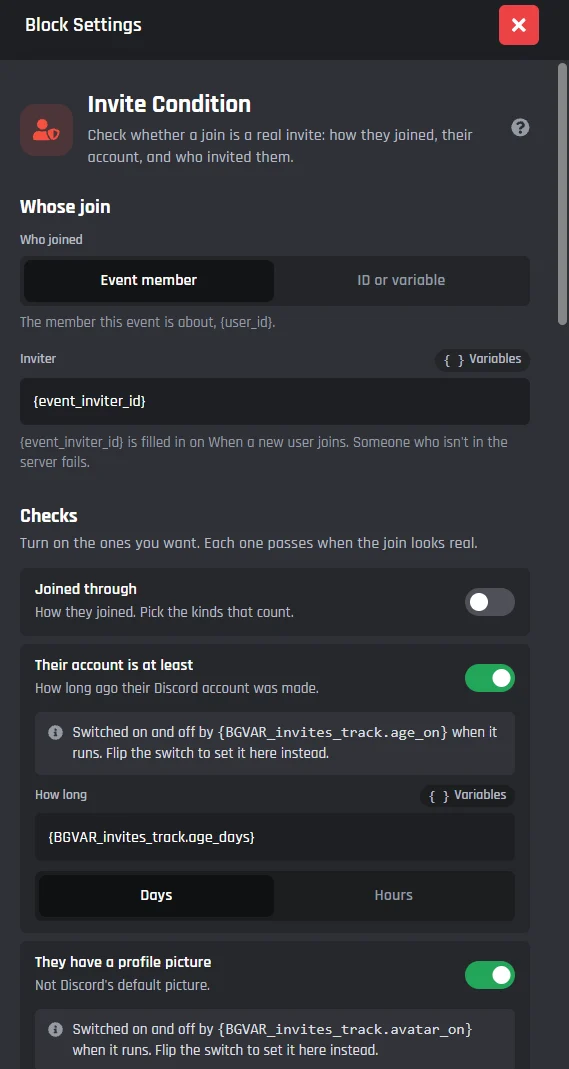
- Change Invite Counts and Invite Condition, for your own invite systems.
- Get Invite Details and Delete an Invite, to look up or remove any invite.
- When someone's invite count changes, a new event.
- Find the invite they used on When a new user joins, so a welcome message can name the inviter.
- Counts for in Create Server Invite and Every invite in the server in Run a Loop.
Good to know
- Each server has its own settings and counts. Pick one in the server menu at the top right.
- Without Manage Server, joins are still logged, but the bot can't tell which invite they used.
- Discord's rules don't allow rewards for invites, so the Invite Tracker never gives roles or prizes to inviters, and seasons have nothing to win.
- Count invites made before tracking on the Members tab adds Discord's current invite uses, once. Those can't be checked for fakes or leaves.
- Using the old Invite Tracker module? The new page offers Move my settings and invites, and everyone keeps their total. You can undo it for 30 days.
- On free bots, a small Made with BotGhost line shows under the messages about one time in three.
- The full guide is in the Invite Tracker docs, and the Discord invite tracker bot page gives a shorter tour.
Full list of changes
- NewThe new Invite Tracker: counting, logs, boards, links, messages and members on one page with seven tabs and a live Discord preview
- NewOverview: how people joined this week, the top inviters and the top links, with Get started checking Manage Server and your channels
- NewWhat counts as fake: Accounts younger than 7 days to start with, plus No profile picture, Name flagged by AutoMod, The inviter's own account is younger than, One person brings in more than and Roles whose invites never count
- NewLeaves: Leaves take an invite away, and Count it as fake if they leave within 1 day to start with, up to 30 days
- NewWhen someone comes back: Back to the first inviter to start with, Count for the new inviter or Never count
- NewWhen a join counts: Straight away, Once they get a role or Once they've stayed
- NewInvite logs for counted joins, fake joins with the reason, the vanity link and campaigns, joins the bot couldn't tell, leaves, and one summary when lots of people join at once
- NewBoards: all time, this week and this month, a Season for dates you pick with a final board, a leaderboard card from the Card Studio, and the board on your BotPanel website
- NewPersonal links from
/invites link, the same link every time, with roles for the person who joins - NewCampaigns: named links for an ad or a partner from
/invites campaign, with each link's numbers on/invites code - New
/invites show,top,who,listandlinkfor members;give,take,set,reset,campaignandcodefor staff - NewMembers tab: search anyone, change their numbers, Count invites made before tracking, and Reset this server with a 30 day backup
- NewDifferent settings for each server, from the server menu at the top right of the page
- NewChange Invite Counts: count a join, record a leave, give or take bonus invites, set a total or reset
- NewInvite Condition: is this join a real invite? Account age, profile picture, self invites, bursts and more, with the reason
- NewGet Invite Details and Delete an Invite: look up an invite's uses, maker and expiry, or remove a link
- NewWhen someone's invite count changes: a new event with the numbers before and after
- NewFind the invite they used on When a new user joins, Counts for in Create Server Invite, and Every invite in the server in Run a Loop
