# Music Smart Search Option

<figure><img src="https://1937909199-files.gitbook.io/~/files/v0/b/gitbook-x-prod.appspot.com/o/spaces%2F-Lm_hW5MApY3J0lRhi0M%2Fuploads%2FqglyZZ1TbBLmAe7iu9yq%2Fimage.png?alt=media&#x26;token=59a0a07e-c789-408f-b522-1185d28322c8" alt=""><figcaption></figcaption></figure>

This option can be used to let users search for music tracks when using a command.

<figure><img src="https://1937909199-files.gitbook.io/~/files/v0/b/gitbook-x-prod.appspot.com/o/spaces%2F-Lm_hW5MApY3J0lRhi0M%2Fuploads%2FjodlsS6oDMrCyVlOtEaz%2Fimage.png?alt=media&#x26;token=a7295256-61f8-47e3-9f65-f485a0188482" alt=""><figcaption></figcaption></figure>

There are multiple variables you can use from this option. The format of the variable is `{option_optionname}`, where `optionname` is the [name](#option-name) of the option.

| Variable                     | Information                                                                                                                                                                                                                                                                                                                                                     |
| ---------------------------- | --------------------------------------------------------------------------------------------------------------------------------------------------------------------------------------------------------------------------------------------------------------------------------------------------------------------------------------------------------------- |
| `{option_optionname.result}` | This variable should be used in the [Music Queue Add](https://botghost.com/docs/custom-commands-and-events/actions/music-actions/add-to-queue) and [Music Search](https://botghost.com/docs/custom-commands-and-events/actions/music-actions/search-tracks) actions. If the user selected an option from the list, this will return the unique ID of the track. |
| `{option_optionname.title}`  | This variable can be used for messages to a user. It returns the song's title.                                                                                                                                                                                                                                                                                  |

## Option Name

This field requires an input for your unique option name. The designated name will then be the reference for your option variable.

<figure><img src="https://1937909199-files.gitbook.io/~/files/v0/b/gitbook-x-prod.appspot.com/o/spaces%2F-Lm_hW5MApY3J0lRhi0M%2Fuploads%2FgpwfEiu7d0zjtj5hoLPS%2Fimage.png?alt=media&#x26;token=e9cee7e0-6b8a-4caf-a6b5-7c11bacc08a6" alt=""><figcaption></figcaption></figure>

## Option Description

The option description field allows you to assign a custom description to your option. It is useful to describe what the option is used for.

<figure><img src="https://1937909199-files.gitbook.io/~/files/v0/b/gitbook-x-prod.appspot.com/o/spaces%2F-Lm_hW5MApY3J0lRhi0M%2Fuploads%2Fne27L0Xe7BZkaHHo6bvC%2Fimage.png?alt=media&#x26;token=5bc3dd12-f3c6-4bc1-9493-211656920d31" alt=""><figcaption></figcaption></figure>

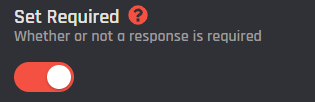
## Set Required

With this switch you are able to toggle if the option should be required or not in order to execute the command.
<figure><img src="https://1937909199-files.gitbook.io/~/files/v0/b/gitbook-x-prod.appspot.com/o/spaces%2F-Lm_hW5MApY3J0lRhi0M%2Fuploads%2F8ZGjl7ltB5dMKqO6Xbja%2Fimage_2024-06-07_153303596.png?alt=media&#x26;token=e487b34e-973a-4c52-93db-c2ebebfb6669" alt=""><figcaption></figcaption></figure>
