Data Storage
Create custom variables to store data for your bot
Data storage is the first step in unlocking the ability for your bot to store data to be used by your bot, either per server or globally.
What are variables
Custom variables are 'placeholders' to store and access data across different commands, interactions and servers!
Variable Types
Variables can be set to text or numbers, but can also be made specific to a user or channel. Variables can also have a server specific or global scope, meaning it will be the same in all servers. Currently, we offer the following data types:
| Variable Type | Information |
|---|---|
| Text | Stores a text value. |
| Number | Stores a simple number value. |
| Collection | Collections, that are also known as arrays, can store multiple data of the same type. Example, a collection made of User IDs. Learn more here. |
| Object | Object variables are variables that can store other sub-variables (or properties). Learn more here. |
Which can be either:
| Type | Information | Can be Global / Server Specific? |
|---|---|---|
| Not user / channel specific | This means it can't contain a different value basing on the user or channel provided. It can also be global or server specific | true |
| User Specific | This means you can store a different value for every user. | true |
| Channel Specific | This means you can store a different value for each channel in your server. | false |
Creating a New Variable
To create a new variable, head over to the data storage module and go to the "New Variable" window.
.png)
Variable Name
In this field you can enter the name of your new variable. This will also be the reference for your variable.
Variable Reference
This is your variable reference, it will be {BGVAR_variable_name}, depending on what variable name you add. You can use this variable anywhere in your bot to get the variable value.
You do not need to enter anything in this field when creating a new variable.
Variable Type
In this field you can enter the type of your variable, variables can be set to text or numbers, but can also be made specific to a user or channel.
If you select "User" or "Channel" here, you will get another field where you can choose to set the variable type to text, number, collection or object.
Default Value
In this field you can enter a default value that will be in the variable when nothing else has been set.
Scope
In this field you can select whether you want to make your variable server specific or global, meaning it will be the same in all servers.
Editing or Deleting a Variable
To edit a custom variable, simply press the variable you want to edit in the module. You can then edit the variable in this window:
.png)
Don't forget to press the "Edit Custom Variable" button and save changes!
You can also delete a custom variable from storage by pressing the "Delete" button.
Deleting a variable will not just clear the value of the variable, this will delete the variable from the storage
Using Your Variable
Updating Your Variable's Value
Interacting with a variable on a non-premium bot will use 1 call. This includes retrieving it in a response and updating it via the actions described below. The delete variable action won't use any calls.
To set or clear (delete) custom variables, you can use the Set Variable, Run Equation on Variable or Delete Variable actions in the command and event builder. You can read more about these actions here!
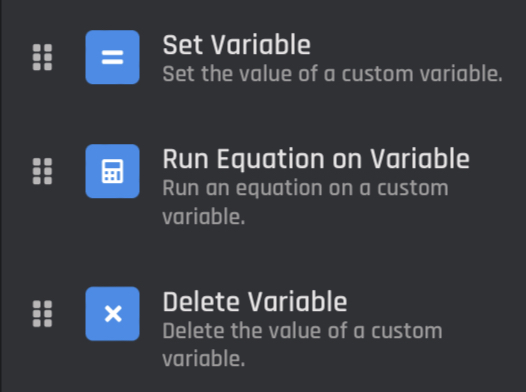
Command Builder actions: Set Variable, Run Equation on Vaiable & Delete Variable
Retrieving Your Variable
You can get data stored in the data storage module by using an associated {BGVAR_} variable in other action blocks, for example: {BGVAR_example}.
You can get user and channel specific variables by targeting them, for example: {BGVAR_example[ID]}. You can learn more about targeting here.
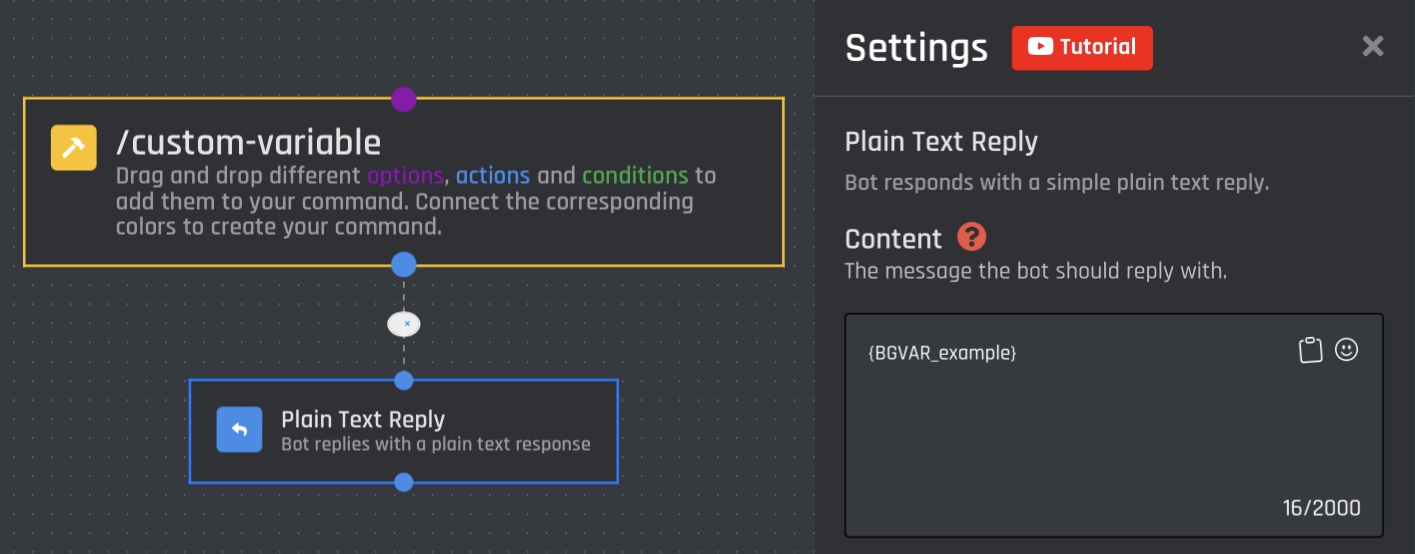
Plain Text Reply with a custom variable, {BGVAR_exampe}
Free Database Usage (Calls)
.png)
Every month, users get 500 calls to use across their free bots. Free bots will use 1 call every time they either create a variable or update the value of a variable. Only free bots use calls, premium bots can use unlimited data storage.
Your calls can not be reset manually, they will automatically reset on the first of each month. The data stored in them will not reset.
Experiencing issues with this module or need help? Check out our support options here!