Collab
With these features, you can invite others to edit and work on your bot.
Before Using this Feature!
MULTIPLE USERS (TWO OR MORE) CANNOT WORK ON A BOT SIMULTANEOUSLY.
If a user with an older version of the dashboard saves their changes, it will override the previously saved version. We can't revert the lost progress if this happens!
Premium users cannot use their premium tokens to upgrade bots created on other accounts.
Premium users can't use their subscription to upgrade a bot they are a collaborator to. This is to prevent users from selling BotGhost bots, which is against our terms of service.
Collaborations
Using Collab, known as co-create by older members of BotGhost, you can invite others (collaborators) to edit and work on your bot. This feature can be used to grant the admins, co-owners, or anyone else access to the bot. Collaborators don't need a BotGhost account to accept an invite link.
Amount of Collaborators
All BotGhost users, both free and Premium, can invite an unlimited number of collaborators to any bot they have.
Limitations of Collaborators
Collaborators can't:
- Delete the bot
- View or change the bot's token
- Manage the bot's Premium subscription
- Access the Collaboration page
BotPanel permissions
A collaborator's role or permissions decide what they can do in BotPanel:
| Permission | What it allows |
|---|---|
| Manage all of BotPanel | Everything below, and any BotPanel permission added later |
| Edit the website | Change the BotPanel website and server dashboard: the look, pages, modules, servers, and whether it is live |
| Answer the Inbox and post updates | Reply to Inbox messages, manage ideas and ban appeals, and post updates. It includes Read the Inbox. |
| Read the Inbox | Read Inbox messages, ideas, and ban appeals without answering them |
The Admin role includes Edit the website, Answer the Inbox and post updates, and Read the Inbox. The BotPanel role has those three as well, and can see commands and events without changing anything else.
Setting up Sign in with Discord also needs Manage secrets, and switching a BotGhost module on from BotPanel also needs Manage modules. Stats, Payments, Votes, adding or removing an own domain, and who can open server dashboards stay with the bot owner.
Invite Link
You can create an invite link to invite collaborators to your bot. You can either 'Copy' the current invite URL or 'Generate' a new one. When you regenerate the invite URL, the old one will become invalid and unusable. Collaborators invited with the old URL will not be removed when the URL is regenerated.

Collaborators
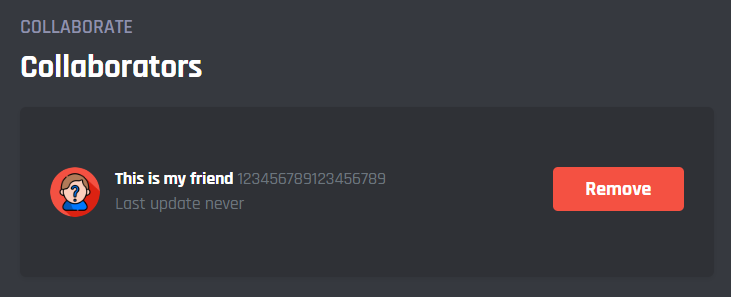
You can see who can currently edit your bot as a collaborator. Use the 'Remove' button to remove a collaborator. Once removed, the collaborator can no longer access the bot from their dashboard, unless they use the (new) invite link again.
This tab only shows collaborators for your currently selected bot. You can switch bots using the menu in the top left corner of your dashboard.
Anyone using the current invite URL can join/rejoin as a collaborator, even if you've removed them earlier.
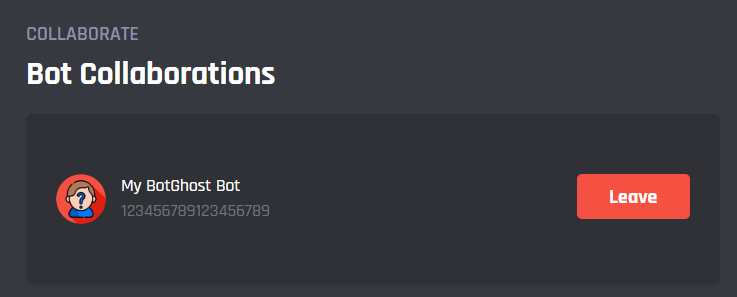
Bot Collaborations
You can see which bots you are a collaborator on. Use the 'Leave' button to remove a bot from your dashboard. Once removed, you can no longer access the bot, unless you accept the invite URL of the bot again.
Users granted access to your bot can do everything you can do on your bot, except for a few limitations listed at the top of this page. Ensure you do not grant access to people you don't trust!
We can't revert changes made by collaborators to your bot's features or settings. Use this module at your own risk.