Modmail
Set up modmail, an easy way for members to contact staff
.png)
This module requires a Premium Subscription to function.
The Modmail module allows users to send a Direct Message to your bot to open a form thread in a form channel of your choice to contact server staff privately, or report server members and more.
Settings
Settings
Here you can configure the settings for the modmail module, from changing the DM Messages to selecting the form channel you would like it to be posted in.
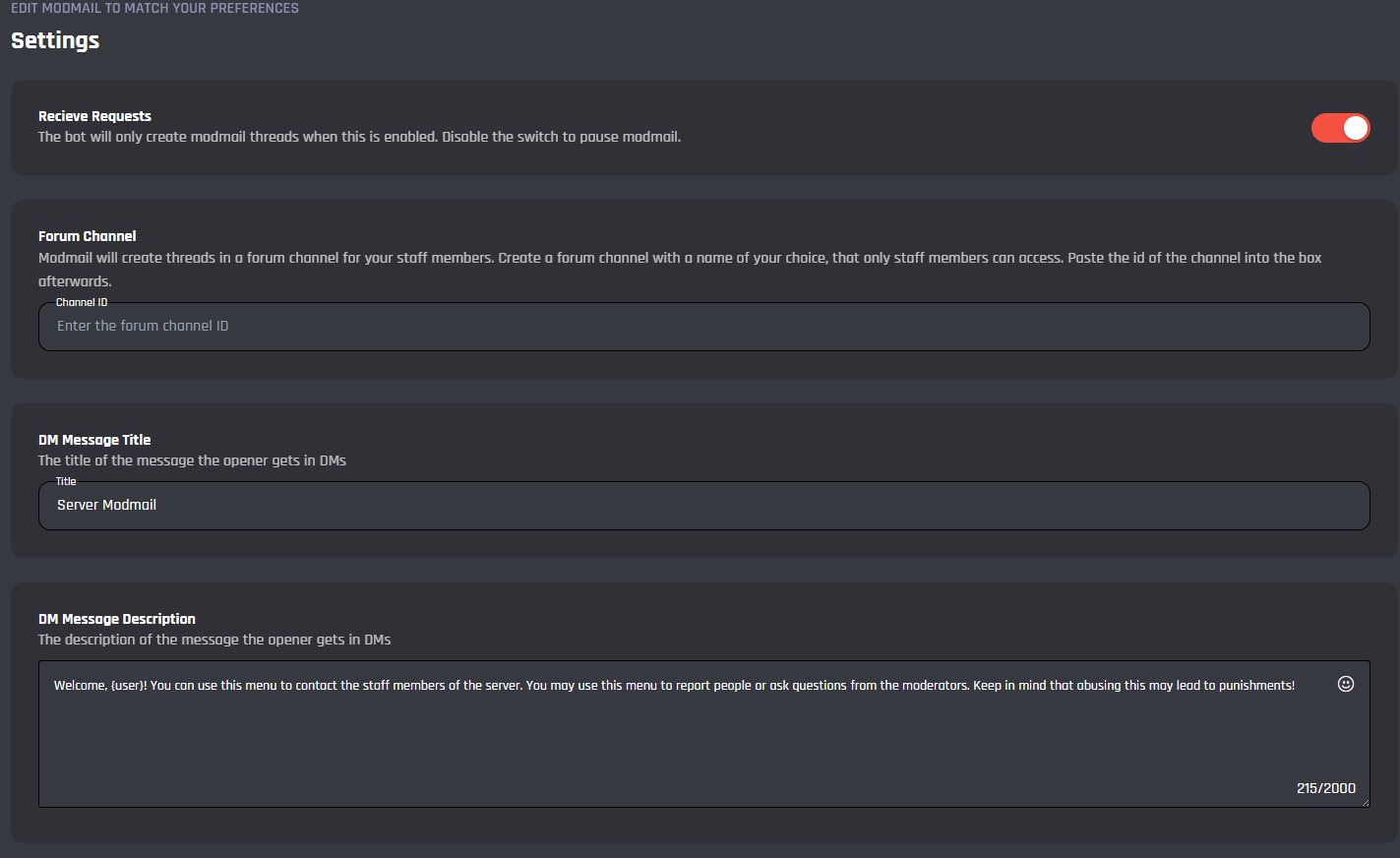
Receive Requests
This option is enabled by default and disabling this setting will stop users from opening a modmail thread and instead return a closed message when they direct message your bot.
Form Channel
Here you must paste your forum channels ID to allow users to open modmail threads, you can create a forum channel in your discord server, for a guide on how to get a channel ID you can check here.
DM Message Title
This field is where you can edit the direct message title which is sent to users upon contacting your bot via direct messages.
DM Message Description
Here you can edit the message that is sent to the user upon contacting your bot via DMs. All variables may be used.
Ban Command
This is where you can configure the settings for the /modmail-ban command.
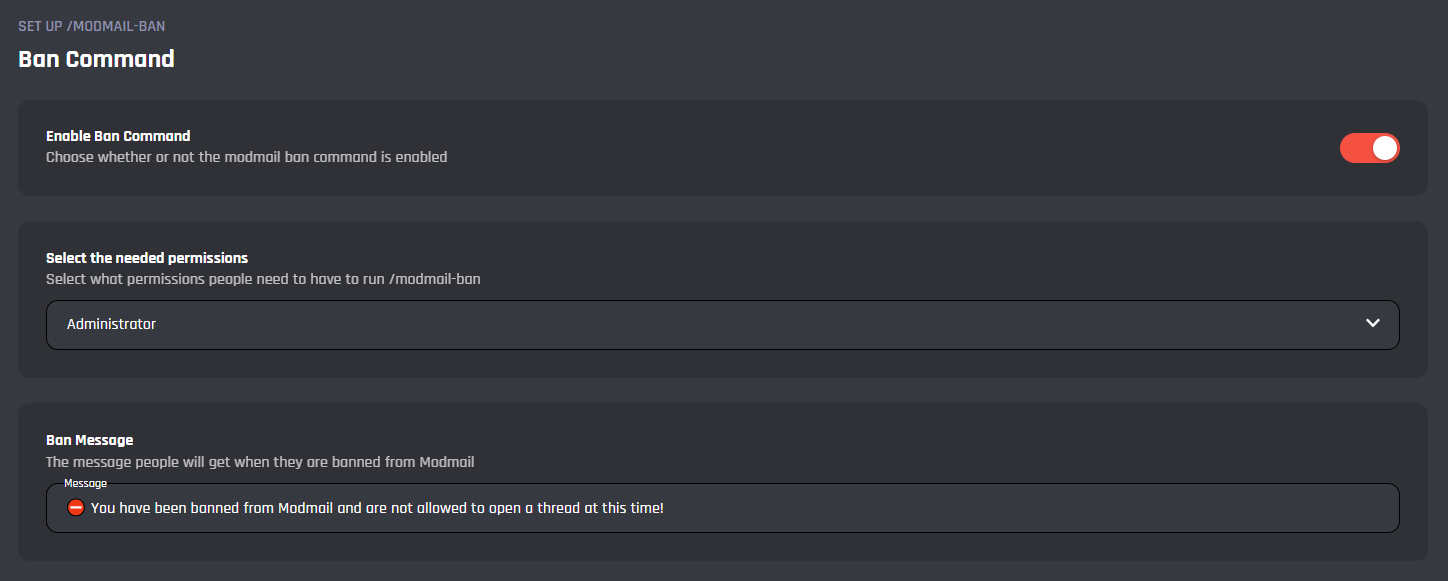
Enable Ban Command
This toggle is where you can enable/disable the ability for staff to use the /modmail-ban command.
Select The Needed Permissions
This dropdown section is where you can change the permissions for use of the /modmail-ban command, the default value of this is set to Administrator but can be changed to:
| Permission | Details |
|---|---|
| Administrator | Requires the administrator permission in your server. |
| Server Manager | Requires the manage server permission. |
| Moderator | Requires the manage permissions. |
Ban Message
In this field, you can set the message that is displayed to a user when they attempt to make a modmail thread after they have been banned from using modmail.
Commands
In this area, you can view and modify the commands of the Modmail module. Below you may find some information on each command of the module.
.png)
/modmail-ban
When triggered, this command will restrict a selected users ability to use the modmail system resulting in a ban message being displayed upon trying to open a new modmail thread.
/modmail-clear
When triggered this command will clear the modmail data for a user allowing them to use the modmail system again, this is useful incase the system breaks and acts as though a user has a thread already open.
Events
In this area, you can view and modify the events of the Modmail module. Below you may find some information on each event of the module.
.png)
Modmail
This is the main event which detects when a user sends a DM to your bot and starts a thread. Here you can edit the event and customise it to your liking and add onto the pre-existing functionalities of the module.
It's advised that you do not edit the commands and events unless you have a good understanding of BotGhost and its Command Builder. If you encounter any issues, you might want to reset the module for it to work again as intended.
Additionally, a copy of the edited commands / events will be created if you update the module.