# Image Generation

<figure><img src="https://1937909199-files.gitbook.io/~/files/v0/b/gitbook-x-prod.appspot.com/o/spaces%2F-Lm_hW5MApY3J0lRhi0M%2Fuploads%2FMivVpG4eUIt34074YbGl%2Fimage.png?alt=media&#x26;token=86ca2c97-2dfb-4fe5-8cfb-b382a0e6ede6" alt=""><figcaption></figcaption></figure>

{% hint style="warning" %}
This module requires a [Premium Subscription](https://botghost.com/docs/premium/premium-and-priority-hosting-plans#premium-plans) to function.
{% endhint %}

The [Image Generation](https://dashboard.botghost.com/dashboard/module/fab3a781-88c6-4bd6-9db0-6c2f68b36931/imagegeneration) module allows users to trigger a command to send a request to the Dall-E API to generate a imaged based off of the prompts the user inputs while using the command.

## Credentials Setup

{% stepper %}
{% step %}
Click [here](https://platform.openai.com/account/api-keys) to get started. Log into OpenAI. If you haven't already, Open AI might ask you to verify your phone number before proceeding.

<figure><img src="https://1937909199-files.gitbook.io/~/files/v0/b/gitbook-x-prod.appspot.com/o/spaces%2F-Lm_hW5MApY3J0lRhi0M%2Fuploads%2Fq9GPD8gYEEKSUJUdOUT0%2Fimage.png?alt=media&#x26;token=21258ead-278d-4369-9e6e-8c74720216e0" alt="" width="563"><figcaption></figcaption></figure>
{% endstep %}

{% step %}
Once you logged in, click on the "Create new secret key button.

<figure><img src="https://1937909199-files.gitbook.io/~/files/v0/b/gitbook-x-prod.appspot.com/o/spaces%2F-Lm_hW5MApY3J0lRhi0M%2Fuploads%2FS7gwMVMFJzgROIn9FgNg%2Fimage.png?alt=media&#x26;token=4c28f2f7-66d6-4ffc-a30c-fca4aa336669" alt="" width="563"><figcaption></figcaption></figure>
{% endstep %}

{% step %}
This will prompt you to make a key. Set Owned by "You" and give your app a name. Set the "Permissions" to all. Once done, click on "Create Secret Key"

<figure><img src="https://1937909199-files.gitbook.io/~/files/v0/b/gitbook-x-prod.appspot.com/o/spaces%2F-Lm_hW5MApY3J0lRhi0M%2Fuploads%2F8jDcjid6nM0pn1C4FEQY%2Fimage.png?alt=media&#x26;token=ef74a1c9-be35-4a97-8993-e0f087a4c170" alt="" width="379"><figcaption></figcaption></figure>
{% endstep %}

{% step %}
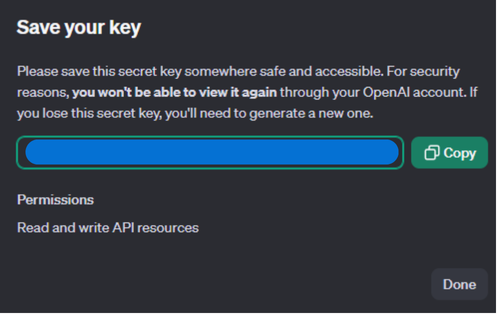
Copy your key. Make sure to not share it with anyone.
<figure><img src="https://1937909199-files.gitbook.io/~/files/v0/b/gitbook-x-prod.appspot.com/o/spaces%2F-Lm_hW5MApY3J0lRhi0M%2Fuploads%2Ft5wYLfCDF4amFI8F4pjO%2FUntitled%20design.png?alt=media&#x26;token=92f2b404-4afc-45c8-93ba-6316f89c861f" alt="" width="373"><figcaption></figcaption></figure>
{% endstep %}

{% step %}
Paste your key into the BotGhost Dashboard in the [#openai-api-key](#openai-api-key "mention") field.
{% endstep %}
{% endstepper %}

***

## Settings

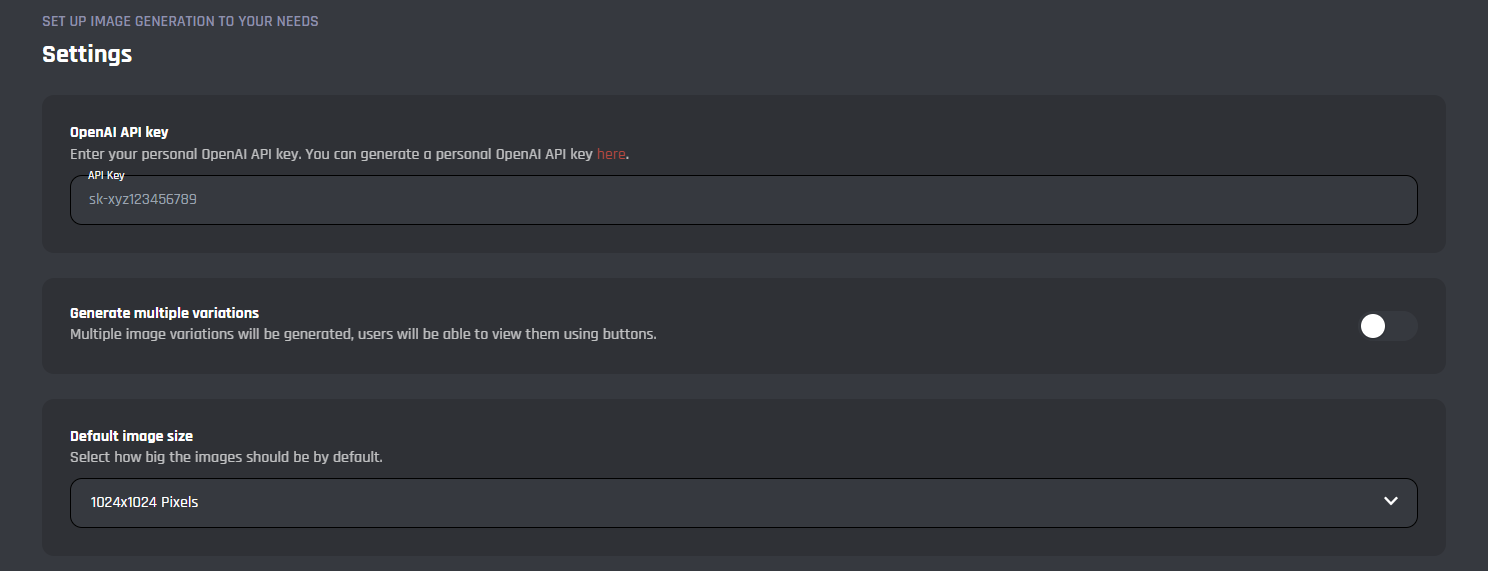
In this area you can configure the main settings for the image generation module.
<figure><img src="https://1937909199-files.gitbook.io/~/files/v0/b/gitbook-x-prod.appspot.com/o/spaces%2F-Lm_hW5MApY3J0lRhi0M%2Fuploads%2FohNwUVd8hueO1Aff1HzJ%2Fimage_2024-07-10_214158577.png?alt=media&#x26;token=6fbc6fcb-8e1c-4352-a7b3-73f9e0c541b0" alt=""><figcaption></figcaption></figure>

#### **OpenAI API Key**

In this field is where you will need to enter your OpenAI API key to be able to use the module, you can follow this guide [here](https://platform.openai.com/docs/api-reference/authentication), to generate your own API key.

#### **Generate Multiple Variations**

With this toggle you can enable / disable the option for the bot to generate multiple variations of the image, this will allow you to see multiple versions with one trigger.

#### Default Image Size

You can choose the image size from one of the following options:

* 1024x1024 Pixels
* 512x512 Pixels
* 256x256 Pixels

***

## Commands

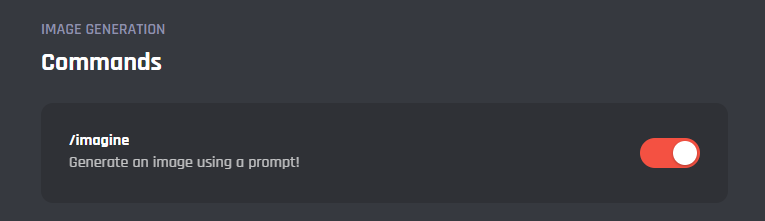
In this area, you can view and modify the commands of the Image Generation module. Below you may find some information on each command of the module.
<figure><img src="https://1937909199-files.gitbook.io/~/files/v0/b/gitbook-x-prod.appspot.com/o/spaces%2F-Lm_hW5MApY3J0lRhi0M%2Fuploads%2FP9pir62xIQyw2lHYbHSt%2Fimage_2024-07-10_214943606.png?alt=media&#x26;token=eb28d0a2-2f1d-45d3-bcd0-57a6cccc883c" alt=""><figcaption></figcaption></figure>

<details>

<summary>/imagine</summary>

Upon being triggered this command generates the image(s) based upon the prompts you submit, here you can edit the command to add additional features or expand on the base module.

</details>

***

{% hint style="danger" %}
It's advised that you do not edit the commands and events unless you have a good understanding of BotGhost and its Command Builder. If you encounter any issues, you might want to reset the module for it to work again as intended.

Additionally, a copy of the edited commands / events will be created if you update the module.
{% endhint %}
