Active Developer BadgeNo Longer AvailableThe Active Developer Badge has been decommissioned by Discord and is no longer available to earn. Any Active Developer Badges that were previously displayed on user profiles have been removed.
Why was this change made?
Discord found that the Active Developer Badge created a heavy amount of support issues with little benefit to developers. They've made this decision to better align their developer recognition efforts with programs that more meaningfully celebrate the developer community.
The Active Developer Badge has been decommissioned by Discord and is no longer available to earn. Any Active Developer Badges that were previously displayed on user profiles have been removed.
Why was this change made?
Discord found that the Active Developer Badge created a heavy amount of support issues with little benefit to developers. They've made this decision to better align their developer recognition efforts with programs that more meaningfully celebrate the developer community.

How to set it up
How the Active Developer Badge worked
For historical reference: These were the steps to get the Active Developer Badge (no longer available)
- Navigate to Discord's Developer Portal and select 'New Application' to begin. Provide a name for your bot application, review and accept Discord's Terms of Service along with their Developer Policy, then finalize by clicking the Create button.

- Within your application, locate and select 'Bot' from the navigation sidebar. Choose 'Add Bot' to create the bot user, then click 'Reset Token' to reveal your unique bot token. This credential is sensitive - store it securely and never share it publicly.

- Access your BotGhost dashboard and navigate to the bot creation workflow. Input your bot token from the previous step into the designated field and confirm by selecting 'Create Bot' to establish the connection between Discord and BotGhost.

Within the BotGhost dashboard interface, locate and activate the Active Developer Badge module from the available modules list. Verify the command toggle switch is in the enabled position before saving your configuration.
Alternative access: Select 'Modules' from the main navigation menu, then find and click on 'Active Developer Badge' to configure this feature.
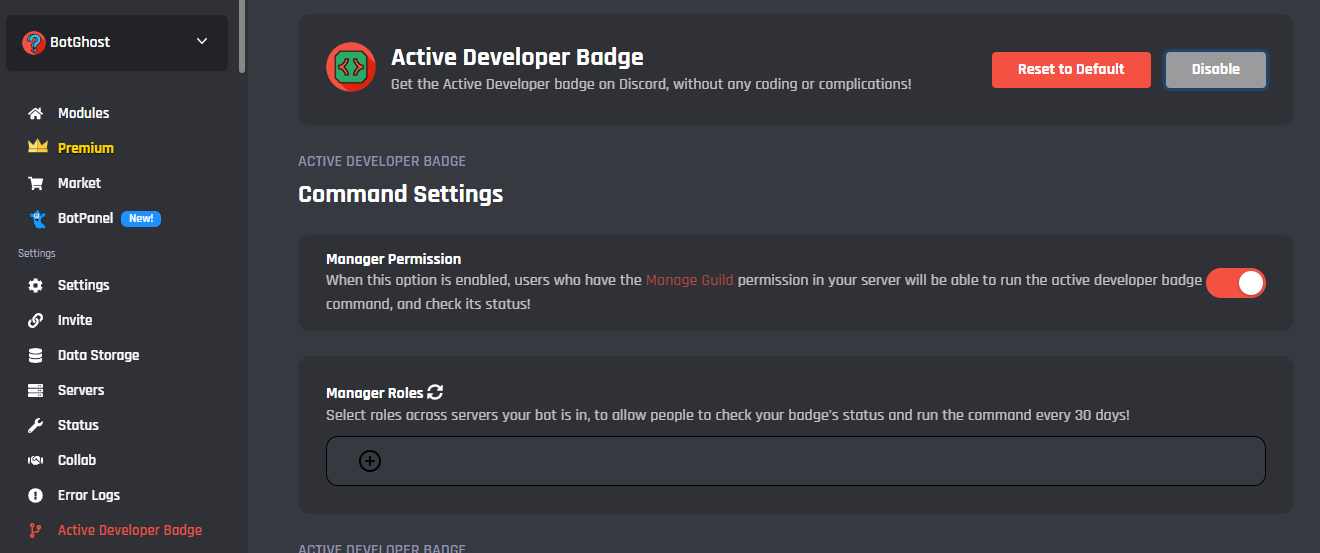
- Select 'Invite' from the dashboard navigation to generate an invitation link for your bot. Add the bot to a Discord server where you have permissions, then execute the /activedevbadge slash command in any text channel. A confirmation response indicates successful setup.

Allow 24 hours to elapse after your command execution, then proceed to the Active Developer Badge claim page. Choose your bot application from the dropdown menu, designate a community server as your support hub, and complete the badge claim process.

About the Active Developer Badge
Start Building Discord Bots Instead
Move beyond badges and focus on creating functional bots that serve your community's needs


Everything you need to build your Discord bot. No coding required.
Focus on what matters - building functional bots for your Discord communities. BotGhost provides all the tools you need to develop, deploy, and manage bots through an intuitive visual platform.

Visual Bot Builder
Design Discord bots through an intuitive visual interface. Build sophisticated automations and commands without writing a single line of code.

Quick Start Templates
Launch your bot project within minutes using pre-built templates. Configure settings, customize features, and go live faster than traditional development.

Live Updates
Push changes to your bot without downtime. Test new features in real-time and see results immediately across all your Discord servers.

Guided Documentation
Access detailed walkthroughs for every bot feature. Our documentation covers common use cases and advanced configurations to help you succeed.

Active Developer Community
Connect with thousands of bot creators in our Discord server. Get answers to questions, share ideas, and learn from experienced developers.

No Cost to Begin
Begin your bot development journey at zero cost. Access core features, host your bot, and experiment freely - no payment details needed.
How the Badge Used to Work
Historical reference: This video shows how the Active Developer Badge worked before Discord discontinued it
Ready to Build Your Discord Bot?
Transform your server with custom automation and commands. Begin developing your Discord bot through BotGhost's visual platform - zero programming experience necessary.
