# Role Condition

<figure><img src="https://1937909199-files.gitbook.io/~/files/v0/b/gitbook-x-prod.appspot.com/o/spaces%2F-Lm_hW5MApY3J0lRhi0M%2Fuploads%2F751UfLvyAW26uwfGs1os%2Fimage.png?alt=media&#x26;token=a273ff9a-6a0f-453e-90a6-ab2b521cee75" alt=""><figcaption></figcaption></figure>

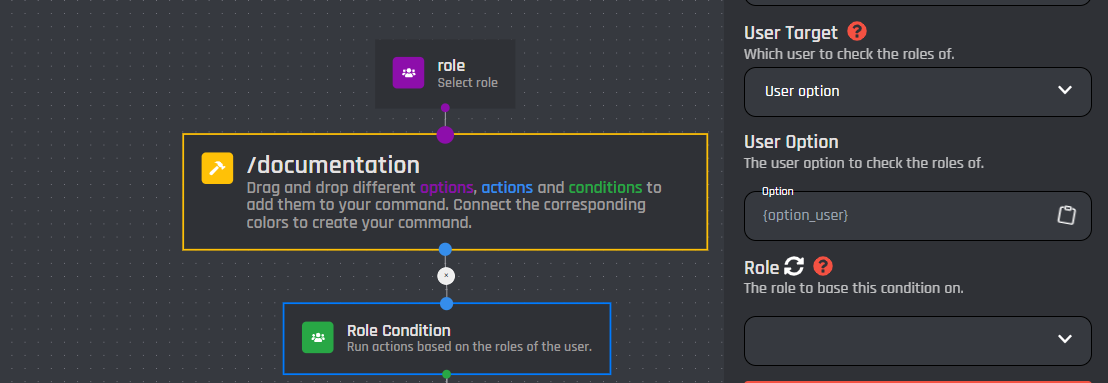
This condition checks what role a specific user has and compares whether they have it or not.

## Run Multiple Actions

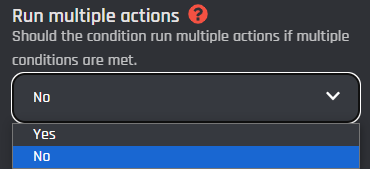
This option allows you to set the condition to run multiple actions at the same time. This means if multiple conditions are met, then each true condition will be run simultaneously. When disabled, only the first met condition will be executed.
<figure><img src="https://1937909199-files.gitbook.io/~/files/v0/b/gitbook-x-prod.appspot.com/o/spaces%2F-Lm_hW5MApY3J0lRhi0M%2Fuploads%2FnZYuUdmX982umaTlGOyG%2Fimage_2024-06-11_150002261.png?alt=media&#x26;token=5027ca25-214f-4149-9570-8d739b89475d" alt=""><figcaption></figcaption></figure>

## User Target

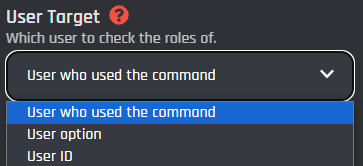
This field is where you choose one of 3 user targets you would like the condition to check the roles of.
<figure><img src="https://1937909199-files.gitbook.io/~/files/v0/b/gitbook-x-prod.appspot.com/o/spaces%2F-Lm_hW5MApY3J0lRhi0M%2Fuploads%2F6bl5rYtTjKGr76ZjNDtL%2Fimage_2024-06-11_150128841.png?alt=media&#x26;token=3bb6015e-61b3-4fd3-b9ff-72a1bac869f4" alt=""><figcaption></figcaption></figure>

{% tabs %}
{% tab title="User who used the command" %}
This type of target will check the roles of the user who triggered the command / event or clicked a [button](https://botghost.com/docs/custom-commands-and-events/actions/legacy-reply-actions/send-a-message-with-attached-buttons/buttons) / [menu option](https://botghost.com/docs/custom-commands-and-events/actions/legacy-reply-actions/send-a-message-with-a-select-menu/menu-option).&#x20;
{% endtab %}

{% tab title="User Option" %}
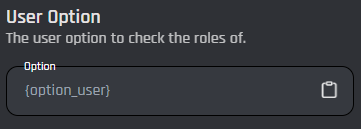
The user option target will check the roles of a user selected from the command's [user option.](https://botghost.com/docs/custom-commands-and-events/options/user-option)&#x20;

### User Option

This field is where you will input the user option variable. Keep in mind this field only accepts [user options](https://botghost.com/docs/custom-commands-and-events/options/user-option), so you must have one in your command for this field to work.
<figure><img src="https://1937909199-files.gitbook.io/~/files/v0/b/gitbook-x-prod.appspot.com/o/spaces%2F-Lm_hW5MApY3J0lRhi0M%2Fuploads%2FDCyJVd8cBEcWFEPZWW33%2Fimage_2024-06-11_150354601.png?alt=media&#x26;token=e29940e5-122b-4ae6-8973-d2b22ea16675" alt=""><figcaption></figcaption></figure>

<figure><img src="https://1937909199-files.gitbook.io/~/files/v0/b/gitbook-x-prod.appspot.com/o/spaces%2F-Lm_hW5MApY3J0lRhi0M%2Fuploads%2FgYMHToQ5fSbdT8BtKbVH%2Fimage_2024-06-11_150536734.png?alt=media&#x26;token=35bdec8c-2e9b-4d68-b8de-b6dacfdcfc14" alt=""><figcaption></figcaption></figure>
{% endtab %}

{% tab title="User ID" %}
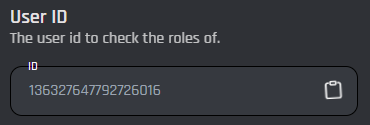
If the user ID option is selected then the condition will check the roles of the user with that ID.

### User ID

This field is where you input a plain user ID or a [variable](https://botghost.com/docs/custom-commands-and-events/variables) that contains a user ID. Make sure there are no extra symbols or spaces when inputting this.
<figure><img src="https://1937909199-files.gitbook.io/~/files/v0/b/gitbook-x-prod.appspot.com/o/spaces%2F-Lm_hW5MApY3J0lRhi0M%2Fuploads%2FxpxMbH5hHZb4NLgDQtZ0%2Fimage_2024-06-11_150619513.png?alt=media&#x26;token=06668c98-73c9-41a8-b775-a71881ca8819" alt=""><figcaption></figcaption></figure>
{% endtab %}
{% endtabs %}

## Role

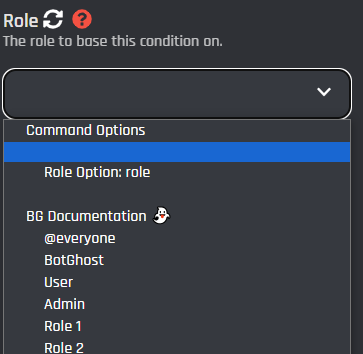
This dropdown menu is where you choose the certain role to compare for the condition. You will be able to select a [role option](https://botghost.com/docs/custom-commands-and-events/options/role-option) as well under the Command Options section of the list as shown in the image. If your role isn't showing, click the refresh icon next to the [#role](#role "mention") title.

<figure><img src="https://1937909199-files.gitbook.io/~/files/v0/b/gitbook-x-prod.appspot.com/o/spaces%2F-Lm_hW5MApY3J0lRhi0M%2Fuploads%2FfxLqHWlZCZaCriWBvVY2%2Fimage_2024-06-11_150724029.png?alt=media&#x26;token=66d0d8f7-7966-4686-b4b2-6f9aac4f605c" alt=""><figcaption></figcaption></figure>

{% hint style="success" %}
Click the Add Condition block to add the compared role to your builder.
{% endhint %}

<figure><img src="https://1937909199-files.gitbook.io/~/files/v0/b/gitbook-x-prod.appspot.com/o/spaces%2F-Lm_hW5MApY3J0lRhi0M%2Fuploads%2FUDGu3DMqNnsO6FPIPTR0%2Fimage_2024-06-11_150946258.png?alt=media&#x26;token=983f84e8-7dce-471d-84a6-c0ed213cd5dc" alt=""><figcaption></figcaption></figure>

{% hint style="info" %}
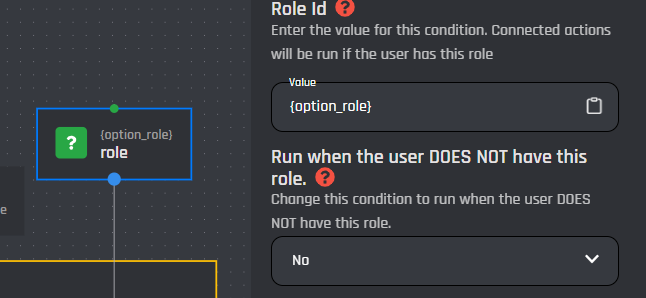
Click the block on the builder to access the following menu.
{% endhint %}

<figure><img src="https://1937909199-files.gitbook.io/~/files/v0/b/gitbook-x-prod.appspot.com/o/spaces%2F-Lm_hW5MApY3J0lRhi0M%2Fuploads%2FFUc5jINwywH9PGP4KK3J%2Fimage_2024-06-11_151023902.png?alt=media&#x26;token=fb41f465-18ef-4e2a-9bdb-b084bfeec1fe" alt=""><figcaption></figcaption></figure>

## Role ID

In this section you can edit the compared role by switching the role ID. [Variables](https://botghost.com/docs/custom-commands-and-events/variables) may be used this in field or a plain role ID.

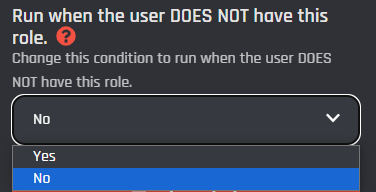
## Run when the user DOES NOT have this role

This option, when enabled, allows you to run the actions below the selected block when the user does not have the role, instead of running when the user has it.
<figure><img src="https://1937909199-files.gitbook.io/~/files/v0/b/gitbook-x-prod.appspot.com/o/spaces%2F-Lm_hW5MApY3J0lRhi0M%2Fuploads%2FIKJ6sKUoN5Kjwp9JzanD%2Fimage_2024-06-11_170009320.png?alt=media&#x26;token=c7a7e09f-5d23-4824-9515-5561bb10441a" alt=""><figcaption></figcaption></figure>

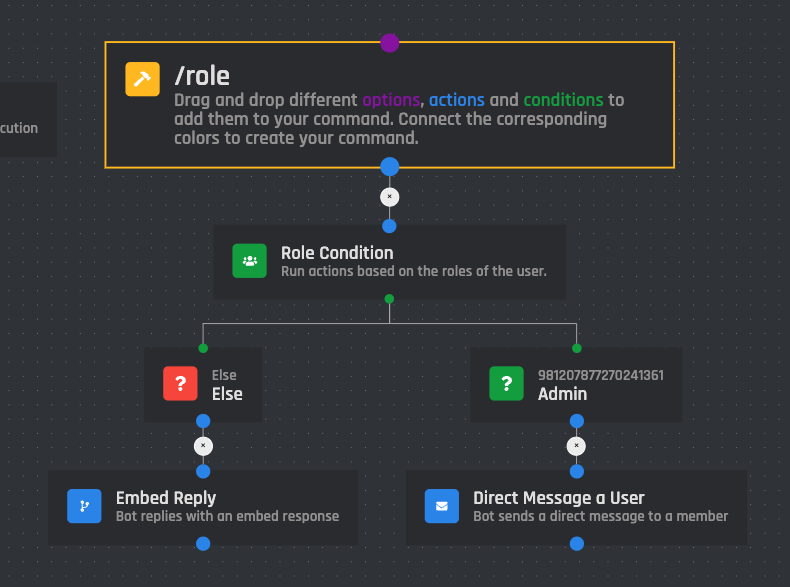
Here is an example layout of the condition:
<figure><img src="https://1937909199-files.gitbook.io/~/files/v0/b/gitbook-x-prod.appspot.com/o/spaces%2F-Lm_hW5MApY3J0lRhi0M%2Fuploads%2F0rmQULNFH4SLWnzQzJ76%2FScreenshot%202023-02-13%20at%202.02.01%20PM.png?alt=media&#x26;token=b2848cc2-17a7-4e5b-a937-651550e9ff9e" alt=""><figcaption></figcaption></figure>