# Voice Deafen or Undeafen a Member
<figure><img src="https://1937909199-files.gitbook.io/~/files/v0/b/gitbook-x-prod.appspot.com/o/spaces%2F-Lm_hW5MApY3J0lRhi0M%2Fuploads%2FdRd2EBmDErH0Zw0WggDE%2Fimage_2024-05-30_163439261.png?alt=media&#x26;token=0a4eb9c7-4499-4063-a88f-f6455af1ab45" alt=""><figcaption></figcaption></figure>

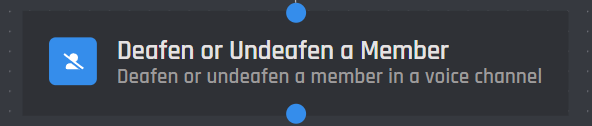
The Voice Deafen or Undeafen a Member action block will allow you to deafen or undeafen the specified user that is in a voice channel.

{% hint style="warning" %}
Keep in mind the user has to be in a voice channel for this block to work
{% endhint %}

## User

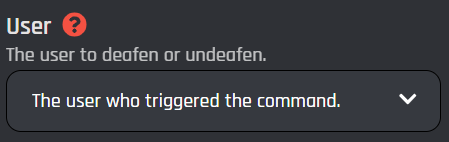
This field will allow you to specify which user that the bot will be deafening or undeafening.
<figure><img src="https://1937909199-files.gitbook.io/~/files/v0/b/gitbook-x-prod.appspot.com/o/spaces%2F-Lm_hW5MApY3J0lRhi0M%2Fuploads%2F3Mvo0vtjxg4wRIkhv6BN%2Fimage_2024-05-18_021051757.png?alt=media&#x26;token=d4cec594-fd5a-4f43-8685-b7c13bc84c20" alt=""><figcaption></figcaption></figure>

{% tabs %}
{% tab title="The user who triggered the command" %}
This selection will deafen or undeafen the user who is triggering the command / event or is clicking a [button](https://botghost.com/docs/custom-commands-and-events/actions/legacy-reply-actions/send-a-message-with-attached-buttons/buttons) / [menu option](https://botghost.com/docs/custom-commands-and-events/actions/legacy-reply-actions/send-a-message-with-a-select-menu/menu-option).
{% endtab %}

{% tab title="User Option" %}
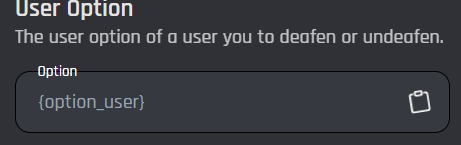
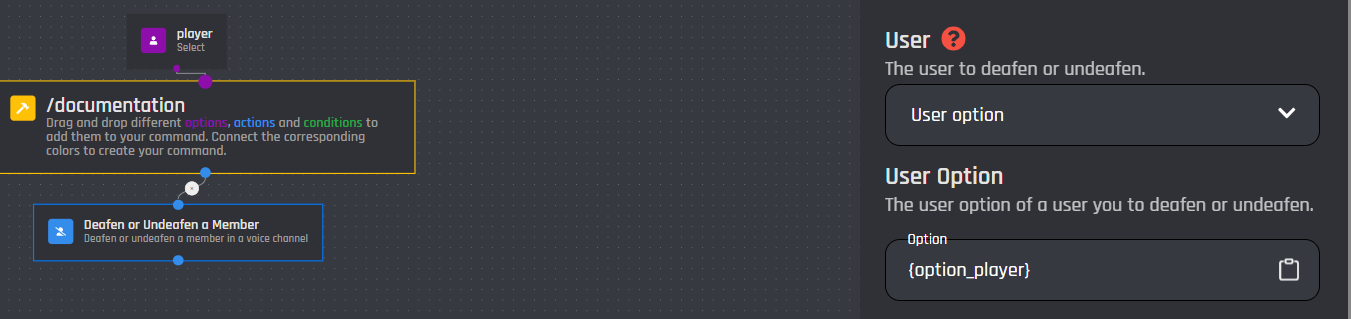
Selecting "User option" will allow the bot to deafen/undeafen a user selected from the option in the command.

### User option

You must have a user option added in the command in order for this field to work.\
Only [user options](https://botghost.com/docs/custom-commands-and-events/options/user-option) may be used in this field, IDs and [variables](https://botghost.com/docs/custom-commands-and-events/variables) can be used in [#user-id](#user-id "mention")

<figure><img src="https://1937909199-files.gitbook.io/~/files/v0/b/gitbook-x-prod.appspot.com/o/spaces%2F-Lm_hW5MApY3J0lRhi0M%2Fuploads%2Fr48dihEuvh7Ca4kdAtzz%2Fimage_2024-05-18_021236395.png?alt=media&#x26;token=5acd4d51-9443-4850-8bca-5a5a45870846" alt=""><figcaption></figcaption></figure>

<figure><img src="https://1937909199-files.gitbook.io/~/files/v0/b/gitbook-x-prod.appspot.com/o/spaces%2F-Lm_hW5MApY3J0lRhi0M%2Fuploads%2FNODMjTiTOxcm7StFKEgj%2Fimage_2024-05-18_021337711.png?alt=media&#x26;token=da11ea96-fd2c-4e65-80da-68f9de557eef" alt=""><figcaption></figcaption></figure>
{% endtab %}

{% tab title="User ID" %}
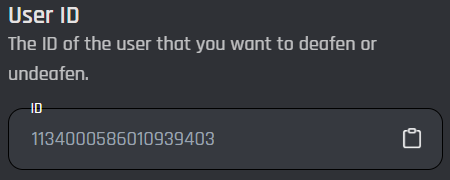
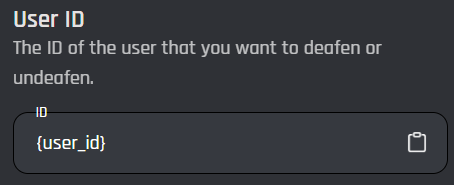
This selection will allow the bot to deafen / undeafen a user who is in a voice channel, just like the other selections, but it will target a specific user ID or [variable ](https://botghost.com/docs/custom-commands-and-events/variables)that contains a user ID.

### User ID

This field accepts any plain user ID with no extra symbols or spaces. The ID can be in the form of a [variable ](https://botghost.com/docs/custom-commands-and-events/variables)as well.

<figure><img src="https://1937909199-files.gitbook.io/~/files/v0/b/gitbook-x-prod.appspot.com/o/spaces%2F-Lm_hW5MApY3J0lRhi0M%2Fuploads%2F4ZYvvqsZUXCpjXEQAcxZ%2Fimage_2024-05-18_021445516.png?alt=media&#x26;token=a87dcd29-7676-4cbb-be73-cfafe0a42fdd" alt=""><figcaption></figcaption></figure>

<figure><img src="https://1937909199-files.gitbook.io/~/files/v0/b/gitbook-x-prod.appspot.com/o/spaces%2F-Lm_hW5MApY3J0lRhi0M%2Fuploads%2FS9zzkkdPbqC5XjnzdARn%2Fimage_2024-05-18_021505838.png?alt=media&#x26;token=4cbb0bc1-3064-4e5e-80d9-d8eb8a969fd0" alt=""><figcaption></figcaption></figure>
{% endtab %}
{% endtabs %}

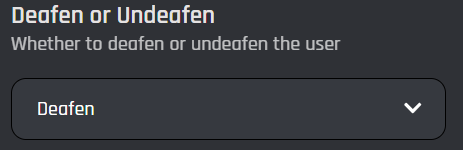
## **Deafen or Undeafen**

is selection will allow you to decide if this action of the block will deafen or undeafen a specified user.
<figure><img src="https://1937909199-files.gitbook.io/~/files/v0/b/gitbook-x-prod.appspot.com/o/spaces%2F-Lm_hW5MApY3J0lRhi0M%2Fuploads%2FZJDtgmd65o4KhvV2RQ29%2Fimage_2024-05-18_021708200.png?alt=media&#x26;token=05003364-4d46-471c-b230-ce21f7ee2132" alt=""><figcaption></figcaption></figure>

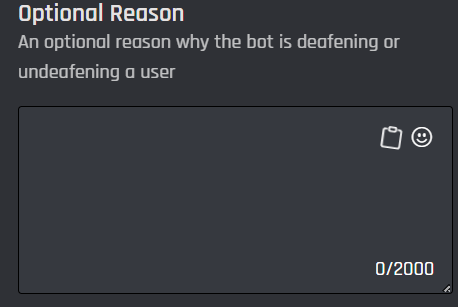
## Optional Reason

This field is an optional reason why the bot is deafening or undeafening this user. This reason will appear in your server's Audit Log. [Variables ](https://botghost.com/docs/custom-commands-and-events/variables)can be used as well.

<figure><img src="https://1937909199-files.gitbook.io/~/files/v0/b/gitbook-x-prod.appspot.com/o/spaces%2F-Lm_hW5MApY3J0lRhi0M%2Fuploads%2FCgULvf4rDV0QVNYaHYTo%2Fimage_2024-05-18_021832140.png?alt=media&#x26;token=3d307f14-44a3-45eb-ba1d-87efbba8be46" alt=""><figcaption></figcaption></figure>

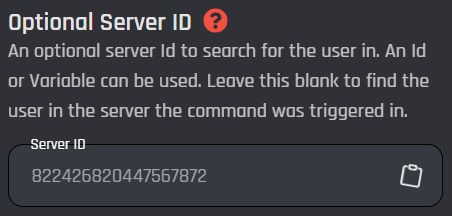
## Optional Server ID

This field is an optional server ID to search for the user in. Leave blank to find the user in the server the command was triggered in or who clicked a [button](https://botghost.com/docs/custom-commands-and-events/actions/legacy-reply-actions/send-a-message-with-attached-buttons/buttons) / [menu option](https://botghost.com/docs/custom-commands-and-events/actions/legacy-reply-actions/send-a-message-with-a-select-menu/menu-option). [Variables ](https://botghost.com/docs/custom-commands-and-events/variables)can be used in this field and it must be a plain server ID that is returned.
<figure><img src="https://1937909199-files.gitbook.io/~/files/v0/b/gitbook-x-prod.appspot.com/o/spaces%2F-Lm_hW5MApY3J0lRhi0M%2Fuploads%2FxHxcX7reP76H2CQsdI8w%2Fimage_2024-05-18_021850086.png?alt=media&#x26;token=ed2eea82-0009-42fe-8bca-2779a741be7b" alt=""><figcaption></figcaption></figure>

## Enable Success/Error Handles

Enable Success / Error Handles to detect success and errors inside of the action block. This allows you to run different actions if something goes wrong with your action. Inside of the handle, there are 2 different paths which are used to detect the outcome of the action. The green path on the bottom left side of the block indicates success, while the red path on the bottom right side of the block indicates error. You may attach action blocks to each side of the handle to get the outcome of your action block.

<figure><img src="https://1937909199-files.gitbook.io/~/files/v0/b/gitbook-x-prod.appspot.com/o/spaces%2F-Lm_hW5MApY3J0lRhi0M%2Fuploads%2FfEZAijxwiWs3yk4C3iLK%2Fimage.png?alt=media&#x26;token=52ffafb0-0e8c-4980-a111-0999d8451789" alt=""><figcaption></figcaption></figure>

The Success/Error Handles feature includes 3 different error variables you can use to get information on why the action block encountered an error. Check them out [here](https://botghost.com/docs/variables#error-variables).

<figure><img src="https://1937909199-files.gitbook.io/~/files/v0/b/gitbook-x-prod.appspot.com/o/spaces%2F-Lm_hW5MApY3J0lRhi0M%2Fuploads%2FgBCbX0HtGmaNhGXARsoA%2Fimage.png?alt=media&#x26;token=57dbe5f3-6efc-47af-9022-5196739573c3" alt=""><figcaption></figcaption></figure>