# Edit a channel

<figure><img src="https://1937909199-files.gitbook.io/~/files/v0/b/gitbook-x-prod.appspot.com/o/spaces%2F-Lm_hW5MApY3J0lRhi0M%2Fuploads%2Fx1rQhhgnNkj9uHNuAZLC%2Fimage_2024-05-30_163117618.png?alt=media&#x26;token=7c4bab55-0103-4ae0-9866-cb180620fc11" alt=""><figcaption></figcaption></figure>

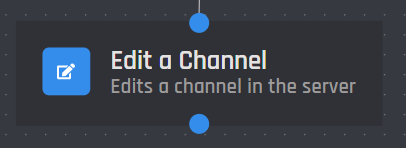
This action block will edit a existing channel in the server with new modifications or permissions.

{% hint style="warning" %}
Warning: The bot must have Manage Channels to be able to Edit a channel.
{% endhint %}

## Channel

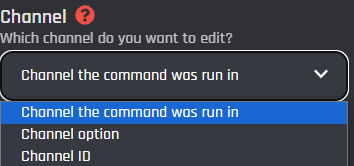
This is the specific channel that the block will be targeting to edit.
<figure><img src="https://1937909199-files.gitbook.io/~/files/v0/b/gitbook-x-prod.appspot.com/o/spaces%2F-Lm_hW5MApY3J0lRhi0M%2Fuploads%2FjrFng6DHsr5G497OaQgD%2Fimage_2024-06-01_140503344.png?alt=media&#x26;token=2c6a1408-e4e1-4121-821a-a122f8a03605" alt=""><figcaption></figcaption></figure>

{% tabs %}
{% tab title="Channel the command was used in" %}
This selection will edit the channel that the command / event was executed in or where a [button](https://botghost.com/docs/custom-commands-and-events/actions/legacy-reply-actions/send-a-message-with-attached-buttons/buttons) / [menu option](https://botghost.com/docs/custom-commands-and-events/actions/legacy-reply-actions/send-a-message-with-a-select-menu/menu-option) was clicked.
{% endtab %}

{% tab title="Channel Option" %}
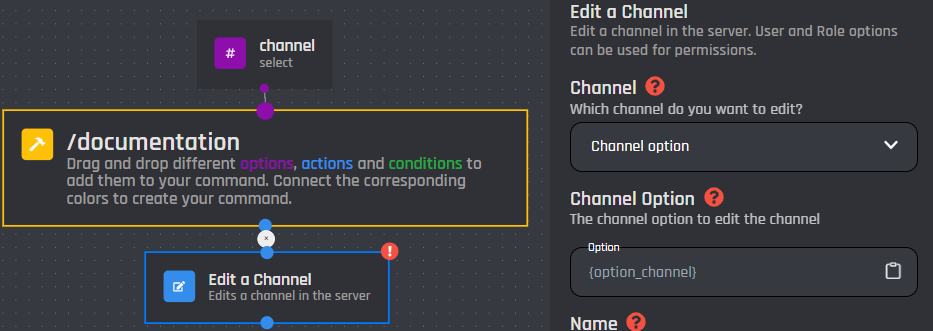
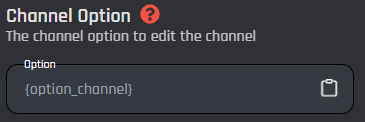
By selecting the [channel option](https://botghost.com/docs/custom-commands-and-events/options/channel-option) type, it will prompt to make a new field where you can input the channel option and the bot will edit that channel. Only channel options can be selected in this field, for IDs and [variables](https://botghost.com/docs/custom-commands-and-events/variables) use [#channel-id](#channel-id "mention").

### Channel Option

A [channel option](https://botghost.com/docs/custom-commands-and-events/options/channel-option) must be added to the command for this selection to work.
<figure><img src="https://1937909199-files.gitbook.io/~/files/v0/b/gitbook-x-prod.appspot.com/o/spaces%2F-Lm_hW5MApY3J0lRhi0M%2Fuploads%2FoEwdfeu1q7pEhEwkXBuM%2Fimage_2024-05-30_165609215.png?alt=media&#x26;token=1026881c-f9dd-4bf2-ae66-7f301f3559a9" alt=""><figcaption></figcaption></figure>

<figure><img src="https://1937909199-files.gitbook.io/~/files/v0/b/gitbook-x-prod.appspot.com/o/spaces%2F-Lm_hW5MApY3J0lRhi0M%2Fuploads%2FM0WmL2pMWpUEwShv7zsS%2Fimage_2024-05-30_165658428.png?alt=media&#x26;token=eb98a117-bb17-435e-8166-71420a179353" alt=""><figcaption></figcaption></figure>
{% endtab %}

{% tab title="Channel ID" %}
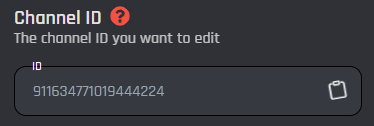
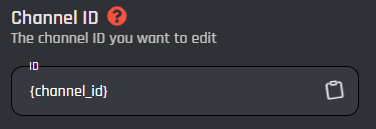
This dropdown type will allow the bot to edit the channel with a specific channel ID or [variable](https://botghost.com/docs/custom-commands-and-events/variables).

### Channel ID

Input a plain channel ID into the field below. The ID must be plain and have no extra symbols or spaces. Likewise a [variable](https://botghost.com/docs/custom-commands-and-events/variables) can be used if it returns a plain channel ID.

<figure><img src="https://1937909199-files.gitbook.io/~/files/v0/b/gitbook-x-prod.appspot.com/o/spaces%2F-Lm_hW5MApY3J0lRhi0M%2Fuploads%2F7KqwdwTHzFX6YCTyHQTN%2Fimage_2024-05-30_165818769.png?alt=media&#x26;token=ba53d72a-8b71-45b1-9120-85b67e5c809f" alt=""><figcaption></figcaption></figure>

<figure><img src="https://1937909199-files.gitbook.io/~/files/v0/b/gitbook-x-prod.appspot.com/o/spaces%2F-Lm_hW5MApY3J0lRhi0M%2Fuploads%2FjE9B6AXkQkiCe9u9unrE%2Fimage_2024-05-30_165839700.png?alt=media&#x26;token=d9c6ed9f-8650-470e-b06e-2b9514e35850" alt=""><figcaption></figcaption></figure>
{% endtab %}
{% endtabs %}

## Name

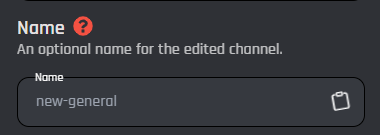
This optional field modifies the name of the channel. It may be left blank to leave the name unedited. [Variables](https://botghost.com/docs/custom-commands-and-events/variables) can be used.

<figure><img src="https://1937909199-files.gitbook.io/~/files/v0/b/gitbook-x-prod.appspot.com/o/spaces%2F-Lm_hW5MApY3J0lRhi0M%2Fuploads%2Fo9EHKvCejG1n1NXw6oNe%2Fimage_2024-05-30_170007384.png?alt=media&#x26;token=e16e6f45-10d1-45fc-90a9-ee727f4c69f8" alt=""><figcaption></figcaption></figure>

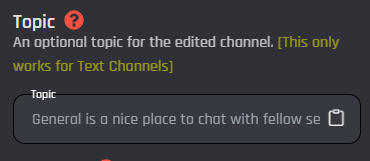
## Topic

This optional field modifies the topic of the channel. It may be left blank to leave the topic unedited. [Variables](https://botghost.com/docs/custom-commands-and-events/variables) can be used.

{% hint style="warning" %}
Warning: This only works for Text Channels
{% endhint %}

<figure><img src="https://1937909199-files.gitbook.io/~/files/v0/b/gitbook-x-prod.appspot.com/o/spaces%2F-Lm_hW5MApY3J0lRhi0M%2Fuploads%2FaOaLloRCSCV5baPHZEtE%2Fimage_2024-05-30_170132812.png?alt=media&#x26;token=ad0f2d1d-b5f2-496f-a6ef-ed813a27672e" alt=""><figcaption></figcaption></figure>

## Category

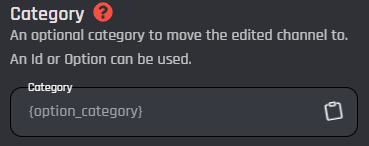
This is an optional field that moves the channel to a different category. It may be left blank to leave the category unedited. This field only accepts plain category IDs or [variables](https://botghost.com/docs/custom-commands-and-events/variables) can be used such as a [text option](https://botghost.com/docs/custom-commands-and-events/options/text-option).

<figure><img src="https://1937909199-files.gitbook.io/~/files/v0/b/gitbook-x-prod.appspot.com/o/spaces%2F-Lm_hW5MApY3J0lRhi0M%2Fuploads%2FSu4NW0JiUzt26oQH4tXD%2Fimage_2024-05-30_170513748.png?alt=media&#x26;token=5caa91ba-8045-4734-881d-915381e134e4" alt=""><figcaption></figcaption></figure>

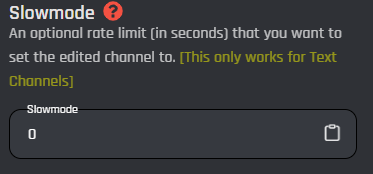
## Slowmode

This is an optional field, also known as rate limit per user, it allows you to set a slow mode in the edited channel for each user unless the user has been bypassed. This field only accepts integers, and [variables](https://botghost.com/docs/custom-commands-and-events/variables) can be used.

{% hint style="warning" %}
Warning: This only works for Text Channels
{% endhint %}

<figure><img src="https://1937909199-files.gitbook.io/~/files/v0/b/gitbook-x-prod.appspot.com/o/spaces%2F-Lm_hW5MApY3J0lRhi0M%2Fuploads%2FSkVPprH7cly3QySJmldJ%2Fimage_2024-05-30_170619886.png?alt=media&#x26;token=8ce452c3-e59a-4255-83be-9be9c4f0d846" alt=""><figcaption></figcaption></figure>

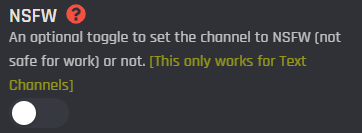
## NSFW

This is an optional toggle to choose whether or not to allow NSFW content within the channel. If chosen, the channel will be age restricted to 18+.

{% hint style="warning" %}
Warning: This only works for Text Channels
{% endhint %}

<figure><img src="https://1937909199-files.gitbook.io/~/files/v0/b/gitbook-x-prod.appspot.com/o/spaces%2F-Lm_hW5MApY3J0lRhi0M%2Fuploads%2FCg7sbgCTErUGJNxvhx8c%2Fimage_2024-05-30_170728288.png?alt=media&#x26;token=b685de19-2ec9-4aec-a43b-c8130b01ba5f" alt=""><figcaption></figcaption></figure>

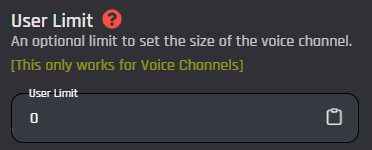
## User Limit

This field represents an optional user limit targeting voice channels only. With a limit in place, only a certain amount of users can be in the voice channel. This field accepts integers only and [variables](https://botghost.com/docs/custom-commands-and-events/variables) can be used.

{% hint style="warning" %}
Warning: This only works for Voice Channels
{% endhint %}

<figure><img src="https://1937909199-files.gitbook.io/~/files/v0/b/gitbook-x-prod.appspot.com/o/spaces%2F-Lm_hW5MApY3J0lRhi0M%2Fuploads%2FYzwpgsVQ9LyMoPJBF8m2%2Fimage_2024-05-30_170916229.png?alt=media&#x26;token=1d5f2c67-52d4-4174-a42b-c430bc2954b3" alt=""><figcaption></figcaption></figure>

## Optional Server ID

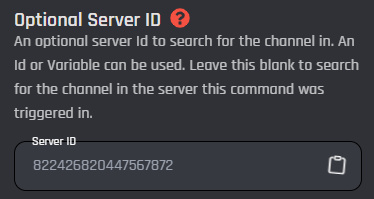
This field is an optional server ID to search for the channel in. Leave blank to find the channel in the server the command was triggered in or who clicked a [button](https://botghost.com/docs/custom-commands-and-events/actions/legacy-reply-actions/send-a-message-with-attached-buttons/buttons) / [menu option](https://botghost.com/docs/custom-commands-and-events/actions/legacy-reply-actions/send-a-message-with-a-select-menu/menu-option). [Variables ](https://botghost.com/docs/custom-commands-and-events/variables)can be used in this field and it must be a plain server ID that is returned.
<figure><img src="https://1937909199-files.gitbook.io/~/files/v0/b/gitbook-x-prod.appspot.com/o/spaces%2F-Lm_hW5MApY3J0lRhi0M%2Fuploads%2FF9Pg6vgYrMUAffk93C6K%2Fimage_2024-05-30_171051247.png?alt=media&#x26;token=13d544ba-9959-44c8-af8c-958aefb8208f" alt=""><figcaption></figcaption></figure>

## Reason

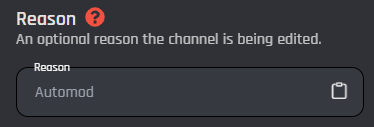
This field is an optional reason of why the bot is editing this channel. This reason will appear in your server's Audit Log. [Variables ](https://botghost.com/docs/custom-commands-and-events/variables)can be used as well.

<figure><img src="https://1937909199-files.gitbook.io/~/files/v0/b/gitbook-x-prod.appspot.com/o/spaces%2F-Lm_hW5MApY3J0lRhi0M%2Fuploads%2FK9hcenWTDgD5rzxlzBAa%2Fimage_2024-05-30_171210356.png?alt=media&#x26;token=52e1be1a-1007-4278-9c85-b19b6fa12f1f" alt=""><figcaption></figcaption></figure>

## Merge Permissions

Instead of having your permissions overwritten when you edit a channel, you can merge the permissions you specify with the already existing permissions set in the channel.

<figure><img src="https://1937909199-files.gitbook.io/~/files/v0/b/gitbook-x-prod.appspot.com/o/spaces%2F-Lm_hW5MApY3J0lRhi0M%2Fuploads%2FcM2SVw3v3ZSarH6V4Ssb%2Fimage.png?alt=media&#x26;token=e26f9466-19a0-454d-80a9-e2ef8a58c257" alt=""><figcaption><p>What the merge permission option looks like in the builder</p></figcaption></figure>

If you enable this option, the permissions you specify will be merged with the permissions that are already in the channel. It won't touch or edit any permissions that are not specified.

If you leave this option disabled, the permissions in the channel will be overwritten with the permissions that you specify.

## Permissions

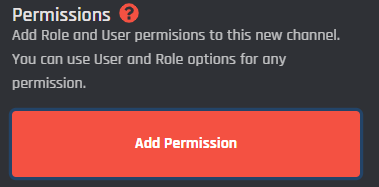
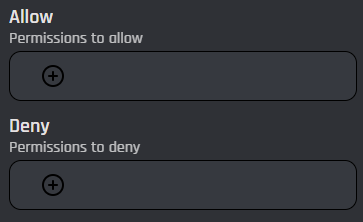
Click the "+" to attach one or more permissions to the channel the bot is editing. Leave this field blank to have default permissions. Visit this [link](https://discord.com/developers/docs/topics/permissions#permissions-bitwise-permission-flags) to learn more about permissions. Clicking the button below will allow you to add permissions to the channel.
<figure><img src="https://1937909199-files.gitbook.io/~/files/v0/b/gitbook-x-prod.appspot.com/o/spaces%2F-Lm_hW5MApY3J0lRhi0M%2Fuploads%2F0ufp09dFV36FJfxMJLIZ%2Fimage_2024-05-30_171338999.png?alt=media&#x26;token=15edeb4a-f96c-4912-b8e4-4f2abe7718cd" alt=""><figcaption></figcaption></figure>

<figure><img src="https://1937909199-files.gitbook.io/~/files/v0/b/gitbook-x-prod.appspot.com/o/spaces%2F-Lm_hW5MApY3J0lRhi0M%2Fuploads%2FVzW3sMuFN1lTRoMCNCt3%2Fimage_2024-05-30_171501918.png?alt=media&#x26;token=624d6309-a119-457d-996c-664fc4baa38d" alt=""><figcaption></figcaption></figure>

<figure><img src="https://1937909199-files.gitbook.io/~/files/v0/b/gitbook-x-prod.appspot.com/o/spaces%2F-Lm_hW5MApY3J0lRhi0M%2Fuploads%2FVEYjwBYLyio1TeKvHR8n%2Fimage_2024-05-30_171544246.png?alt=media&#x26;token=12fe03fb-98a4-4ea0-b2a6-610ee3b4a83a" alt=""><figcaption></figcaption></figure>

{% tabs %}
{% tab title="Role" %}
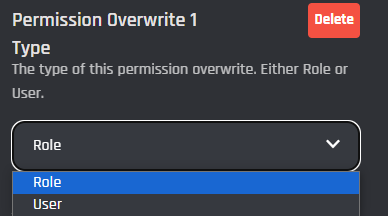
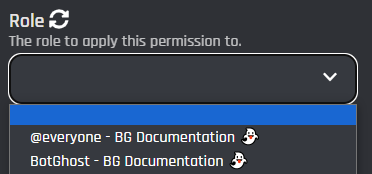
Selecting this dropdown type will make this permission based off a role. Once selected a new field will appear for you to be able to choose which role from your server to base the permissions off of. You are also able to select [role options](https://botghost.com/docs/custom-commands-and-events/options/role-option) from this dropdown.

<figure><img src="https://1937909199-files.gitbook.io/~/files/v0/b/gitbook-x-prod.appspot.com/o/spaces%2F-Lm_hW5MApY3J0lRhi0M%2Fuploads%2F0nhJZHeM8gbWAZpvkeMc%2Fimage_2024-05-30_171710259.png?alt=media&#x26;token=6cd6ab58-553b-4126-be27-c74713c77ce3" alt=""><figcaption></figcaption></figure>

If your role isn't showing, it was most likely recently added. Click the refresh icon to refresh the list of roles to find the role you want.
{% endtab %}

{% tab title="User" %}
Clicking on the User type will make the bot base the permissions off of a user.

### User

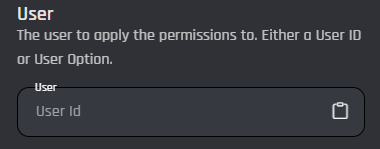
In this field you can input a plain user ID or a [variable](https://botghost.com/docs/custom-commands-and-events/variables) that returns one. [User options](https://botghost.com/docs/custom-commands-and-events/options/user-option) can also be used.

<figure><img src="https://1937909199-files.gitbook.io/~/files/v0/b/gitbook-x-prod.appspot.com/o/spaces%2F-Lm_hW5MApY3J0lRhi0M%2Fuploads%2FtNZiJHacAtZtoxsrBrGA%2Fimage_2024-05-30_172021750.png?alt=media&#x26;token=491d9767-6fac-4e16-b2fa-f30eac9287ff" alt=""><figcaption></figcaption></figure>
{% endtab %}
{% endtabs %}

## Enable Success/Error Handles

Enable Success / Error Handles to detect success and errors inside of the action block. This allows you to run different actions if something goes wrong with your action. Inside of the handle, there are 2 different paths which are used to detect the outcome of the action. The green path on the bottom left side of the block indicates success, while the red path on the bottom right side of the block indicates error. You may attach action blocks to each side of the handle to get the outcome of your action block.

<figure><img src="https://1937909199-files.gitbook.io/~/files/v0/b/gitbook-x-prod.appspot.com/o/spaces%2F-Lm_hW5MApY3J0lRhi0M%2Fuploads%2FfEZAijxwiWs3yk4C3iLK%2Fimage.png?alt=media&#x26;token=52ffafb0-0e8c-4980-a111-0999d8451789" alt=""><figcaption></figcaption></figure>

The Success/Error Handles feature includes 3 different error variables you can use to get information on why the action block encountered an error. Check them out [here](https://botghost.com/docs/variables#error-variables).

<figure><img src="https://1937909199-files.gitbook.io/~/files/v0/b/gitbook-x-prod.appspot.com/o/spaces%2F-Lm_hW5MApY3J0lRhi0M%2Fuploads%2FgBCbX0HtGmaNhGXARsoA%2Fimage.png?alt=media&#x26;token=57dbe5f3-6efc-47af-9022-5196739573c3" alt=""><figcaption></figcaption></figure>