Commands per server
Let each server turn your bot's commands off, keep them to some roles, or block them in some channels.
With this on, each server's admins can turn your slash commands off for their server, keep a command to some roles, or keep it to some channels. You pick which commands servers can change; the rest are always on. Your bot checks a server's rules before it runs the command.
It comes with BotPanel Plus. Without Plus, the card shows Comes with BotPanel Plus; in one or two servers, turn a command off yourself in the command builder instead.
Turn it on
Let servers manage your commands is at the bottom of BotPanel > Modules.
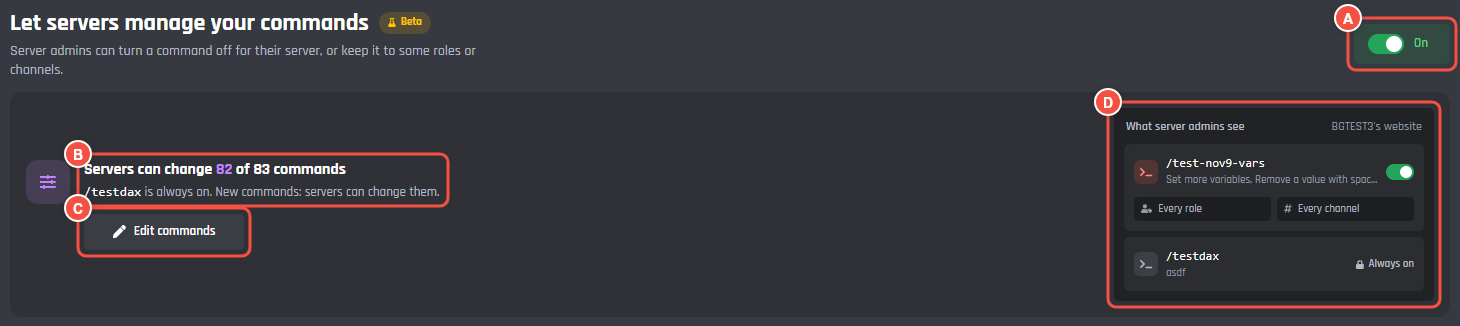
BotPanel > Modules
- A The switch. The first time you turn it on, the command list opens.
- B How many commands servers can change, the ones that are always on, and what new commands start as.
- C Edit commands opens the list.
- D What server admins see: one of your commands they can change, and one that is always on.
Changes wait in a bar at the bottom of the card, which says what saving does, with Undo and Save.
Pick the commands
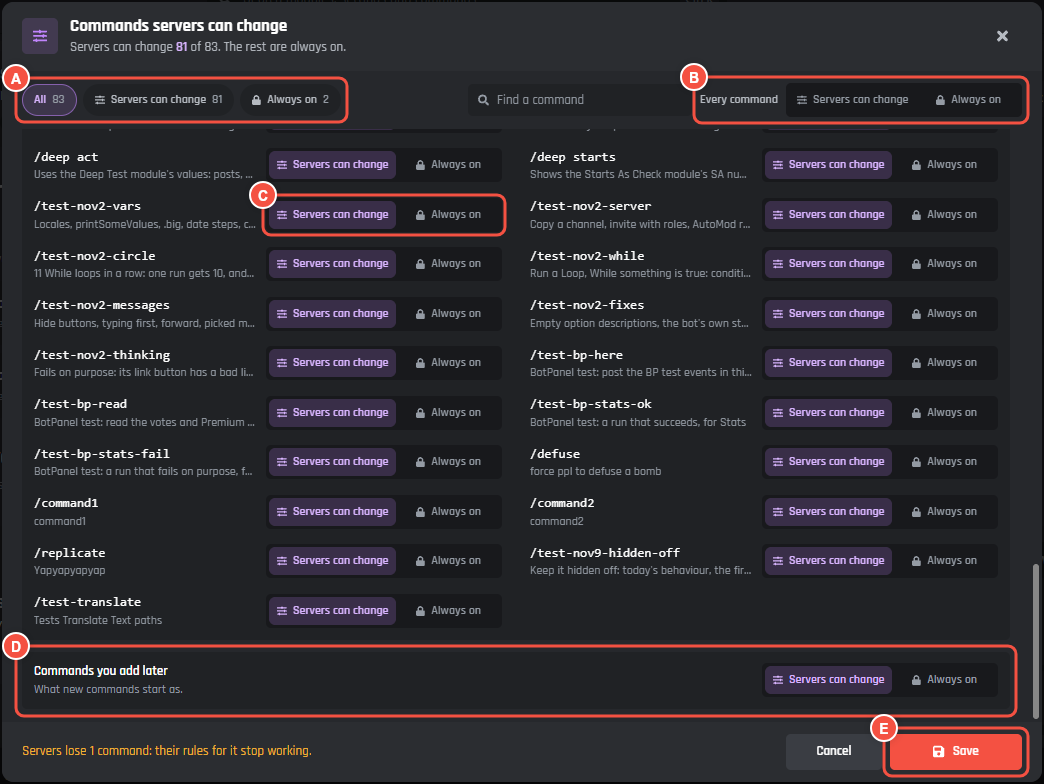
BotPanel > Modules > Edit commands
- A Show All, only Servers can change, or only Always on.
- B Every command sets them all at once.
- C Each command: Servers can change or Always on. Commands are grouped the way they are in your command builder.
- D Commands you add later: what new commands start as.
- E Save, or Done when nothing changed.
With more than 8 commands, Find a command searches them. Context menu commands aren't listed.
A save that takes commands away from servers, or turns the whole thing off, asks you to Press again to save. Their rules for those commands stop working but are kept, and work again if you give the commands back. If the bot loses BotPanel Plus, every server's rules pause until it has Plus again.
What server admins see
The Commands page on the server dashboard lists the commands they can change. It shows once this is on and Commands is on in How it looks.
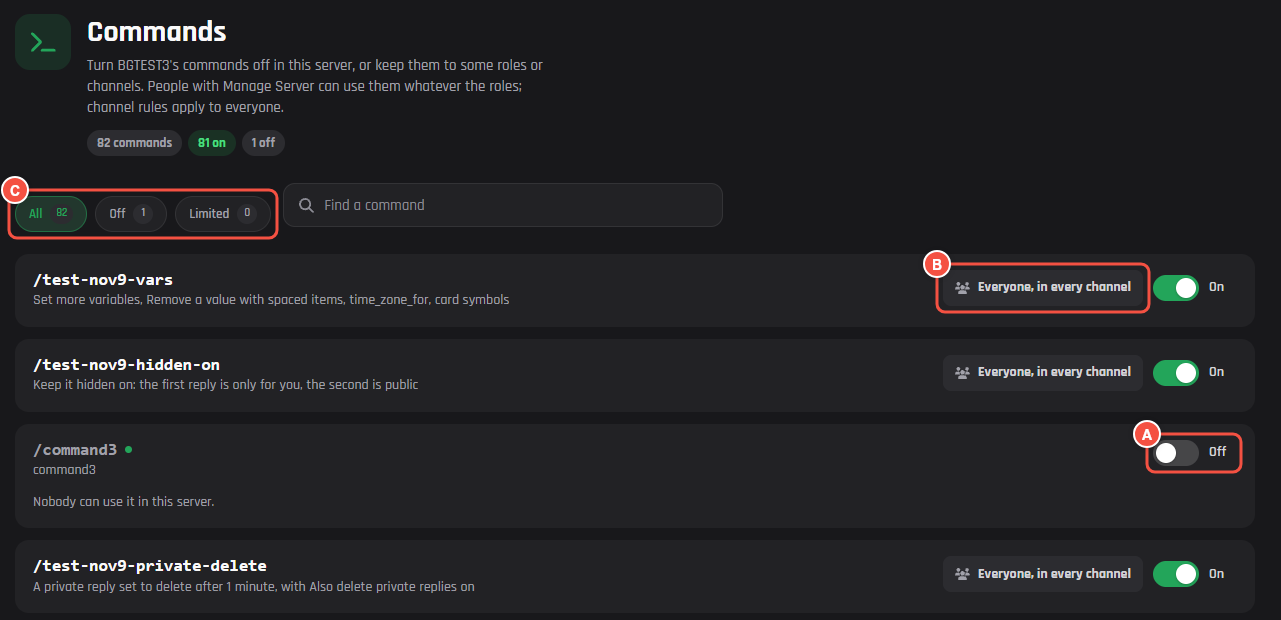
On your website: a server's Commands page
- A The switch: On, or Off for "Nobody can use it in this server."
- B Who can use it and where, like "Everyone, in every channel". Press it to change it.
- C Show All, Off or Limited commands, each with how many. It shows once a command is off or limited, next to Find a command.
Pressing who and where opens a window for that command:
- Who can use it: pick roles to keep it to people with one of them. With none, everyone can.
- Where: Every channel, Only these, or All except these, then pick the channels.
People with Manage Server can use a command whatever the roles. Channel rules apply to everyone.
Changes wait in the save bar until the admin presses Save, and show on the change log as "Was on for everyone. Now off." A command turned off keeps its rules for when it is back on.