# Manipulate some text

<figure><img src="https://1937909199-files.gitbook.io/~/files/v0/b/gitbook-x-prod.appspot.com/o/spaces%2F-Lm_hW5MApY3J0lRhi0M%2Fuploads%2FP3IqkQnmbf3YGKGqPwDE%2F1.%20Action%20Block.jpg?alt=media&#x26;token=610c9974-6bde-4f50-a02d-bf34862b6e33" alt=""><figcaption><p>Manipulate some text Action Block</p></figcaption></figure>

With the 'Manipulate some text' block you are able to provide a text and perform text operations like getting the length of the text, trimming text or checking if the text starts or ends with another string.

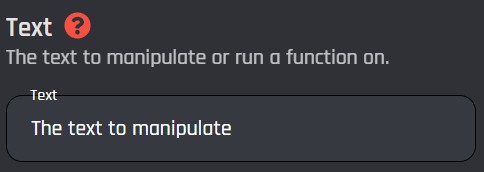
## Text

The text to perform manipulations on. All [variables](https://botghost.com/docs/custom-commands-and-events/variables "mention") can be used in this field.

<figure><img src="https://1937909199-files.gitbook.io/~/files/v0/b/gitbook-x-prod.appspot.com/o/spaces%2F-Lm_hW5MApY3J0lRhi0M%2Fuploads%2Fgx812h2PCyzCEaxsxxgK%2F2.%20Text%20Parameter%20of%20the%20Manipulate%20some%20text%20block.jpg?alt=media&#x26;token=f14078eb-8d2e-4b10-9b5c-e74b84272916" alt=""><figcaption><p>Text Parameter of the Manipulate some text block</p></figcaption></figure>

## Text Operation

The type of text manipulation to perform on the provided [#text](#text "mention") string. There are several operations to choose from. Below you can find detailed information about each operation and how it can be used.

{% hint style="info" %}
You can see a list of string methods in the action, or [view more detailed descriptions](https://developer.mozilla.org/en-US/docs/Web/JavaScript/Reference/Global_Objects/String).
{% endhint %}

{% tabs %}
{% tab title="Length & Position" %}

| Operation                                  | Information                                                                            |
| ------------------------------------------ | -------------------------------------------------------------------------------------- |
| [#get-length](#get-length "mention")       | Returns the number of characters in the string.                                        |
| [#character-at](#character-at "mention")   | Returns the character at the position of the specified index in the string.            |
| [#index-of](#index-of "mention")           | Returns the index position of the first appearance of a specified query in the string. |
| [#last-index-of](#last-index-of "mention") | Returns the index position of the last appearance of a specified query in the string.  |

***

## Get Length

The Get Length operation allows you to return the number of characters of the text provided.

### Examples

| Text           | Result |
| -------------- | ------ |
| `Hello World!` | 12     |
| `BotGhost`     | 8      |

## Character At

The Character At operation returns the character at the specified index.

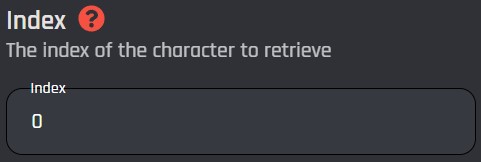
### Index

The position of the character in the string that you'd like to return. Indexes start at 0. All [variables](https://botghost.com/docs/custom-commands-and-events/variables "mention") can be used in this input.&#x20;

<figure><img src="https://1937909199-files.gitbook.io/~/files/v0/b/gitbook-x-prod.appspot.com/o/spaces%2F-Lm_hW5MApY3J0lRhi0M%2Fuploads%2FFjHYFef2YLSfdiZZAvs1%2F4.%20Text%20Operation%20-%20Index%20of%20the%20Manipulate%20some%20text%20block.jpg?alt=media&#x26;token=53213caf-38f7-4252-ae5a-11bf10a47d52" alt=""><figcaption><p>Text Operation - Index of the Manipulate some text block</p></figcaption></figure>

### Examples

| Text           | Index | Result |
| -------------- | ----- | ------ |
| `Hello World!` | 0     | `H`    |
| `Hello World!` | 1     | `e`    |
| `Hello World!` | 7     | `o`    |
| `BotGhost`     | 4     | `h`    |

***

## Index Of

The Index Of operation returns the index of the first character of the given portion of text. If there are multiple matches, the first match is returned. If there are no matches, `-1` is returned.

### Search

The text to find the index of. This input is case sensitive. All [variables](https://botghost.com/docs/custom-commands-and-events/variables "mention") can be used in this input.

<figure><img src="https://1937909199-files.gitbook.io/~/files/v0/b/gitbook-x-prod.appspot.com/o/spaces%2F-Lm_hW5MApY3J0lRhi0M%2Fuploads%2FZBFnG3YYYEXPmqgO7EBX%2Fimage.png?alt=media&#x26;token=e6f8b1ae-92f7-49c3-baab-5c0da9549544" alt=""><figcaption></figcaption></figure>

### Examples

| Text           | Search     | Result |
| -------------- | ---------- | ------ |
| `Hello World!` | `e`        | 1      |
| `Hello World!` | `World`    | 6      |
| `Hello World!` | `BotGhost` | -1     |
| `yes, goodbye` | `ye`       | 0      |

***

## Last Index Of

The Last Index Of operation returns the index of the first character of the given portion of text. If there are multiple matches, the last match is returned. If there are no matches, `-1` is returned.

### Search

The text to find the last index of. This input is case sensitive. All [variables](https://botghost.com/docs/custom-commands-and-events/variables "mention") can be used in this input.

<figure><img src="https://1937909199-files.gitbook.io/~/files/v0/b/gitbook-x-prod.appspot.com/o/spaces%2F-Lm_hW5MApY3J0lRhi0M%2Fuploads%2FvaJ3IDWuX8fnXmNhFBYN%2Fimage.png?alt=media&#x26;token=28b08754-2dd2-4fc8-a662-8e0fd9001102" alt=""><figcaption></figcaption></figure>

### Examples

| Text                          | Search     | Result |
| ----------------------------- | ---------- | ------ |
| `Hello World!`                | `o`        | 7      |
| `Hello World!`                | `Hello`    | 0      |
| `Hello World!`                | `BotGhost` | -1     |
| `BotGhost is cool, isn't it?` | `is`       | 18     |
| {% endtab %}                  |            |        |

{% tab title="Substring" %}

| Operation                 | Information                           |
| ------------------------- | ------------------------------------- |
| [Substring](#substring-1) | Returns an extracted portion of text. |
| [Slice](#slice)           | Returns an extracted portion of text. |

***

## Substring

The Substring operation allows you to extract text between the start and end indexes. It works similarly to the [#slice](#slice "mention") operation. You can learn more about the differences between the Slice and Substring operations [here](https://developer.mozilla.org/en-US/docs/Web/JavaScript/Reference/Global_Objects/String/substring#differences_between_substring_and_slice).

### Start Index and End Index

The character index to start extraction from and the character index to end extraction at.  The end index represents the index of the first character that should not be included. Indexes start at 0. All variables can be used in this input.
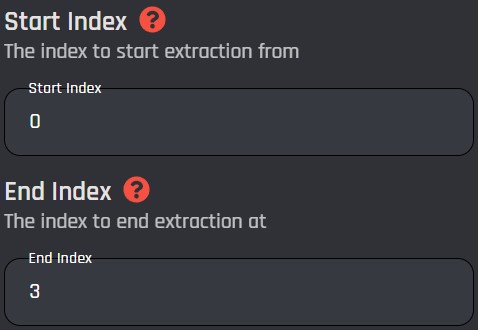
<figure><img src="https://1937909199-files.gitbook.io/~/files/v0/b/gitbook-x-prod.appspot.com/o/spaces%2F-Lm_hW5MApY3J0lRhi0M%2Fuploads%2FbzpktJR2UrW8DahoUtas%2F5.%20Text%20Operation%20-%20Start%20Index%20and%20End%20Index%20of%20the%20Manipulate%20some%20text%20block.jpg?alt=media&#x26;token=53ce6ce3-8f4e-4691-98ab-e179747dffd8" alt=""><figcaption><p>Text Operation - Start Index and End Index of the Manipulate some text block</p></figcaption></figure>

### Examples

| Text          | Start Index | End Index | Result    |
| ------------- | ----------- | --------- | --------- |
| `Hello World` | 0           | 7         | `Hello W` |
| `Hello World` | 6           | 11        | `World`   |
| `BotGhost`    | 4           | 8         | `host`    |

***

## Slice

The Slice operation allows you to extract text between the start and end indexes. It works similarly to the [#substring-1](#substring-1 "mention") operation. You can learn more about the differences between the Slice and Substring operations [here](https://developer.mozilla.org/en-US/docs/Web/JavaScript/Reference/Global_Objects/String/substring#differences_between_substring_and_slice).

### Start Index and End Index

The character index to start extraction from and the character index to end extraction at. The end index represents the index of the first character that should not be included. Indexes start at 0. All variables can be used in this input.

<figure><img src="https://1937909199-files.gitbook.io/~/files/v0/b/gitbook-x-prod.appspot.com/o/spaces%2F-Lm_hW5MApY3J0lRhi0M%2Fuploads%2FbzpktJR2UrW8DahoUtas%2F5.%20Text%20Operation%20-%20Start%20Index%20and%20End%20Index%20of%20the%20Manipulate%20some%20text%20block.jpg?alt=media&#x26;token=53ce6ce3-8f4e-4691-98ab-e179747dffd8" alt=""><figcaption><p>Text Operation - Start Index and End Index of the Manipulate some text block</p></figcaption></figure>

### Examples

| Text           | Start Index | End Index | Result    |
| -------------- | ----------- | --------- | --------- |
| `Hello World!` | 0           | 7         | `Hello W` |
| `Hello World!` | 6           | 11        | `World`   |
| `BotGhost`     | 4           | 8         | `host`    |
| {% endtab %}   |             |           |           |

{% tab title="Case & Whitespace" %}

| Operation                     | Information                                                                      |
| ----------------------------- | -------------------------------------------------------------------------------- |
| [To Uppercase](#to-uppercase) | Returns the text with all letter characters displaying in uppercase.             |
| [To Lowercase](#to-lowercase) | Returns the text with all letter characters displaying in lowercase.             |
| [Trim](#trim)                 | Returns the text with no space characters ( ) at the start or end of the string. |

***

## To Uppercase

The To Uppercase operation converts the provided text to uppercase.

### Examples

| Text           | Result         |
| -------------- | -------------- |
| `Hello World`  | `HELLO WORLD`  |
| `HELLO WORLD!` | `HELLO WORLD!` |
| `botghost`     | `BOTGHOST`     |

***

## To Lowercase

The To Lowercase operation converts the provided text to lowercase.

### Examples

| Text           | Result         |
| -------------- | -------------- |
| `Hello World`  | `hello world`  |
| `HELLO WORLD!` | `hello world!` |
| `botghost`     | `botghost`     |

***

## Trim

The trim operation allows you to remove whitespaces from the start and end of the provided text.

### Examples

| Text          | Result        |
| ------------- | ------------- |
| `Hello World` | `Hello World` |
| `Hello World` | `Hello World` |
| `BotGhost`    | `BotGhost`    |
| {% endtab %}  |               |

{% tab title="Search & Match" %}

| Operation                   | Information                                                      |
| --------------------------- | ---------------------------------------------------------------- |
| [Includes](#includes)       | Returns true or false based on if the text includes a string.    |
| [Starts With](#starts-with) | Returns true or false based on if the text starts with a string. |
| [Ends With](#ends-with)     | Returns true or false based on if the text ends with a string.   |
| [Match](#match)             | Returns matches based on regular expressions.                    |
| [Search](#search-2)         | Returns indexes based on regular expressions.                    |

***

## Includes

The Includes operation checks if your string contains a specific portion of text. It returns `true` when it does, and `false` when it doesn't. You can alternatively use the `contains` comparison type in the [comparison-condition](https://botghost.com/docs/custom-commands-and-events/conditions/comparison-condition "mention") block.

### Search

The text that is compared to the original string. This input is case sensitive. All [variables](https://botghost.com/docs/custom-commands-and-events/variables "mention") can be used in this input.

<figure><img src="https://1937909199-files.gitbook.io/~/files/v0/b/gitbook-x-prod.appspot.com/o/spaces%2F-Lm_hW5MApY3J0lRhi0M%2Fuploads%2FNq3HiDD3JW4v5pSH98wC%2Fimage.png?alt=media&#x26;token=d3101211-7d39-4053-a1a5-bbd26e1490bd" alt=""><figcaption></figcaption></figure>

### Examples

| Text          | Search     | Result  |
| ------------- | ---------- | ------- |
| `Hello World` | `World`    | `true`  |
| `Hello World` | `lo Wor`   | `true`  |
| `Hello World` | `o`        | `true`  |
| `Hello World` | `BotGhost` | `false` |

***

## Starts With

The Starts With operation checks if your string starts with a specific portion of text. It returns `true` when it does, and `false` when it doesn't. You can alternatively use the `starts with` comparison type in the [comparison-condition](https://botghost.com/docs/custom-commands-and-events/conditions/comparison-condition "mention") block.

### Search

The text that is compared at the start of the original string. This input is case sensitive. All [variables](https://botghost.com/docs/custom-commands-and-events/variables "mention") can be used in this input.

<figure><img src="https://1937909199-files.gitbook.io/~/files/v0/b/gitbook-x-prod.appspot.com/o/spaces%2F-Lm_hW5MApY3J0lRhi0M%2Fuploads%2FagY9cBBYWXk85edY9Op3%2Fimage.png?alt=media&#x26;token=45c00367-be1e-4e89-a25c-2e499c997ac7" alt=""><figcaption></figcaption></figure>

### Examples

| Text          | Search     | Result  |
| ------------- | ---------- | ------- |
| `Hello World` | `He`       | `true`  |
| `Hello World` | `World`    | `false` |
| `Hello World` | `BotGhost` | `false` |

***

## Ends With

The Ends With operation checks if your string ends with a specific portion of text. It returns `true` when it does, and `false` when it doesn't. You can alternatively use the `ends with` comparison type in the [comparison-condition](https://botghost.com/docs/custom-commands-and-events/conditions/comparison-condition "mention") block.

### Search

The text that is compared at the end of the original string. This input is case sensitive. All [variables](https://botghost.com/docs/custom-commands-and-events/variables "mention") can be used in this input.

<figure><img src="https://1937909199-files.gitbook.io/~/files/v0/b/gitbook-x-prod.appspot.com/o/spaces%2F-Lm_hW5MApY3J0lRhi0M%2Fuploads%2F6Ewk3faXtizoXlkhyVAh%2Fimage.png?alt=media&#x26;token=3866971c-ce43-486e-8e19-b70750201c77" alt=""><figcaption></figcaption></figure>

### Examples

| Text          | Search     | Result  |
| ------------- | ---------- | ------- |
| `Hello World` | `World`    | `true`  |
| `Hello World` | `He`       | `false` |
| `Hello World` | `BotGhost` | `false` |

***

## Match

The Match operation will return the first match from a regular expression (regex) pattern. If there are any capturing groups, it will return them after the match, separated by commas. The variable can also be used as an array when surrounded with the `[]` brackets.

{% hint style="info" %}
Regular expressions can be a tricky concept and take practice. Before using this operation, it's advised to check out other resources like [Regex101](https://regex101.com) and [MDN Web Documentation](https://developer.mozilla.org/en-US/docs/Web/JavaScript/Guide/Regular_expressions) to learn more and experiment with regular expressions. You can also use the [chatgpt](https://botghost.com/docs/ai/chatgpt "mention") module or other AI websites to generate regex patterns for you, but they may not always be accurate.
{% endhint %}

### Search

The regular expression pattern to search for. This input is case sensitive. All [variables](https://botghost.com/docs/custom-commands-and-events/variables "mention") can be used.

<figure><img src="https://1937909199-files.gitbook.io/~/files/v0/b/gitbook-x-prod.appspot.com/o/spaces%2F-Lm_hW5MApY3J0lRhi0M%2Fuploads%2FE1nRGodY2H2qxbDPtAe1%2Fimage.png?alt=media&#x26;token=7abfa291-443a-4dea-8aa0-3bd3ee9c0c7e" alt=""><figcaption></figcaption></figure>

### Examples

<table><thead><tr><th width="252">Text</th><th>Search</th><th>Result</th></tr></thead><tbody><tr><td><code>API Requests are Good</code></td><td><code>[A-Z]</code></td><td><code>A,P,I,R,G</code></td></tr><tr><td><code>This is a test, using regex to find the word test in a sentence.</code></td><td><code>\btest\b</code></td><td><code>test,test</code></td></tr><tr><td><code>This is a test to find numbers in a sentence. Since there are no numbers here, it will not return any matches</code></td><td><code>\b\d+\b</code></td><td><code>null</code></td></tr></tbody></table>

***

## Search

The Search operation will return the index of the first match from a regular expression (regex) pattern.

{% hint style="info" %}
Regular expressions can be a tricky concept and take practice. Before using this operation, it's advised to check out other resources like [Regex101](https://regex101.com) and [MDN Web Documentation](https://developer.mozilla.org/en-US/docs/Web/JavaScript/Guide/Regular_expressions) to learn more and experiment with regular expressions. You can also use the [chatgpt](https://botghost.com/docs/ai/chatgpt "mention") module or other AI websites to generate regex patterns for you, but they may not always be accurate.
{% endhint %}

### Search

The regular expression pattern to search for. This input is case sensitive. All [variables](https://botghost.com/docs/custom-commands-and-events/variables "mention") can be used.

<figure><img src="https://1937909199-files.gitbook.io/~/files/v0/b/gitbook-x-prod.appspot.com/o/spaces%2F-Lm_hW5MApY3J0lRhi0M%2Fuploads%2FO8vEf0MmmHxRereFd88t%2Fimage.png?alt=media&#x26;token=a6b87cc1-db27-4895-af47-4c0867004bc9" alt=""><figcaption></figcaption></figure>

### Example

<table><thead><tr><th width="252">Text</th><th>Search</th><th>Result</th></tr></thead><tbody><tr><td><code>API Requests are Good</code></td><td><code>[A-Z]</code></td><td><code>A,P,I,R,G</code></td></tr><tr><td><code>This is a test, using regex to find the word test in a sentence.</code></td><td><code>\btest\b</code></td><td><code>test,test</code></td></tr><tr><td><code>This is a test to find numbers in a sentence. Since there are no numbers here, it will not return any matches</code></td><td><code>\b\d+\b</code></td><td><code>null</code></td></tr></tbody></table>
{% endtab %}

{% tab title="Manipulation" %}

| Operation                              | Information                                              |
| -------------------------------------- | -------------------------------------------------------- |
| [#replace](#replace "mention")         | Returns the original text with a portion of it replaced. |
| [#replace-all](#replace-all "mention") | Returns the original text with portions of it replaced.  |
| [#split](#split "mention")             | Returns the original text divided into an array.         |
| [#repeat](#repeat "mention")           | Returns the original text a specified number of times.   |

***

## Replace

The Replace operation replaces the first occurrence of a substring from the original text with another string you've specified.

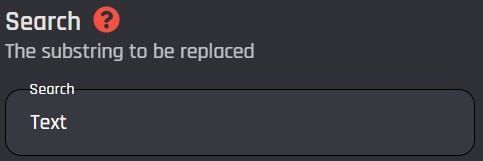
### Search

The portion of text that must be replaced in the text. This input is case sensitive. All [variables](https://botghost.com/docs/custom-commands-and-events/variables "mention") can be used in this input.

<figure><img src="https://1937909199-files.gitbook.io/~/files/v0/b/gitbook-x-prod.appspot.com/o/spaces%2F-Lm_hW5MApY3J0lRhi0M%2Fuploads%2F3iKRQPkCjFTF89hc9sJC%2F6.%20Text%20Operation%20-%20Search%20of%20the%20Manipulate%20some%20text%20block.jpg?alt=media&#x26;token=58fb4ff9-66cb-463e-94b0-59db811cd4b5" alt=""><figcaption><p>Text Operation - Search of the Manipulate some text block</p></figcaption></figure>

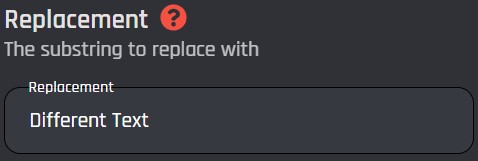
### Replacement

The portion of text to replace with. This input is case sensitive. All [variables](https://botghost.com/docs/custom-commands-and-events/variables "mention") can be used in this input.

<figure><img src="https://1937909199-files.gitbook.io/~/files/v0/b/gitbook-x-prod.appspot.com/o/spaces%2F-Lm_hW5MApY3J0lRhi0M%2Fuploads%2FuCgGwMiTRwh0JAO2hTWs%2F7.%20Text%20Operation%20-%20Replacement%20of%20the%20Manipulate%20some%20text%20block.jpg?alt=media&#x26;token=18318d6f-63b0-4931-bb07-125155ad6dac" alt=""><figcaption><p>Text Operation - Replacement of the Manipulate some text block</p></figcaption></figure>

### Examples

<table><thead><tr><th>Text</th><th width="107">Search</th><th width="154">Replacement</th><th></th></tr></thead><tbody><tr><td><code>Hello World!</code></td><td><code>World</code></td><td><code>everyone</code></td><td><code>Hello everyone!</code></td></tr><tr><td><code>Hello World!</code></td><td> </td><td> <code>BotGhost</code> </td><td><code>Hello BotGhost World!</code></td></tr><tr><td><code>Cats are cute</code></td><td><code>C</code></td><td><code>R</code></td><td><code>Rats are cute</code></td></tr></tbody></table>

***

## Replace All

The Replace All operation replaces all occurrences of a substring from the original text with another string you've specified.

### Search

The portion of text that must be replaced in the text. This input is case sensitive. All [variables](https://botghost.com/docs/custom-commands-and-events/variables "mention") can be used in this input.

<figure><img src="https://1937909199-files.gitbook.io/~/files/v0/b/gitbook-x-prod.appspot.com/o/spaces%2F-Lm_hW5MApY3J0lRhi0M%2Fuploads%2F3iKRQPkCjFTF89hc9sJC%2F6.%20Text%20Operation%20-%20Search%20of%20the%20Manipulate%20some%20text%20block.jpg?alt=media&#x26;token=58fb4ff9-66cb-463e-94b0-59db811cd4b5" alt=""><figcaption><p>Text Operation - Search of the Manipulate some text block</p></figcaption></figure>

### Replacement

The portion of text to replace with. This input is case sensitive. All [variables](https://botghost.com/docs/custom-commands-and-events/variables "mention") can be used in this input.

<figure><img src="https://1937909199-files.gitbook.io/~/files/v0/b/gitbook-x-prod.appspot.com/o/spaces%2F-Lm_hW5MApY3J0lRhi0M%2Fuploads%2FuCgGwMiTRwh0JAO2hTWs%2F7.%20Text%20Operation%20-%20Replacement%20of%20the%20Manipulate%20some%20text%20block.jpg?alt=media&#x26;token=18318d6f-63b0-4931-bb07-125155ad6dac" alt=""><figcaption><p>Text Operation - Replacement of the Manipulate some text block</p></figcaption></figure>

### Examples

<table><thead><tr><th width="241">Text</th><th width="104">Search</th><th width="130">Replacement</th><th>Result</th></tr></thead><tbody><tr><td><code>Hello World</code></td><td><code>World</code></td><td><code>everyone</code></td><td><code>Hello everyone!</code></td></tr><tr><td><code>you are smart, aren't you?</code></td><td><code>you</code></td><td><code>we</code></td><td><code>we are smart, aren't we?</code></td></tr><tr><td><code>Bitter</code></td><td><code>t</code></td><td><code>l</code></td><td><code>Biller</code></td></tr></tbody></table>

***

## Split

The Split operation separates your string with commas based on a delimeter. The variable can also be used as an array when surrounded with the `[]` brackets.

### Search

The text that your string will be split around. This input is case sensitive. All [variables](https://botghost.com/docs/custom-commands-and-events/variables "mention") can be used.

<figure><img src="https://1937909199-files.gitbook.io/~/files/v0/b/gitbook-x-prod.appspot.com/o/spaces%2F-Lm_hW5MApY3J0lRhi0M%2Fuploads%2FgcxPrhOeuOQfF2oU5EyB%2Fimage.png?alt=media&#x26;token=60332c5c-6587-47ca-9036-c16144fa3eeb" alt=""><figcaption></figcaption></figure>

### Examples

| Text                | Search | Result              |
| ------------------- | ------ | ------------------- |
| `20/04/2024`        | `/`    | `20,4,2024`         |
| `docs.botghost.com` | `.`    | `docs,botghost,com` |
| `Hello everyone!`   | `c`    | `Hello everyone!`   |

***

## Repeat

The Repeat operation duplicates your string a specified number of times.

### Count

The number of times your string will appear. All [variables](https://botghost.com/docs/custom-commands-and-events/variables "mention") can be used in this input.

<figure><img src="https://1937909199-files.gitbook.io/~/files/v0/b/gitbook-x-prod.appspot.com/o/spaces%2F-Lm_hW5MApY3J0lRhi0M%2Fuploads%2FLt5N19lHjAkvt52XOZmp%2Fimage.png?alt=media&#x26;token=8e0a46b5-908f-4fbb-92a1-24f435214588" alt=""><figcaption></figcaption></figure>

### Examples

| Text         | Count | Result          |
| ------------ | ----- | --------------- |
| `ah`         | 5     | `ahahahahah`    |
| `Hello!`     | 2     | `Hello! Hello!` |
| {% endtab %} |       |                 |

{% tab title="Advanced" %}

| Operation                                                                   | Information                                                                             |
| --------------------------------------------------------------------------- | --------------------------------------------------------------------------------------- |
| [JSON Stringify](#json-stringify)                                           | Returns the original text surrounded by quotes (") with escaped quotes and line breaks. |
| [JSON Stringify (No Enclosing Quotes)](#json-stringify-no-enclosing-quotes) | Returns the original text with escaped quotes and line breaks.                          |
| [Sanitize](#sanitize)                                                       | Returns the text with special characters escaped for safe use.                          |
| [Unsanitize](#unsanitize)                                                   | Returns the original text with escaped characters restored.                             |
| [Image URL to Base64](#image-url-to-base64)                                 | Returns the image from a URL encoded as Base64, optionally including a data URI prefix. |

***

## JSON Stringify

The JSON Stringify operation allows you to automatically manipulate and escape quotes and line breaks in the given text for it to work in the Send an API Request action. The result will include quotes (") around the text.

### Examples

<table><thead><tr><th width="305">Text</th><th>Result</th></tr></thead><tbody><tr><td>Hello "World"!</td><td>"Hello \"World\"!"</td></tr><tr><td>Line<br>Break</td><td>"Line\nBreak"</td></tr><tr><td>Not a line break \n</td><td>"Not a line break \\n"</td></tr></tbody></table>

***

## JSON Stringify (No Enclosing Quotes)

The JSON Stringify (No Enclosing Quotes) operation allows you to automatically manipulate and escape quotes and line breaks in the given text for it to work in the Send an API Request action. The result will not include quotes (") around the text.

### Examples

<table><thead><tr><th width="305">Text</th><th>Result</th></tr></thead><tbody><tr><td>Hello "World"!</td><td>Hello \"World\"!</td></tr><tr><td>Line<br>Break</td><td>Line\nBreak</td></tr><tr><td>Not a line break \n</td><td>Not a line break \\n</td></tr></tbody></table>

***

## Sanitize

The sanitize operation will return the exact same text provided without replacing vars. These will not be replaced also when used in replies.

### Examples

<table><thead><tr><th width="305">Text</th><th>Result</th></tr></thead><tbody><tr><td>{myvariable}</td><td>{myvariable}</td></tr><tr><td>Hello {user_name}</td><td>Hello {user_name}</td></tr></tbody></table>

***

## Unsanitize

The unsanitize operation will return the exact same text and undo any sanitization previously made. Variables will be replaced.

### Examples

<table><thead><tr><th width="305">Text</th><th>Result</th></tr></thead><tbody><tr><td>{myvariable}</td><td>That's the value of myvariable</td></tr><tr><td>Hello {user_name}</td><td>Hello tomtoise</td></tr></tbody></table>

***

## Image URL to Base64

Allows you to fetch an image from a given URL and convert it into Base64, with options to return either raw Base64 data or a full data URI for use in API requests, embeds, or external systems.

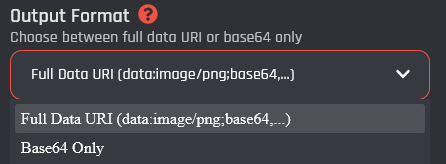
### Output Format

Allows to pick the output format you prefer.

|                                           |                                                                                                                                                                             |
| ----------------------------------------- | --------------------------------------------------------------------------------------------------------------------------------------------------------------------------- |
| Full Data URL (data:image/...;base64,...) | Returns the image as a complete data URL, including the MIME type and Base64 prefix. This is useful when embedding images directly or when a full image source is required. |
| Base64 Only                               | <p></p><p>Returns only the raw Base64-encoded image data without any prefix. This is useful for API requests or systems that explicitly require Base64 input.</p><p></p>    |

<figure><img src="https://1937909199-files.gitbook.io/~/files/v0/b/gitbook-x-prod.appspot.com/o/spaces%2F-Lm_hW5MApY3J0lRhi0M%2Fuploads%2F51XrDSo5YVFMLtDJUrIG%2F%7B18C8A64F-F72A-49BC-8F30-5AF2AA848A6A%7D.png?alt=media&#x26;token=8f2deafa-a42c-4ad0-a7de-f4723da3030c" alt=""><figcaption></figcaption></figure>

### Examples

<table><thead><tr><th width="305">Text</th><th></th><th>Result</th></tr></thead><tbody><tr><td><a href="https://botghost.com/assets/logo.png">https://botghost.com/assets/logo.png</a></td><td>Full Data URL</td><td>data:image/png;base64,iVBORw0KGgoAAAANSUhEUgAA...</td></tr><tr><td><a href="https://botghost.com/assets/logo.png">https://botghost.com/assets/logo.png</a></td><td>Base64 Only</td><td>iVBORw0KGgoAAAANSUhEUgAA...</td></tr><tr><td><a href="https://botghost.com/assets/banner.jpg">https://botghost.com/assets/banner.jpg</a></td><td>Base64 Only</td><td>tLYMeRjPMCS1-1WNjQlaqQADn</td></tr></tbody></table>
{% endtab %}
{% endtabs %}

## Variable

<figure><img src="https://1937909199-files.gitbook.io/~/files/v0/b/gitbook-x-prod.appspot.com/o/spaces%2F-Lm_hW5MApY3J0lRhi0M%2Fuploads%2FacfLkxkaWV4zzIFRUg2K%2Fimage.png?alt=media&#x26;token=579784f7-1e24-48c8-b915-b392dd3a3d59" alt=""><figcaption></figcaption></figure>

The Variable field allows you to name the variable that can be used in other [..](https://botghost.com/docs/custom-commands-and-events/actions "mention") and [conditions](https://botghost.com/docs/custom-commands-and-events/conditions "mention") that follow this action block in the same [command or event](https://botghost.com/docs/custom-commands-and-events/command-and-event-builder). You can use the clipboard icon under Result Variable to copy this variable to your device's clipboard.

{% hint style="info" %}
If the variable used in this field already has a value, the previous value will be overwritten and cannot be accessed again.
{% endhint %}