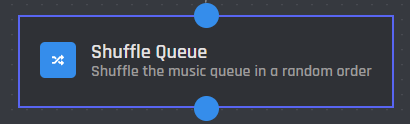
# Shuffle Queue

{% hint style="warning" %}
This action requires a [Premium Subscription](https://botghost.com/docs/premium/premium-and-priority-hosting-plans#premium-plans) to function.
{% endhint %}

<figure><img src="https://1937909199-files.gitbook.io/~/files/v0/b/gitbook-x-prod.appspot.com/o/spaces%2F-Lm_hW5MApY3J0lRhi0M%2Fuploads%2FtCZcdAxTyMectWPfl2a2%2F%7BDB3C449D-5D91-47E0-B68E-B1710EB1E63B%7D.png?alt=media&#x26;token=1a646454-4b1a-4453-97fe-088a80e64153" alt=""><figcaption></figcaption></figure>

The Shuffle Queue action randomizes the order of all tracks currently in the music queue.

## Server

This setting selects which server the action applies to. You have two options to choose from:

{% tabs %}
{% tab title="Current Server" %}

<figure><img src="https://1937909199-files.gitbook.io/~/files/v0/b/gitbook-x-prod.appspot.com/o/spaces%2F-Lm_hW5MApY3J0lRhi0M%2Fuploads%2FdZi7kCHWcPIzH3Vy7YTs%2Fimage.png?alt=media&#x26;token=df700045-b8a4-47b7-8d57-9325b8adb8dd" alt=""><figcaption></figcaption></figure>

When you choose the Current Server option, the music queue will be shuffled on the server where the command is executed.
{% endtab %}

{% tab title="Server ID" %}

<figure><img src="https://1937909199-files.gitbook.io/~/files/v0/b/gitbook-x-prod.appspot.com/o/spaces%2F-Lm_hW5MApY3J0lRhi0M%2Fuploads%2Fnq7vvs73QqY5L1VKI6nd%2Fimage.png?alt=media&#x26;token=7cafbf44-babc-4557-9d10-6d88823213f2" alt=""><figcaption></figcaption></figure>

When you select the Server ID option, the music queue will be shuffled in the server matching the provided ID.

### Server ID

In this field, you can enter the ID of the server where you want the music queue to be shuffled. Variables can be used in this field.
{% endtab %}
{% endtabs %}